

Your response environment never stands still. Infrastructure changes, teams change, exercises reveal weaknesses and new response gaps appear. The hard part is not noticing that something changed. It is knowing exactly what that change means for your response procedures, and updating them before the next incident finds out for you.
Cymph brings the context needed to answer that question into one place, and uses it to propose changes that are grounded in your organisation rather than in a generic template. The loop looks like this:
- Bring the context together: playbooks and their governance, assets and their relationships, framework coverage and execution history.
- Keep the context current so Cymph can tell which procedures a change affects.
- Learn from executions: timings, deviations and improvements captured during exercises.
- Turn context into targeted changes with Cymph AI, on the specific step that needs to change.
- Create what is missing when the answer is a new playbook rather than an update.
- Keep people in control by reviewing and approving every proposed change before it reaches the playbook.
1. Bring the context together
A recommendation is only as good as the context behind it. A generic checklist can tell you that a ransomware playbook should include endpoint isolation. It cannot tell you that your isolation step is assigned to a team that no longer exists, that it references an EDR console you replaced last quarter, or that it took eighteen minutes in the last exercise. Cymph holds all of that in one workspace:
Because these objects are linked to each other, a change in one of them has a visible effect on the others. A playbook links to the assets it covers, an execution links to the playbook it tested, and a framework mapping links the playbook to the coverage of a preset. This is the context Cymph AI draws on when you ask it to improve a procedure.
2. Keep the context current
Context that is six months old is barely better than no context. Playbooks and assets in Cymph stay aligned with the systems they came from, so the picture Cymph reasons about reflects your environment as it is now rather than as it was when the playbook was written. That alignment is what turns a change in the environment into a response question. When an asset is retired or replaced, when a procedure is updated at its source, or when the people in a RACI matrix move on, Cymph can identify which response procedures are affected. Go to Playbooks → Library → Overview and check the Risk Signals panel:- Playbooks that include removed or retired assets lists the procedures that reference infrastructure which no longer exists.
- Orphaned playbooks and Playbooks with stale consulted, informed, or reviewer assignees list the procedures whose owners or stakeholders have left the workspace.
- Playbooks not tested the last 6 months and Playbooks not reviewed list the procedures whose evidence has gone stale.
3. Learn from executions
The second source of context is what happened when the team tested a procedure. Open a completed exercise, for example the ransomware tabletop from the test and train use case, in Playbook Executions. The workbook holds:- Improvements recorded on a step or on the whole execution, such as “Escalation contact in this step is outdated” or “Nobody was sure who could authorise a shutdown”.
- Skipped and failed steps, each with the mandatory reason entered at the time.
- Timings per step and for the execution as a whole, compared against the timers that were set.
- Performance metrics across executions, including the slowest steps and the slowest playbooks.
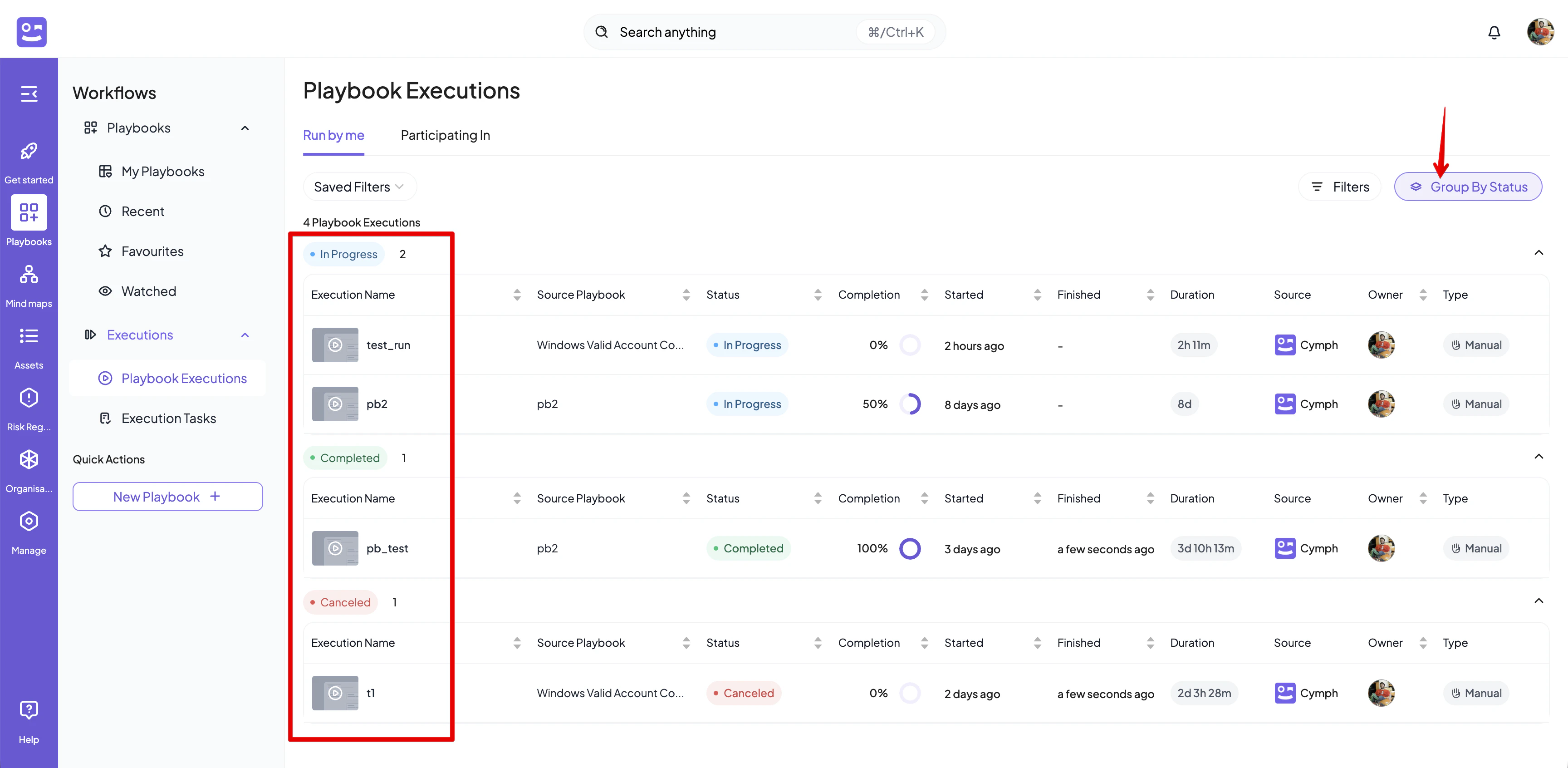
Endpoint isolation procedure took 18 minutes. Target: 10 minutes. The analyst had to request approval from the on-call manager before isolating the host, and the EDR console path was not documented in the step.On its own, that finding says that the playbook needs work. Combined with the rest of the context, it says exactly which step, which asset and which responsibility are involved. See Capture what needs to improve for how to record findings during and after an exercise.
4. Turn context into targeted changes
This is where the context pays off. Open Cymph AI and describe what changed or what the exercise showed, for example “Endpoint isolation took 18 minutes in the last exercise against a 10 minute target; update the procedures that rely on it”. The assistant already has access to your playbooks, their governance and assets, their framework mappings and the execution history. It does not need you to paste the findings in.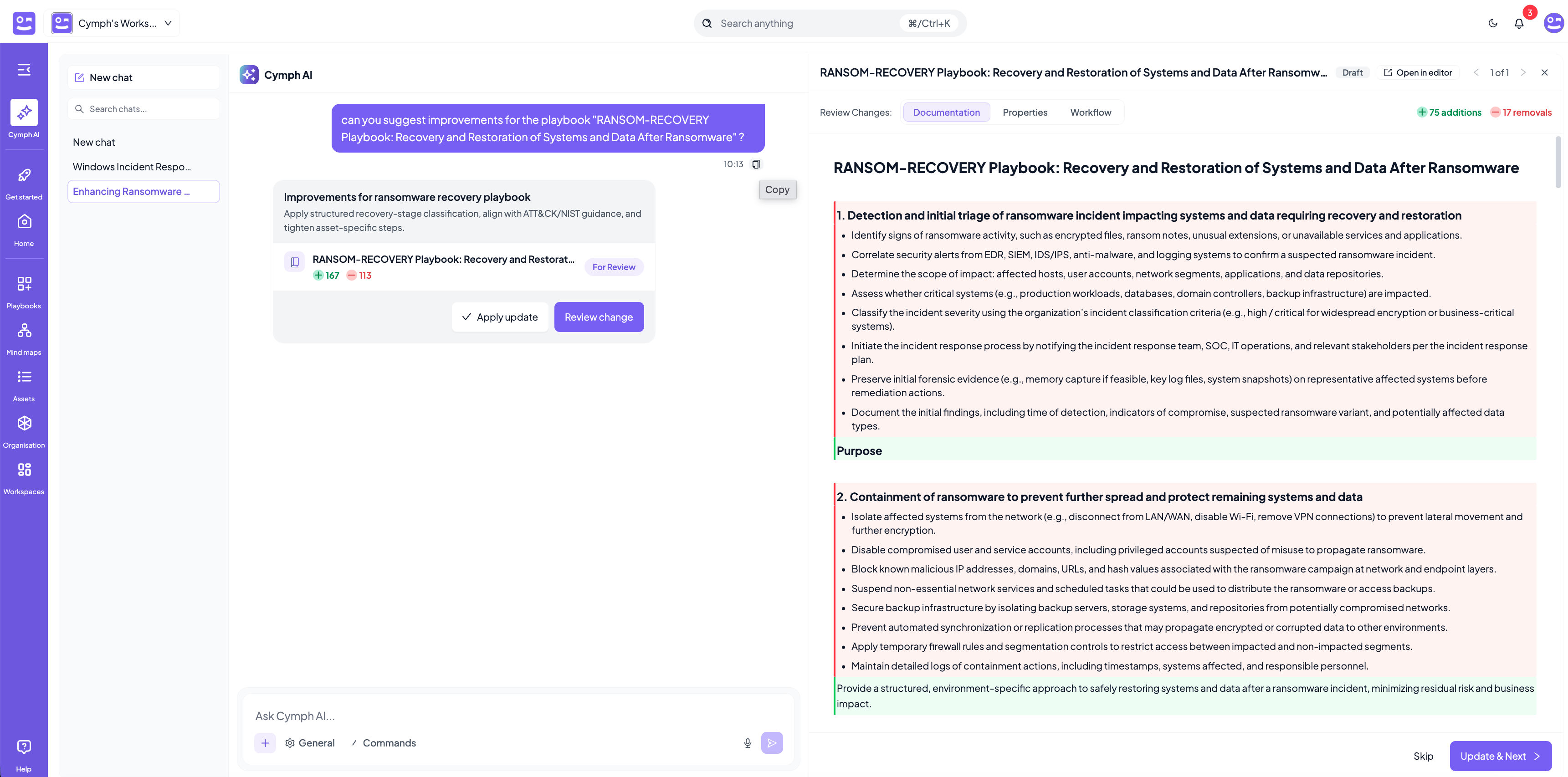
Depending on what the context shows, a proposed change can:
- Modify an instruction that was unclear or outdated, for example the console path or the escalation contact.
- Insert a missing step, for example a pre-authorised containment path or a notification that was performed ad hoc during the exercise.
- Update the relevant context, for example replacing a retired asset with the one that took its place, or adjusting a step timer to a realistic target.
- Address a responsibility that caused a delay, for example reassigning a step or adding the approver to the RACI matrix so the decision is pre-agreed.
5. Create what is missing
Sometimes the answer is not an update. When the context reveals a response capability that does not exist yet, the right move is a new playbook. The most common trigger is a coverage gap. In a Mind Maps preset, an uncovered technique means a threat you can detect, or have decided matters, but have no procedure for. From the technique details, click Generate Playbook on the strategy that fits your context, and Cymph AI drafts a playbook for that technique and maps it to the framework. See Close the gap.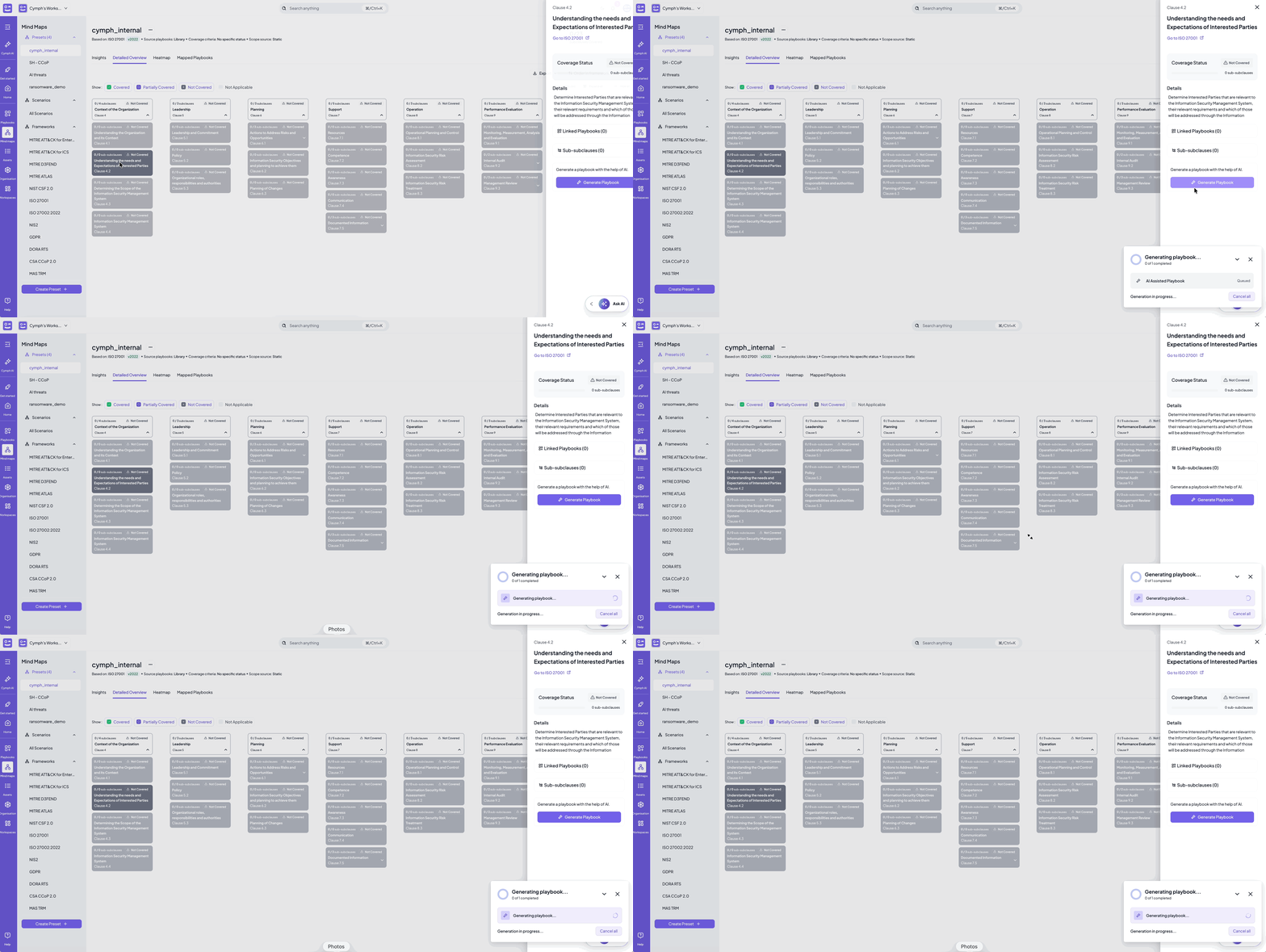
6. Keep people in control
AI proposes. Your team decides. No AI-proposed change becomes part of your response knowledge until someone has reviewed and approved it. Each affected playbook in the assistant’s list offers two actions: Apply update, which applies the proposal directly, and Review change, which opens it for inspection first. In the review panel, Cymph shows the proposal against the current content of the playbook: removed text is struck through and new text is highlighted, with a count of additions and removals, across the Documentation, Properties and Workflow tabs. From there each change can be:- Approved, with Update & Next, which applies the change and moves on to the next playbook.
- Skipped, with Skip, which leaves the playbook as it is.
- Edited, with Open in editor, when the intent is right but the detail needs adjusting by hand.
AI features require the AI settings of your instance to be configured. See AI & data usage.