

How to leave your current organisation
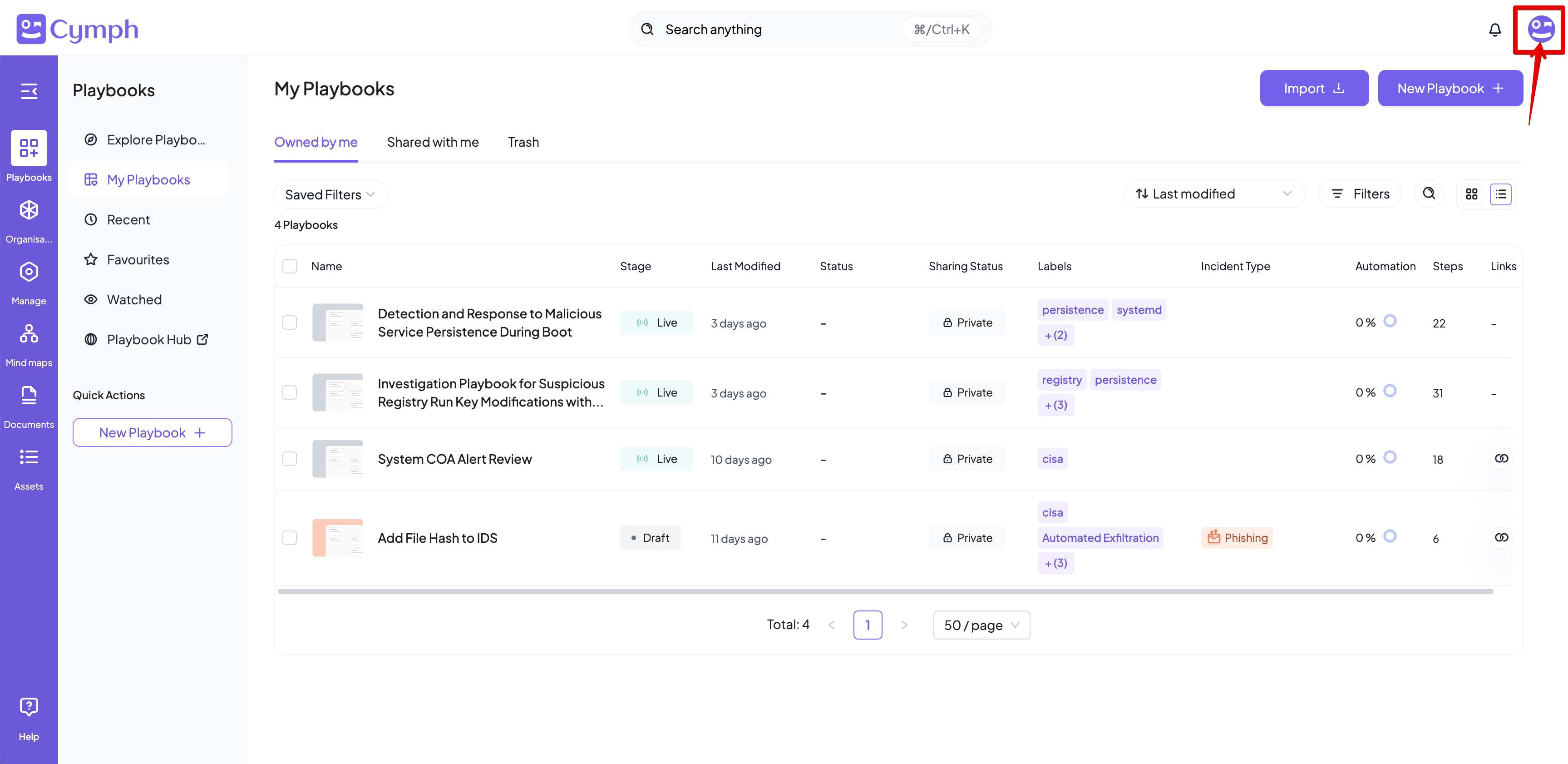
- Go to your profile menu.
- Click your profile picture on the top right corner of the dashboard.
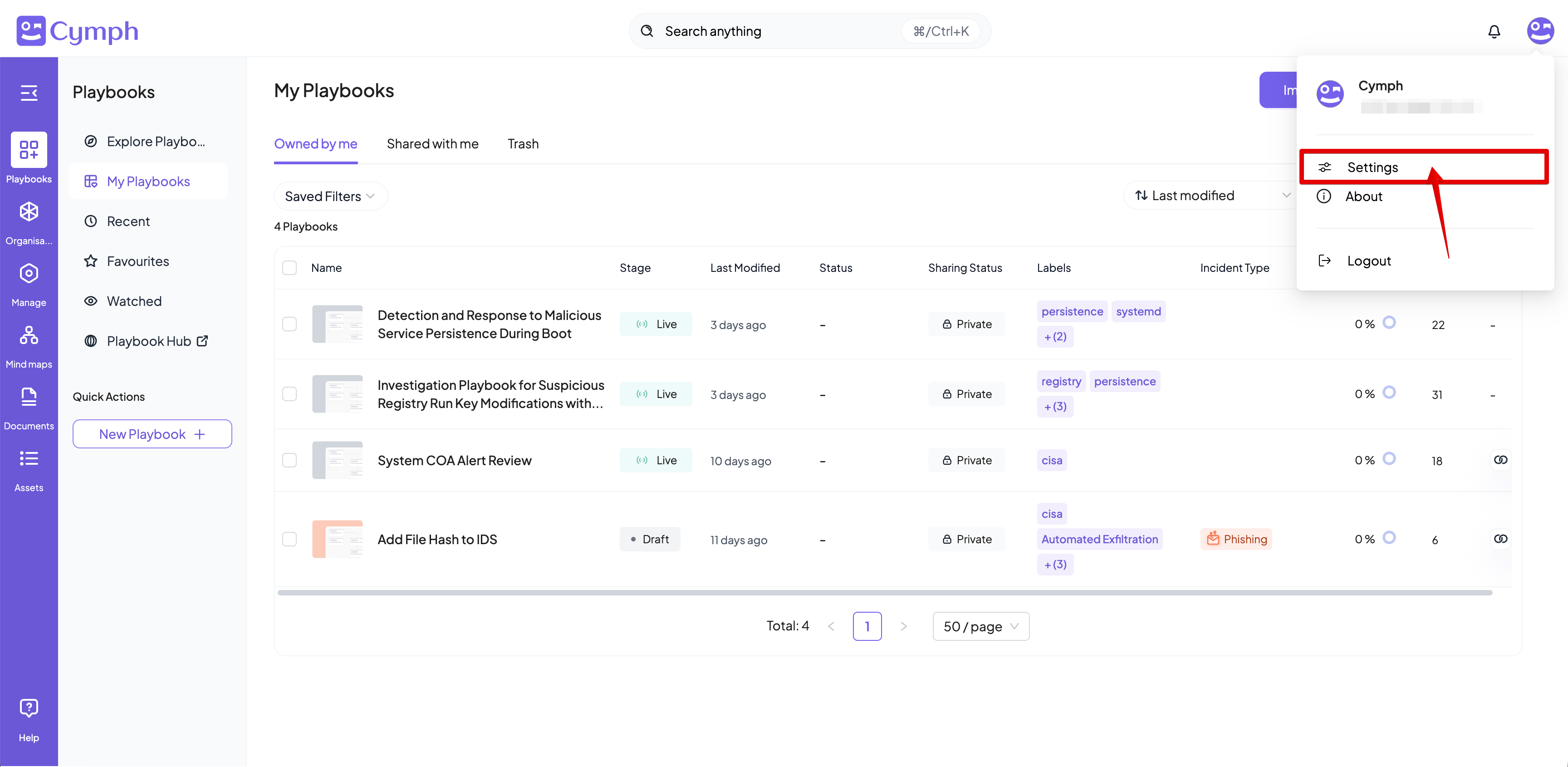
- Go to your settings.
- Click on Settings.
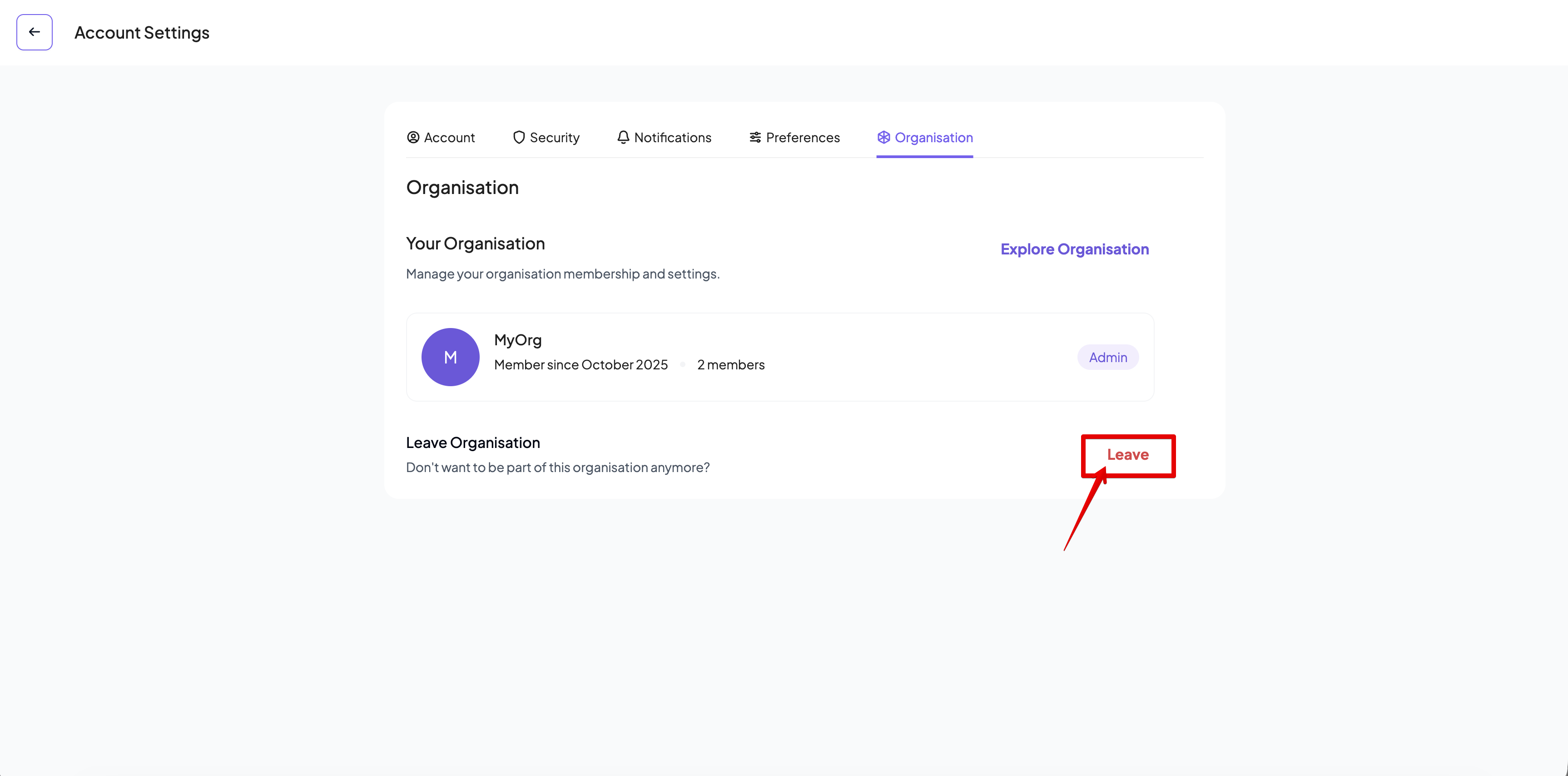
- Go to the organisation settings.
- Click on the Organisation tab of the settings panel, if not selected already.
- Leave your organisation.
- Click on the Leave Organisation button.
- A confirmation dialog will appear.
- Confirm that you want to leave the organisation.
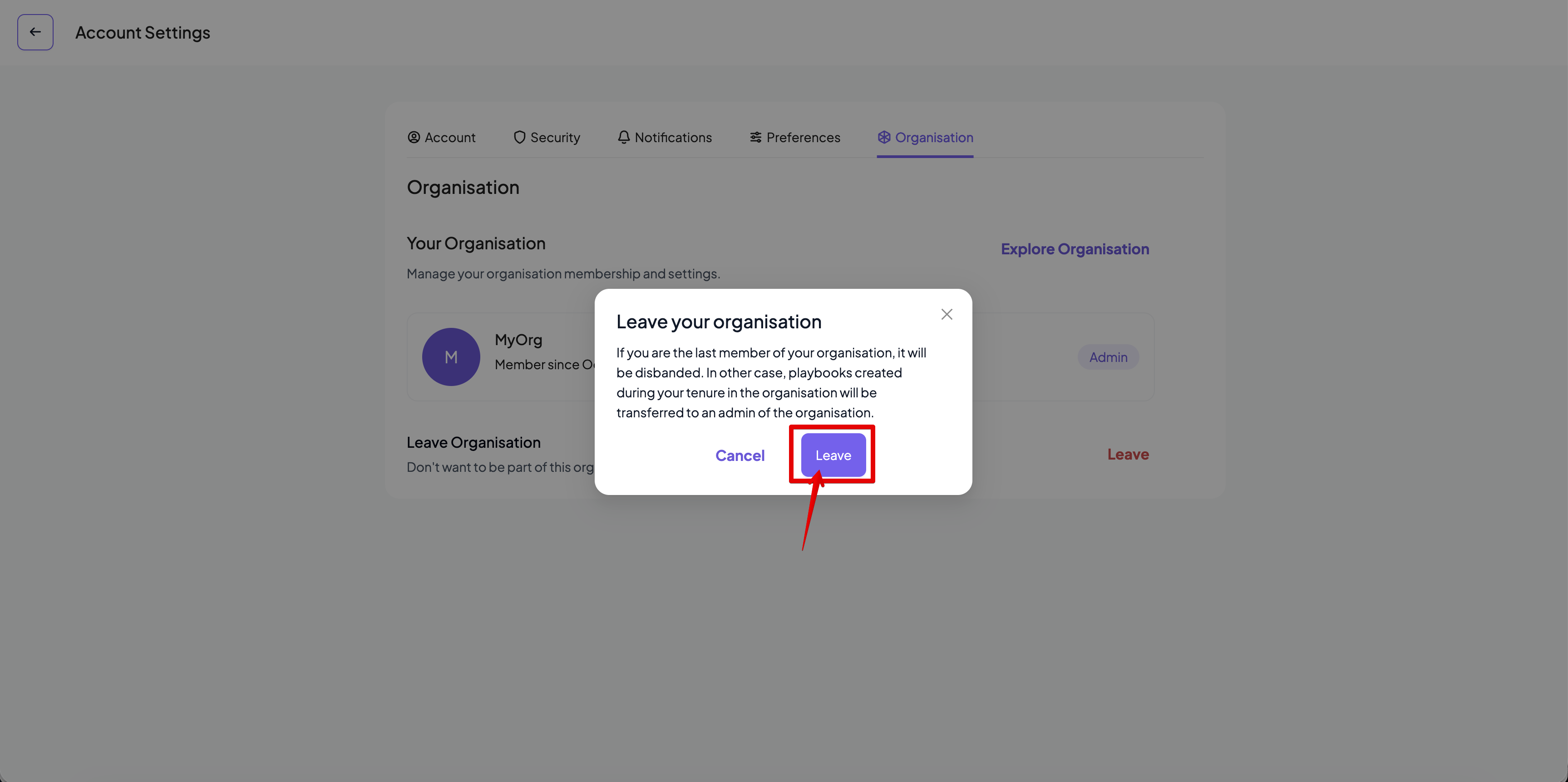
- You cannot leave your organisation if you are the last user with an Admin role for that organisation.
- When you leave an organisation, all the playbooks created while a member of that organisation will be inherited by the first available user in the organisation with the Admin role.