- As a workflow — to a SOAR, automation, or ticketing system such as Cortex XSOAR, n8n, StackStorm, JIRA, ServiceNow, or DFIR-IRIS, where it becomes an executable workflow or a set of tickets or tasks.
- As documentation — to a documentation system such as GitHub, GitLab, GitBook, SharePoint, or Confluence, where the playbook’s documentation is published as Markdown or PDF.
Publishing documentation writes to the target system, so the integration needs write credentials. If a documentation target is missing from the deploy dialog, or the deploy fails while Test Connection succeeds, the integration is most likely still configured with read-only permissions — see that integration’s page for the additional permission required.
Deploy a playbook from the playbook management system
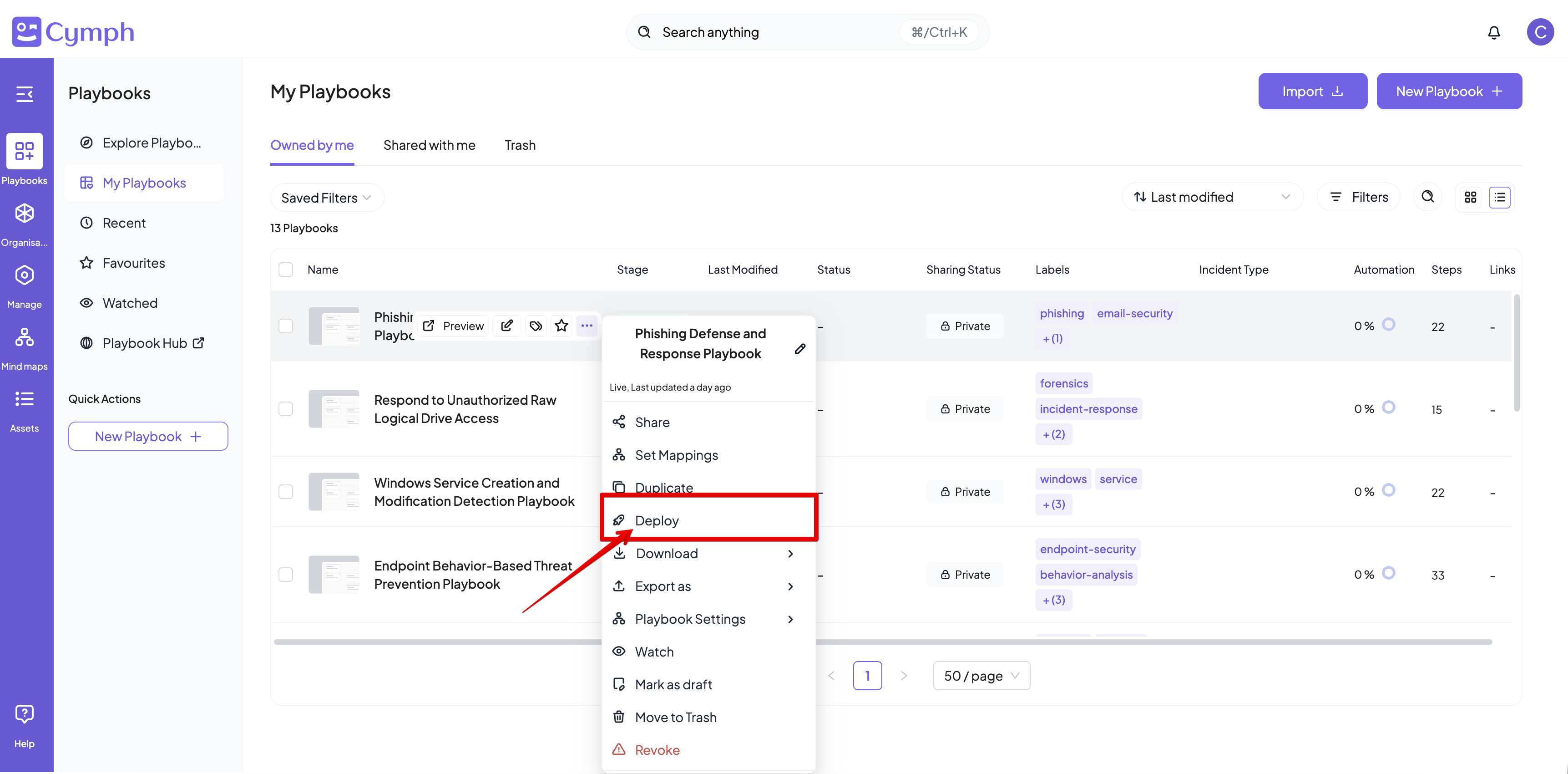
- Go to the Playbook Management System
- Select the Deploy action
- Hover over the playbook you want to deploy
- Click on the triple dot icon to open the action menu
- Select an integration from the dialog that appears
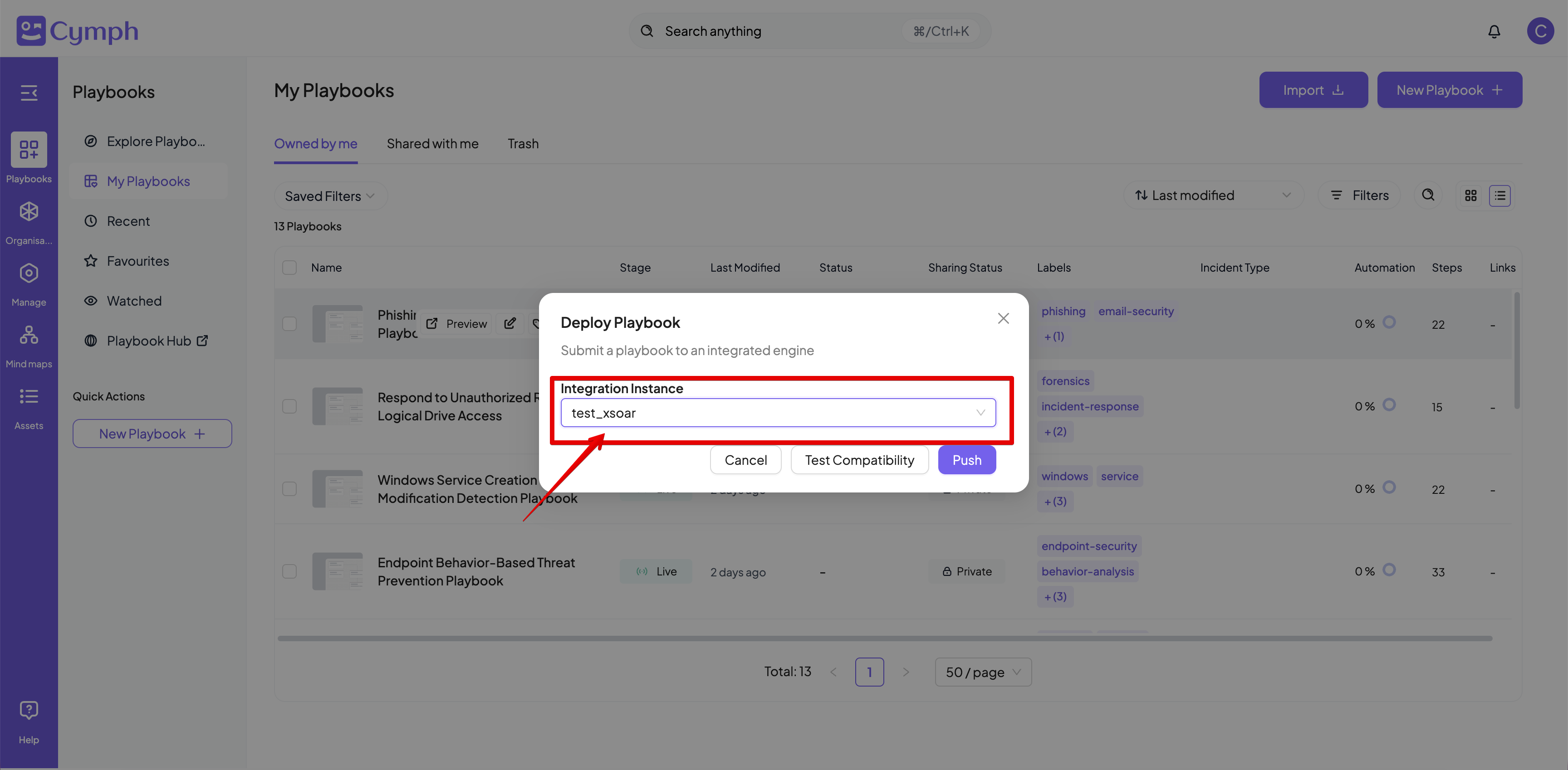
- Test for compatibility (optional).
- Click the Test Compatibility button. If the playbook can be deployed at the selected integration, a message “Playbook can be deployed” will appear.
- Deploy the playbook
- Click the Deploy button
Invalid playbooks cannot be deployed. For invalid playbooks, the deploy icon will be disabled
Deploy a playbook from the playbook editor
- Open the playbook you want to deploy in the editor
- Deploy the playbook
- Click the Deploy button from the workflow view
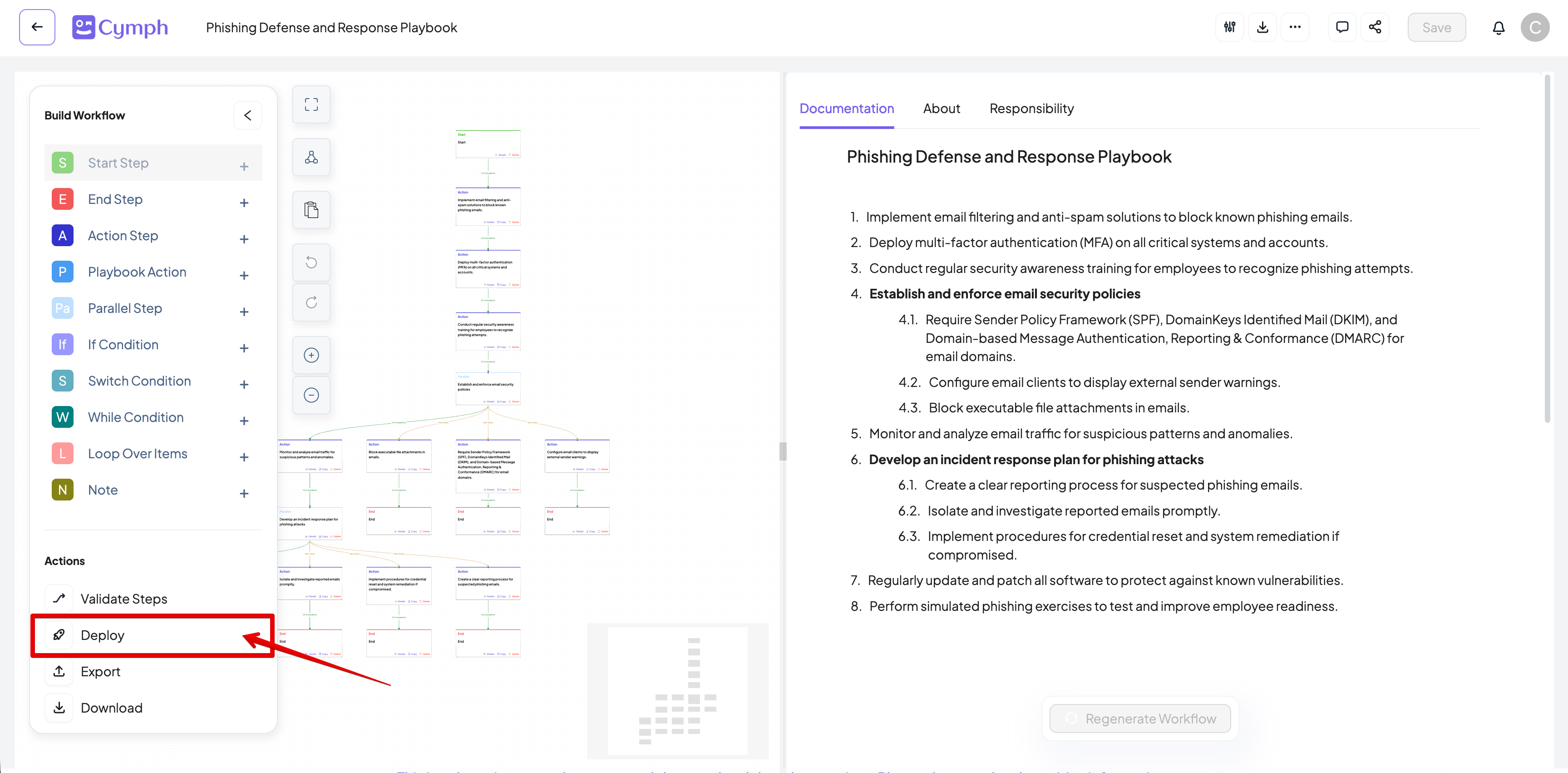
- Follow the steps as described in the previous section for the deployment
View the deployment history
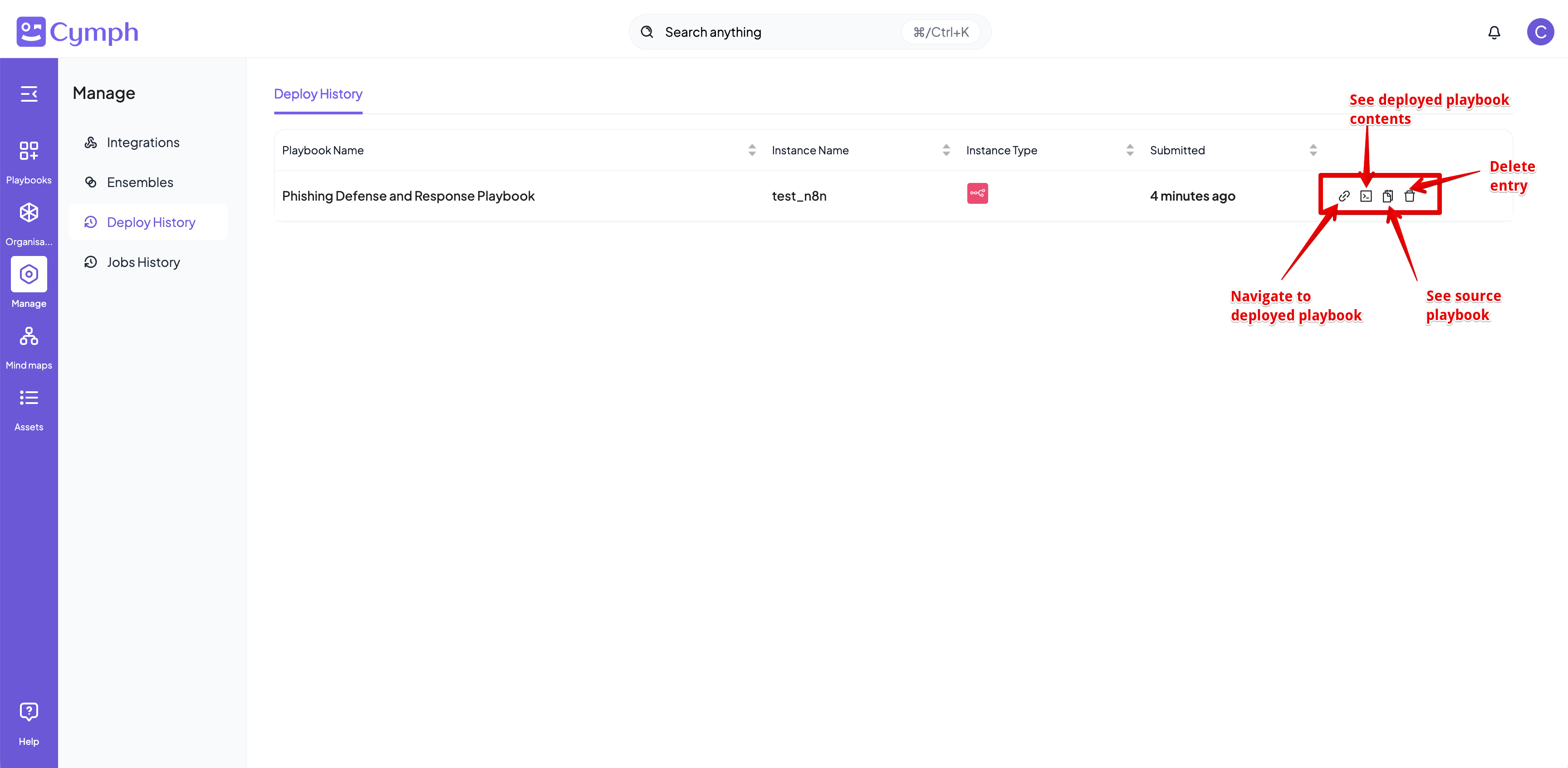
- Go to the Deploy History page
- From the main navigation menu click Manage -> Deploy History
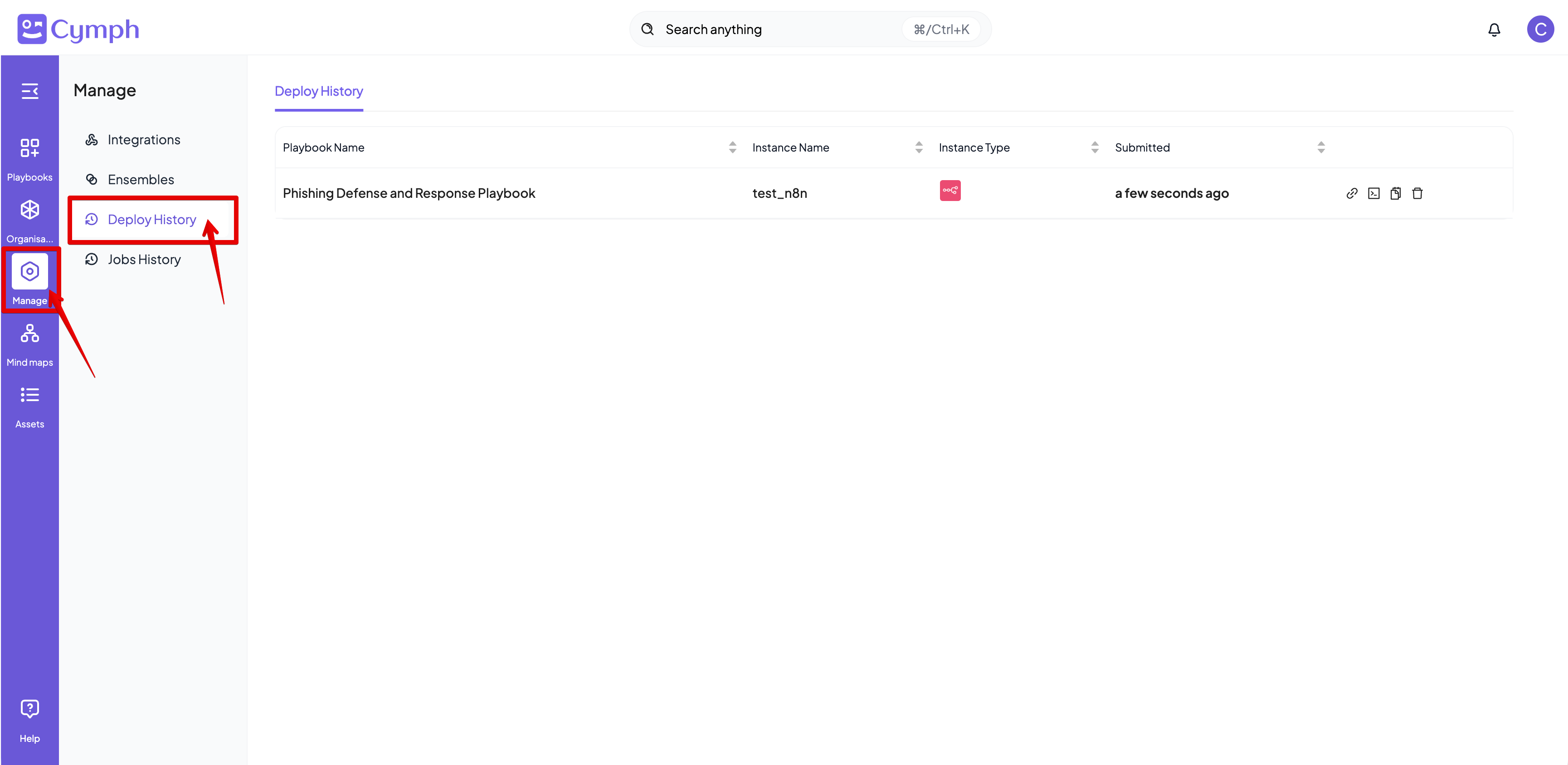
- The list of deployed playbooks will appear
- There are several options for each deployed playbook:
- Navigate the pushed playbook: this option will open a new tab that will go to the target platform and open the deployed playbook. Not all integrations provide a direct link to playbooks
- See the deployed playbook: see the contents of the playbooks as translated for the target integration
- See the source playbook: see the contents of the original playbook as of the time of deployment
- Delete the history entry