Authentication
Authentication is achieved via the x-cymph-api-key HTTP header.Create an API key
- Go to your profile menu.
- Click your profile picture on the top right corner of the dashboard.
- Go to your settings.
- Click Settings.
- Go to API access management page
- Click on API Keys tab
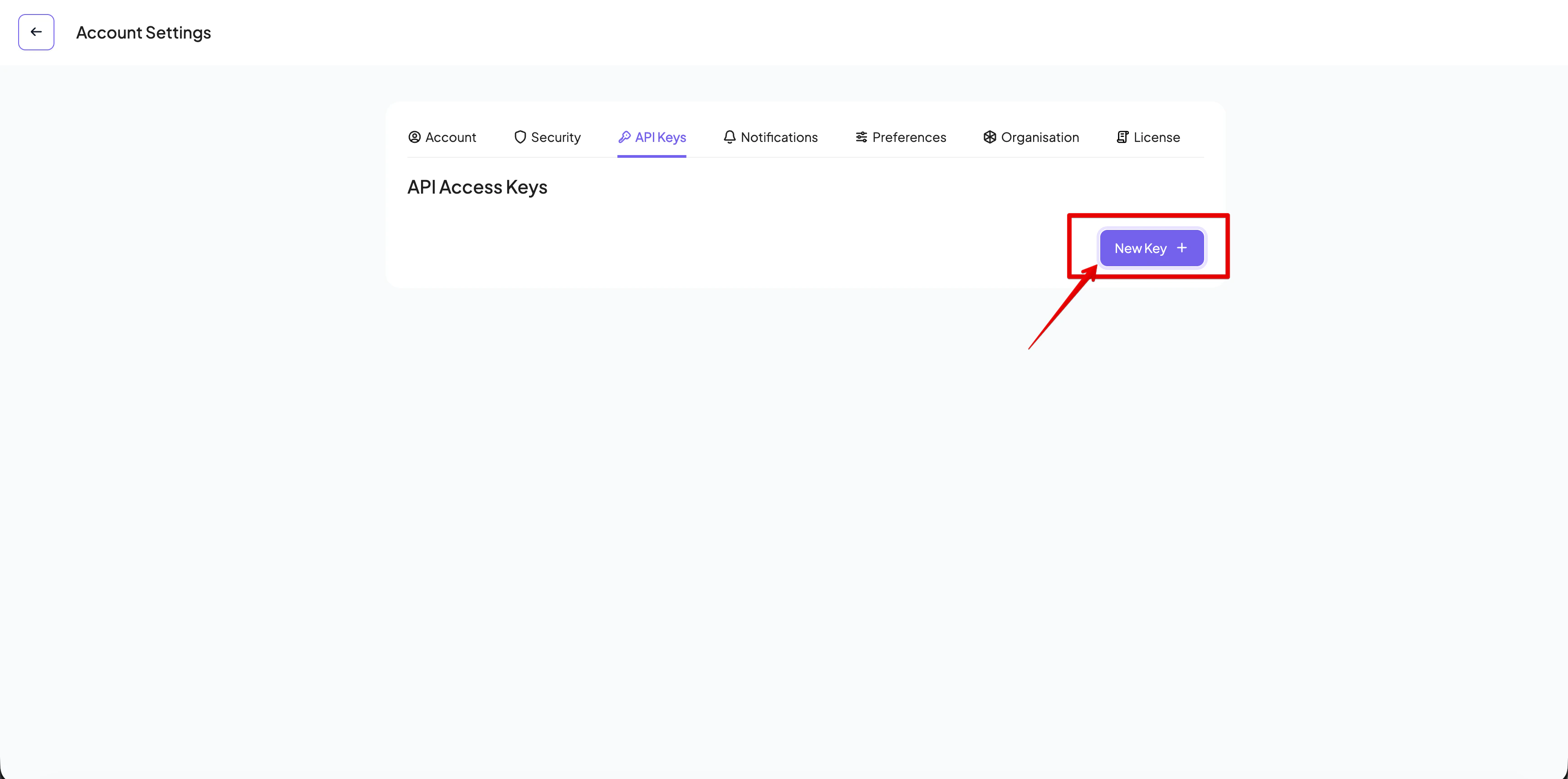
- Create a new key
- Click on New Key button
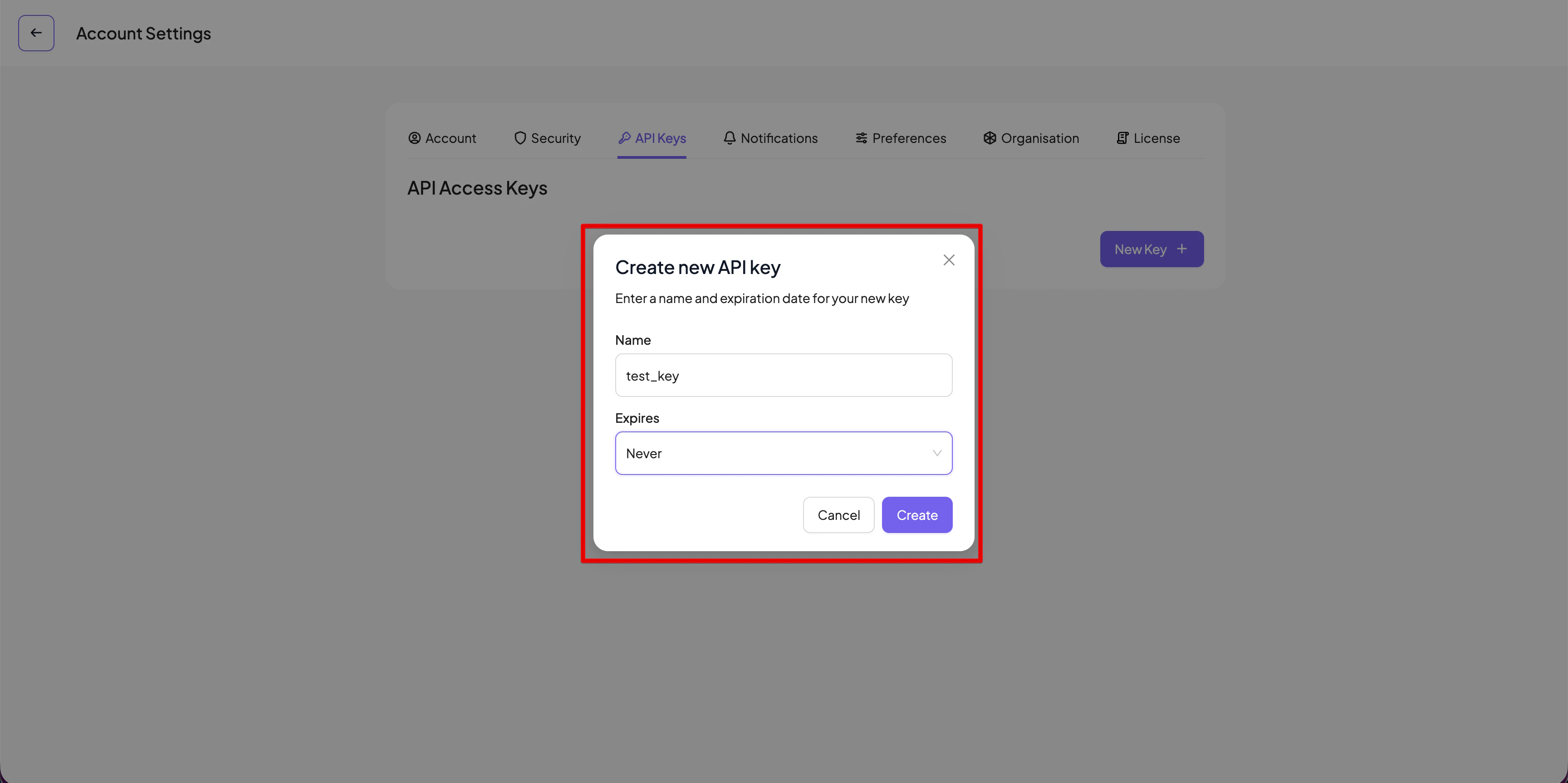
- Enter a name and select an expiration period
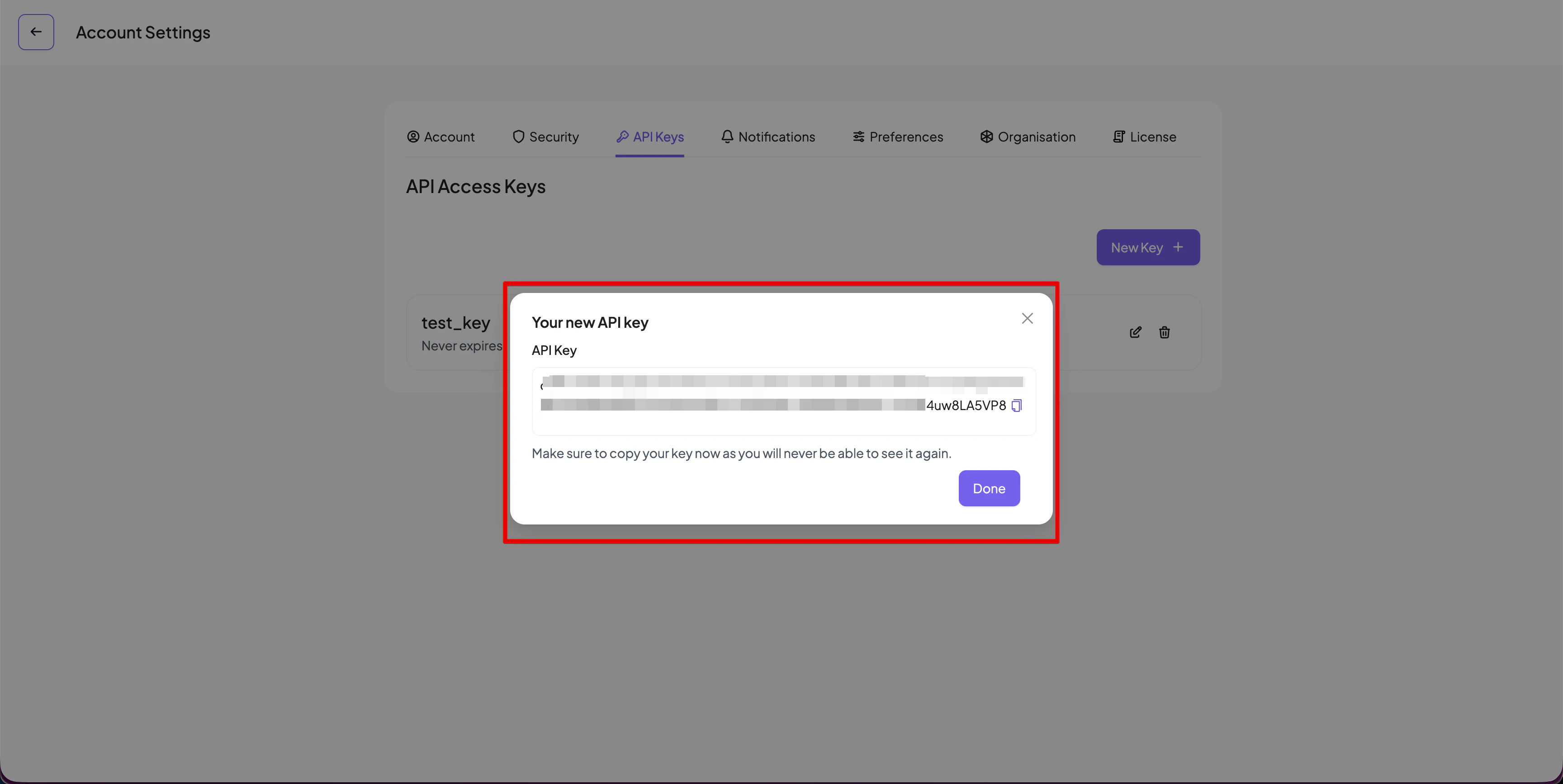
- The API key will be created and displayed. Make sure you copy the key because it will not be displayed again!
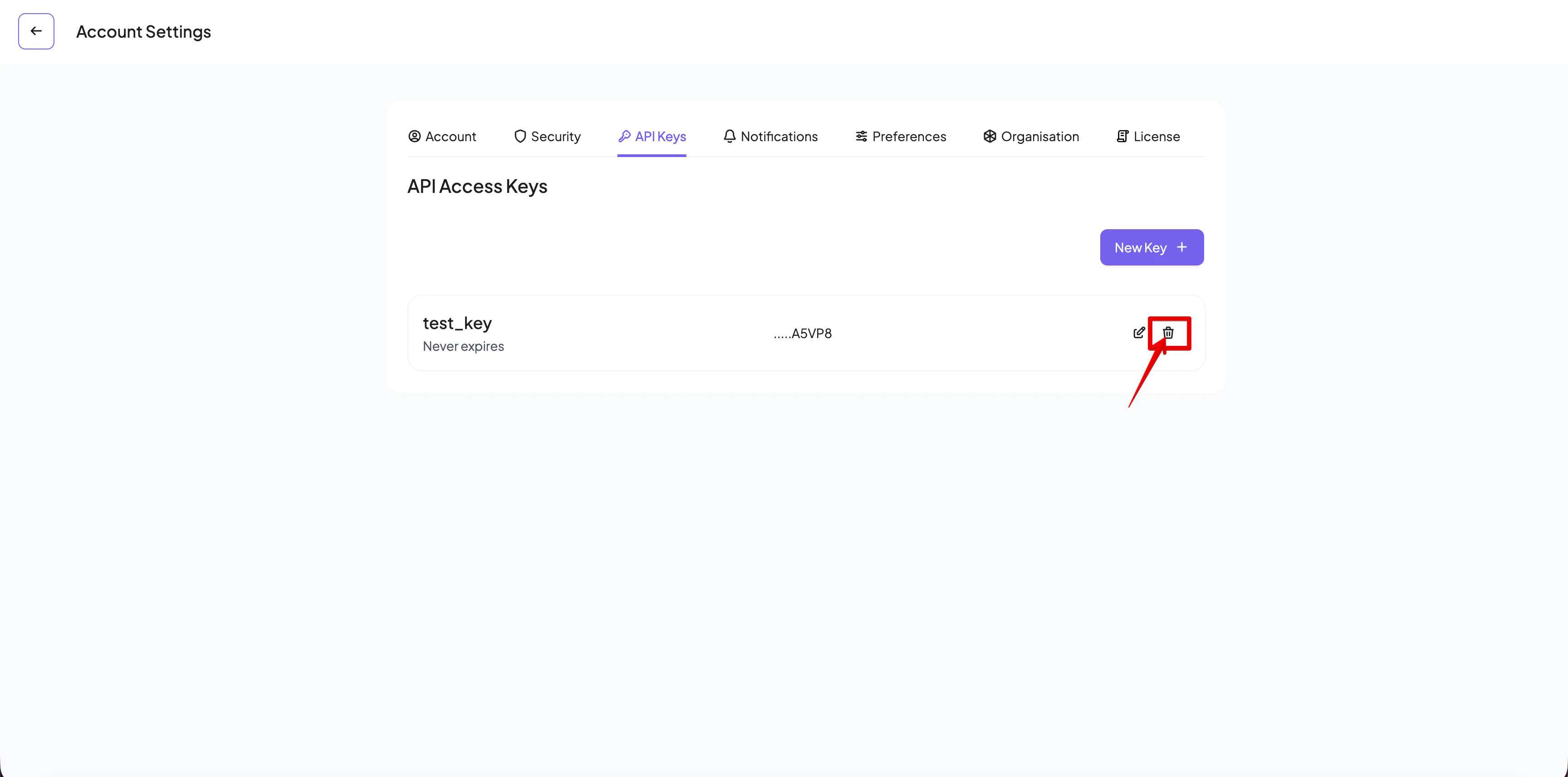
Deleting an API key
The generated API keys are listed in the API key management page. Only the last five characters of the key are displayed to help you locate the key. If you want to delete it, press the Delete button of the key’s entry