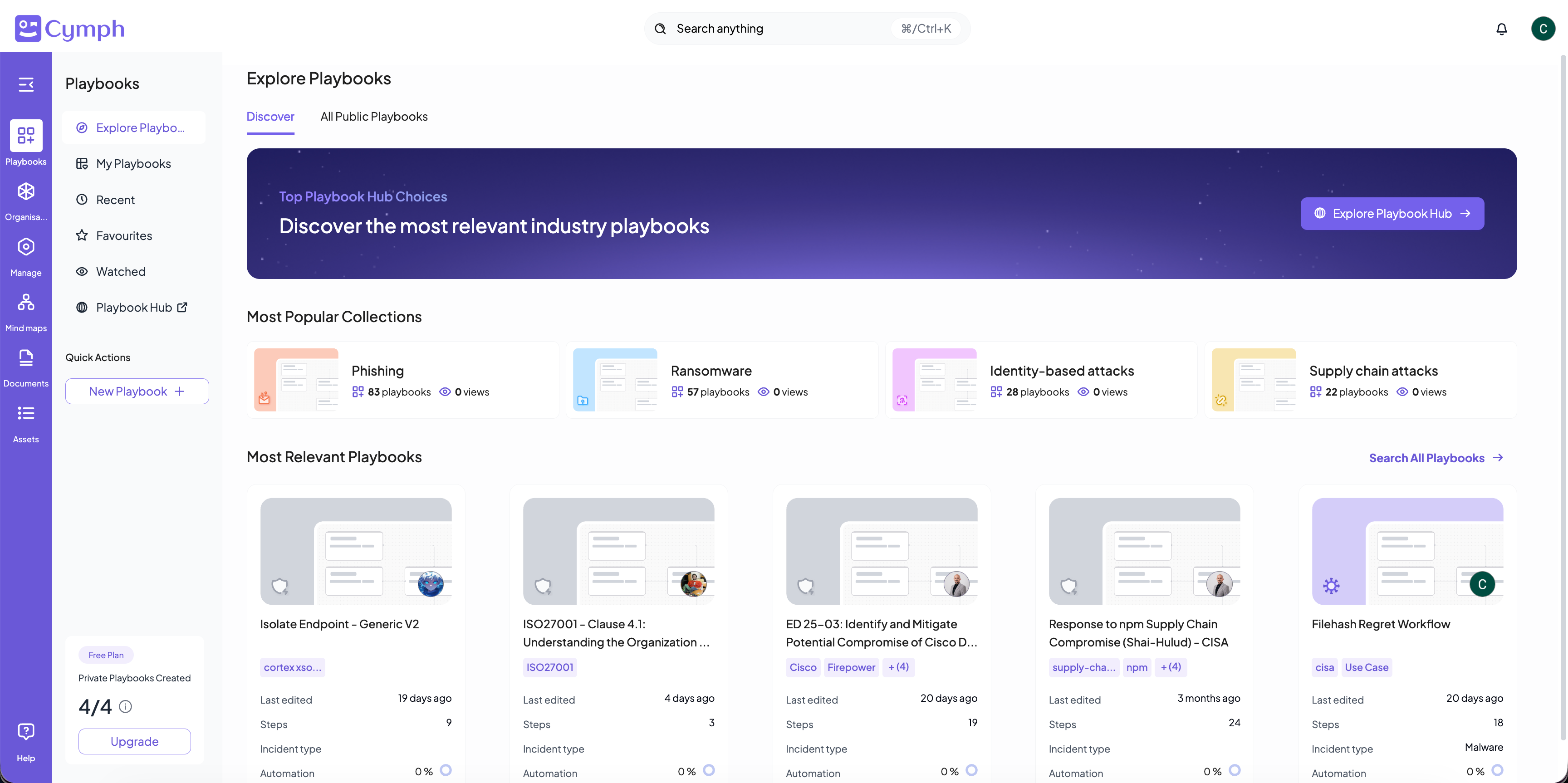
Playbook views
There are different views for playbooks:- Created by me: Displays the playbooks created by you. This view is under Library (your current workspace’s playbooks).
- Shared with me: Playbooks shared with you, across all workspaces. This view is available directly from the navigation menu.
- Recent: Lists the playbooks recently opened or edited by you. This view is directly accessible from the navigation menu.
- Favourites: Shows only the playbooks marked as favorite. This view is directly accessible from the navigation menu.
- Watched: Lists the playbooks added to your watch list. This view is directly accessible from the navigation menu.
- Public: Lists all playbooks that are publicly shared. This view is under Explore Playbooks sections.
- Trash: Lists the playbooks marked for deletion. This view is a tab of the Library.
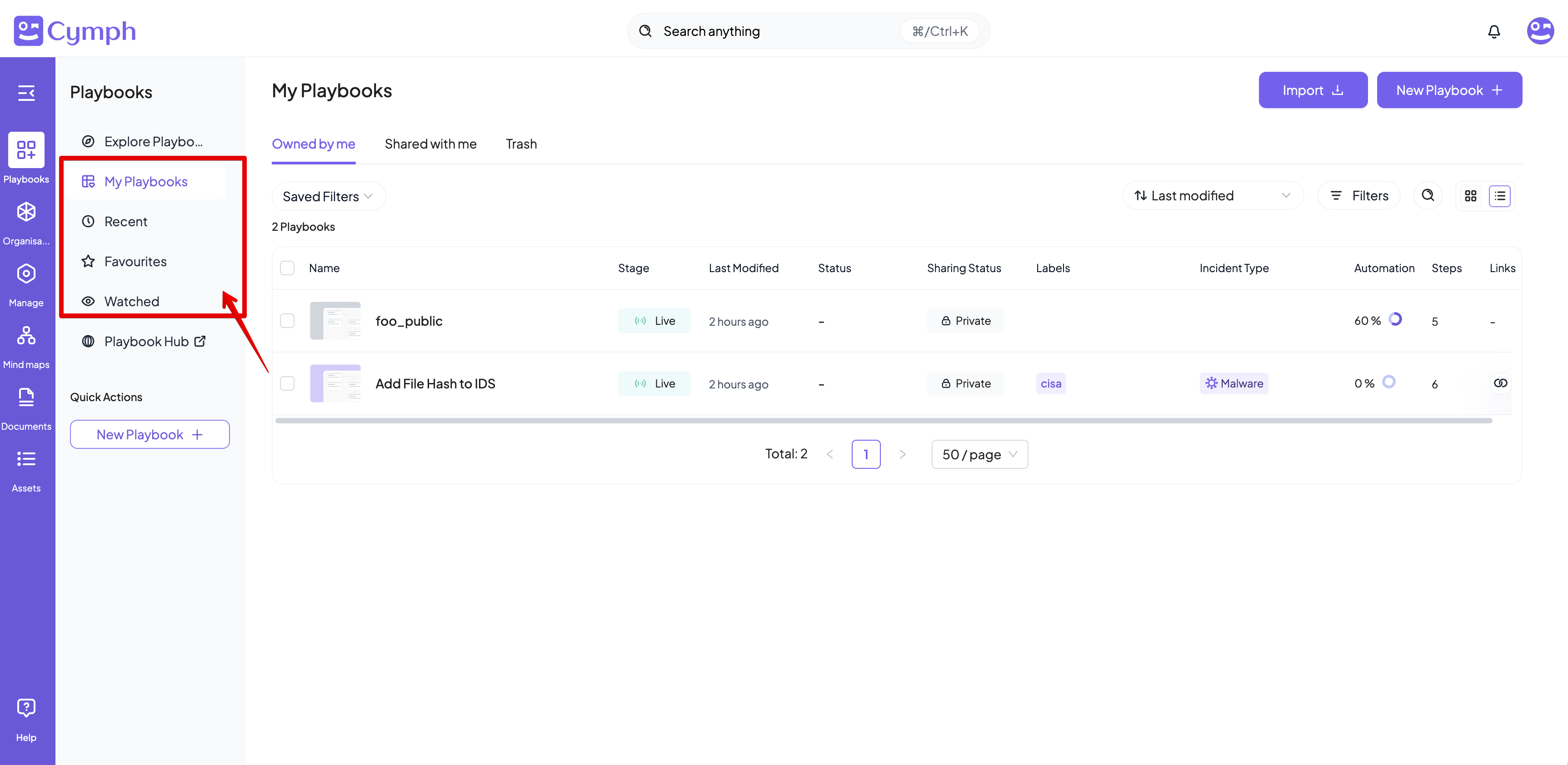
The Library shows the playbooks of your currently active workspace. Its Overview tab is an analytics dashboard — see Playbook Insights. The Shared with me, Recent, Favourites, and Watched views span all your workspaces.
Playbook table
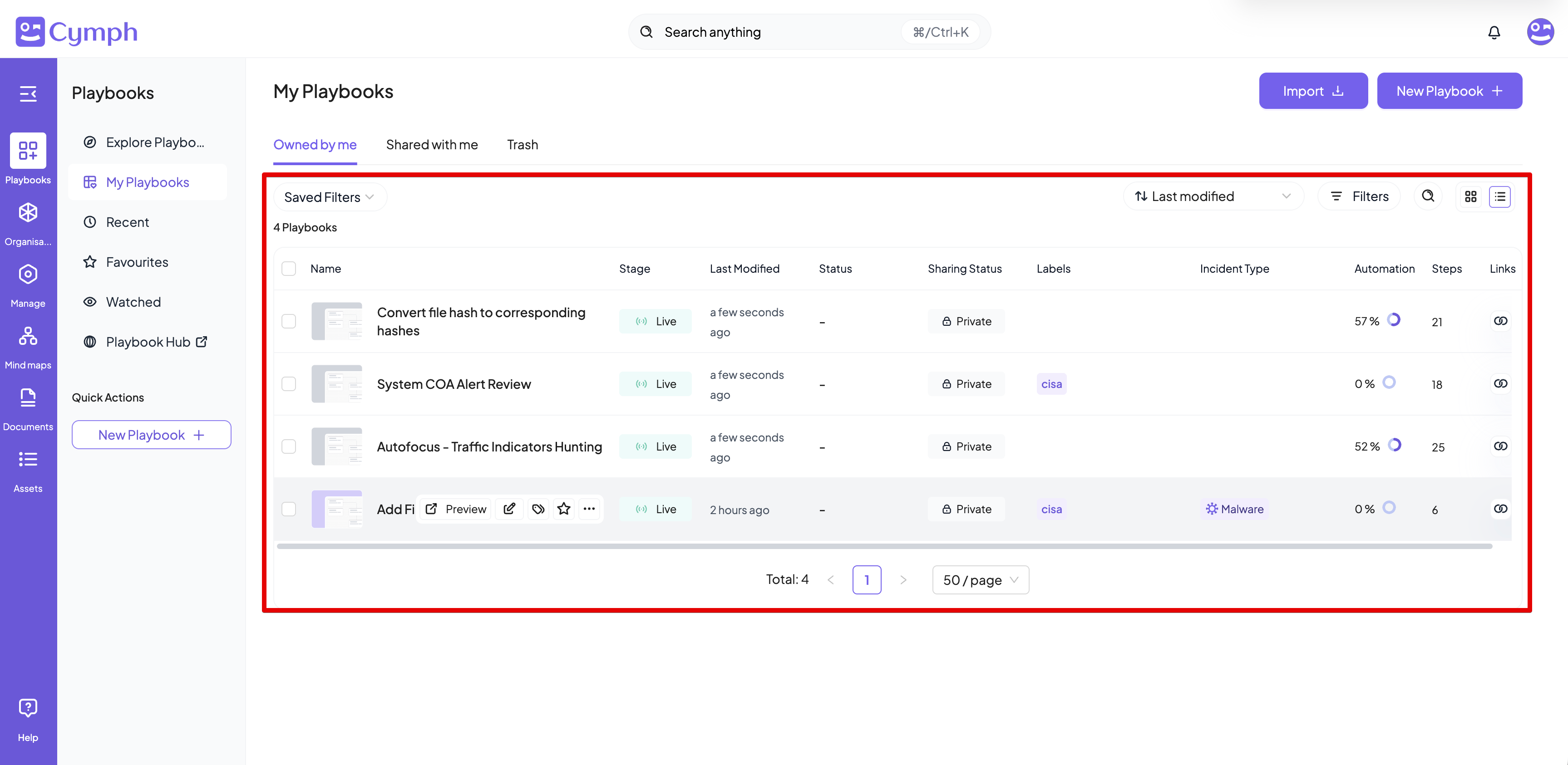
The playbook table lists all playbooks that match the selected view. It consists of eight columns:- Name: The playbook name.
- Stage: There are 3 different stages for a playbook:
- Draft: the playbook is marked as a draft.
- Live: the playbook can be used
- Revoked: the playbook is obsolete and has been revoked.
- Last Modified: The relative time since the last update of the playbook.
- Status: the current status of the playbook. Valid statuses can be:
- Planned
- In progress
- In review
- Completed
- Sharing status: provides an indicator if the private is private, shared with others or shared publicly
- Labels: This column lists the user-defined labels.
- Owner: The avatar of the playbook owner. Hover over the avatar to see the name of the owner.
- Automation: the automation degree of the playbook
- Steps: the number of steps involved in the playbooks
- Links: shows information on the source of the playbook (e.g. if it is imported from a SOAR system) and how this playbook is linked to configured presets
Exploring playbooks
The Explore playbook section contains playbooks that are publicly shared so you can freely browse them.Discover area
This area proposes a set of most popular playbook collections organised around various prominent threats and incident types. It also lists the top 5 public playbooks in terms of views that can be relevant to you and your team