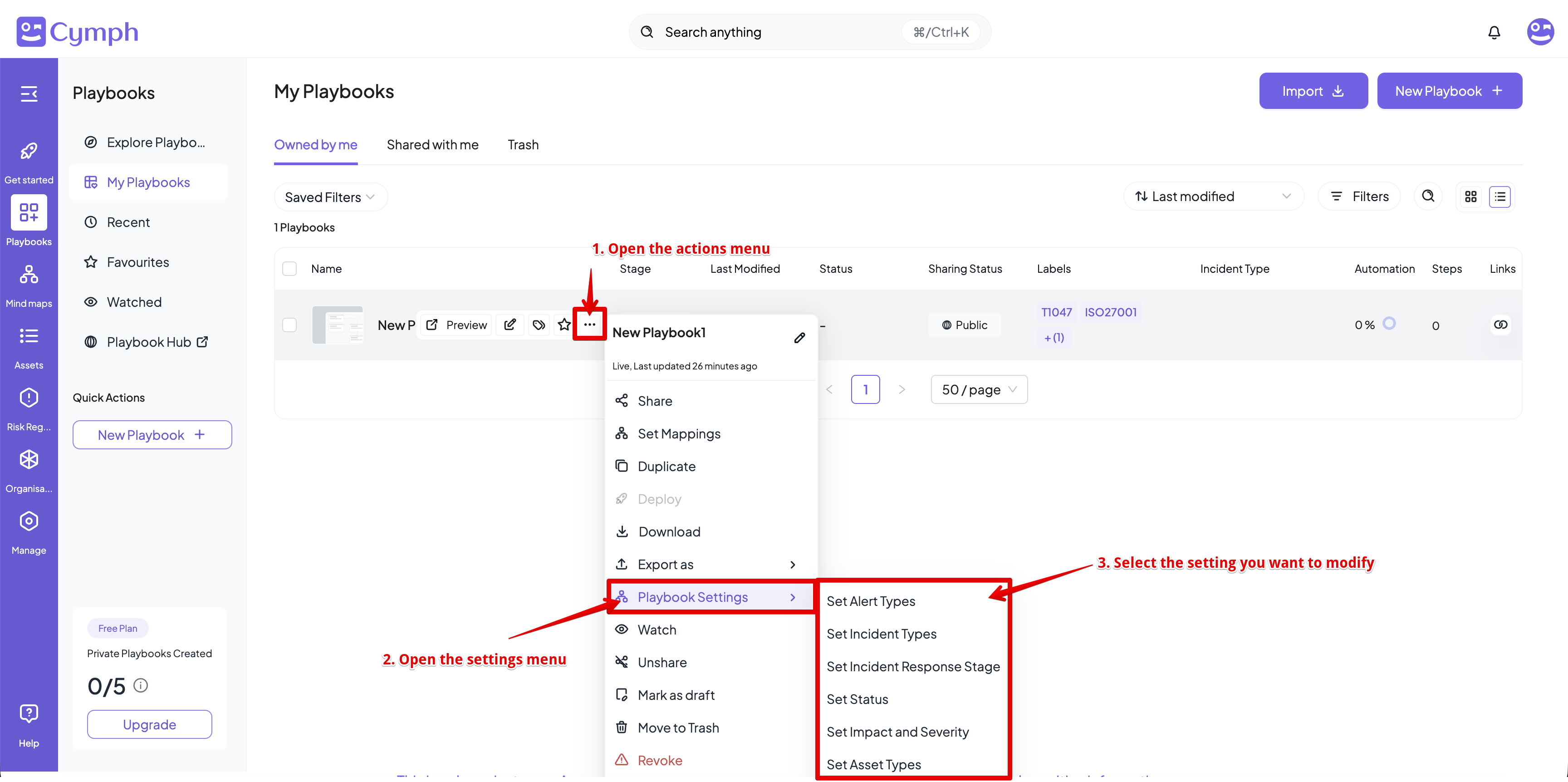
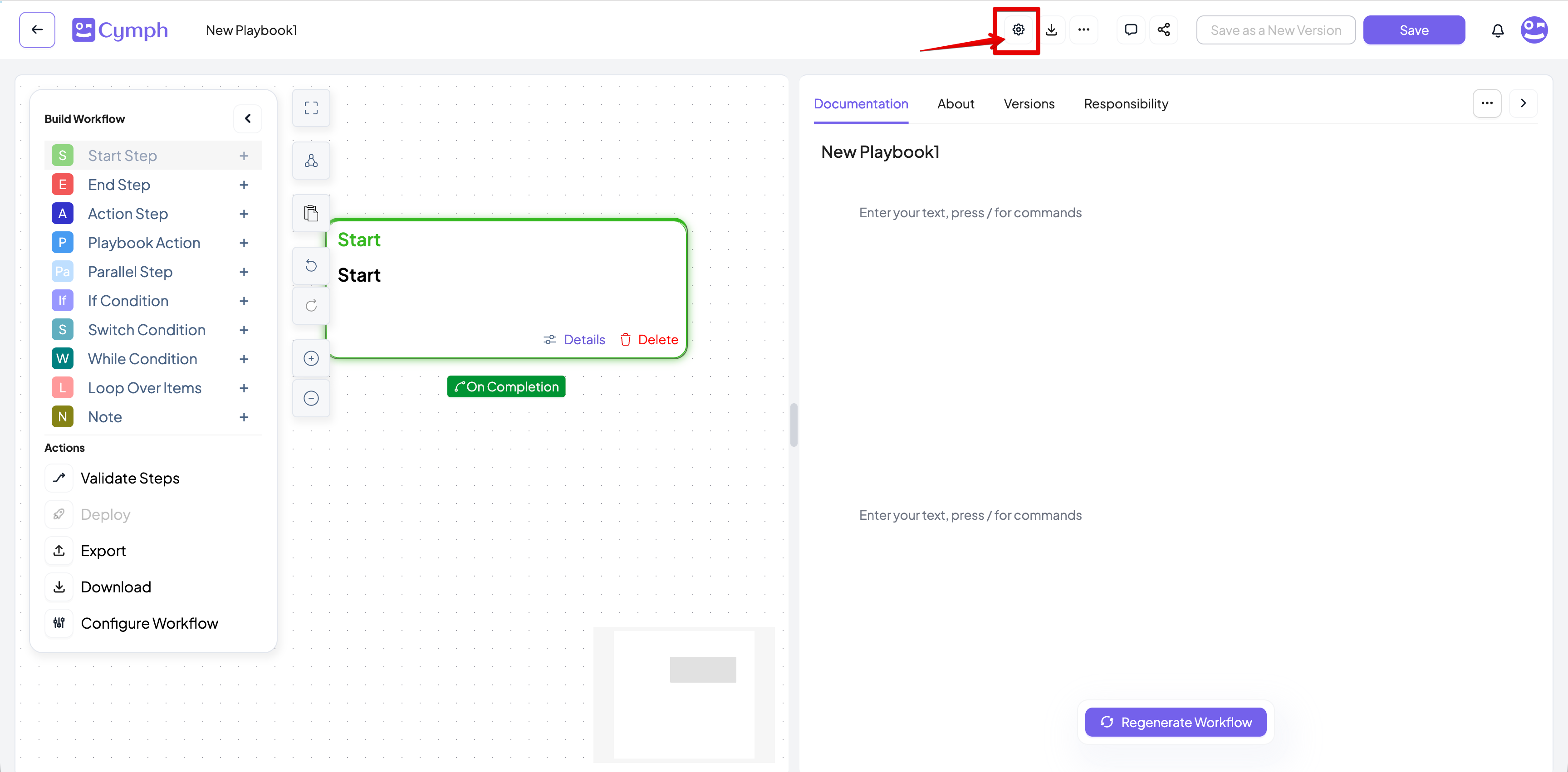
| Description | A description of the playbook | Yes | No |
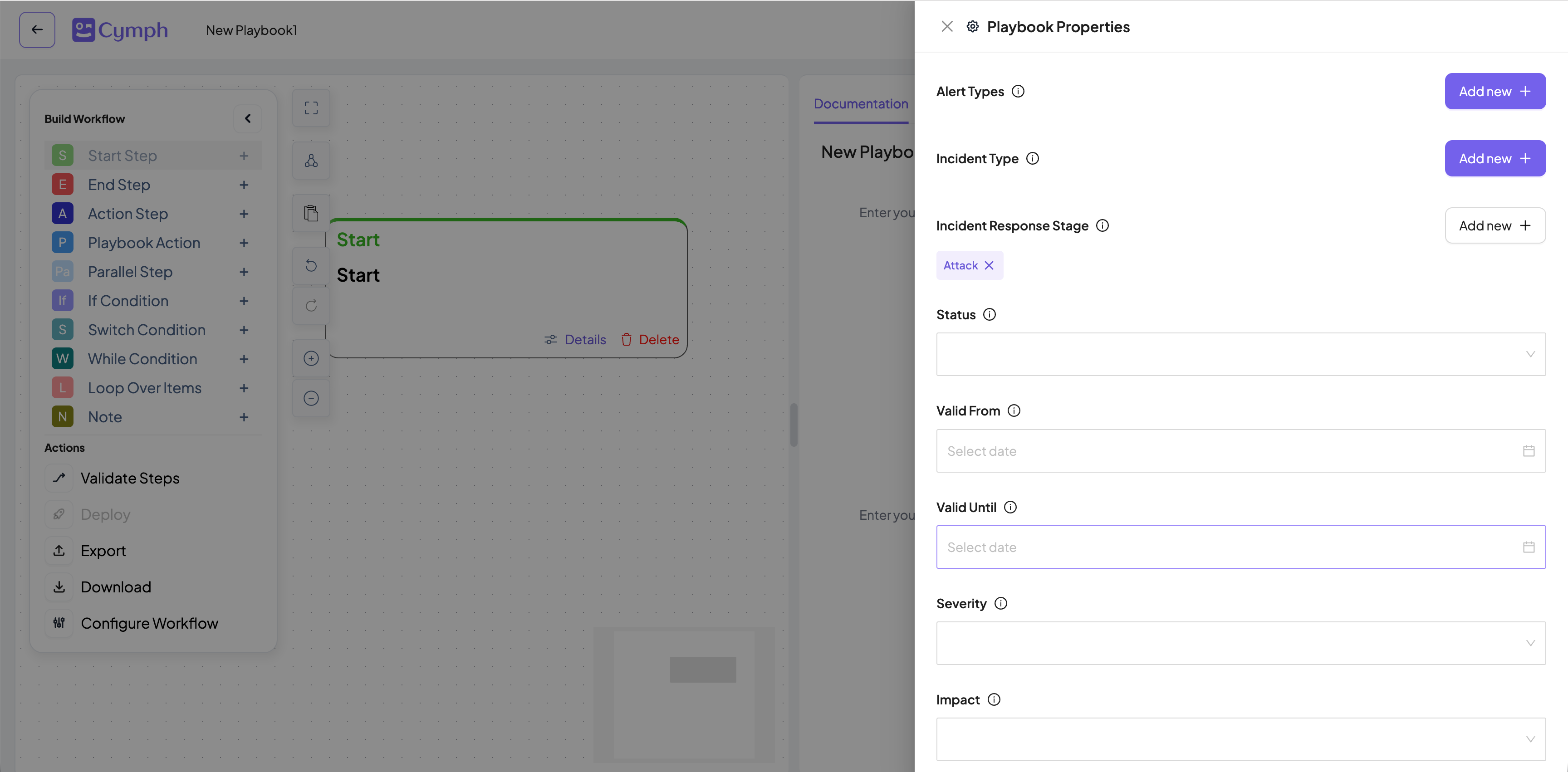
| Alert types | Relevant alert types. It is a free-form field
and can have multiple value | Yes | Yes |
| Incident types | The relevant incident type, e.g phishing,
ransomware etc. Users can also add their
own incident type | Yes | Yes |
| Incident Response Stage | The incident response stage can be attack,
detection, remediation, investigation,
prevention. Users can also add their own | Yes | Yes |
| Impact and Severity | The impact and severity of the playbooks.
Values can be Not Specified, Low,
Medium, High and Critical | Yes | Yes |
| Asset types | The associated asset types. Users can
specify multiple asset types. For more
information about asset types look at
Asset Management documentation. | Yes | Yes |
| Assets involved | The assets referenced in the playbook | Yes | No |
| Review Settings | The assigned reviewer and review frequency
for the playbook. | Yes | Yes |
| Valid From / Until | The validity period of the playbook. | Yes | No |
| RACI matrix | The Responsible, Accountable, Consulted
and Informed matrix of the playbook. | Yes | No |
| Attachments | Files attached to the playbook. | Yes | No |
| External References | Any external references to this playbook. | Yes | No |