Executing via the playbook management system
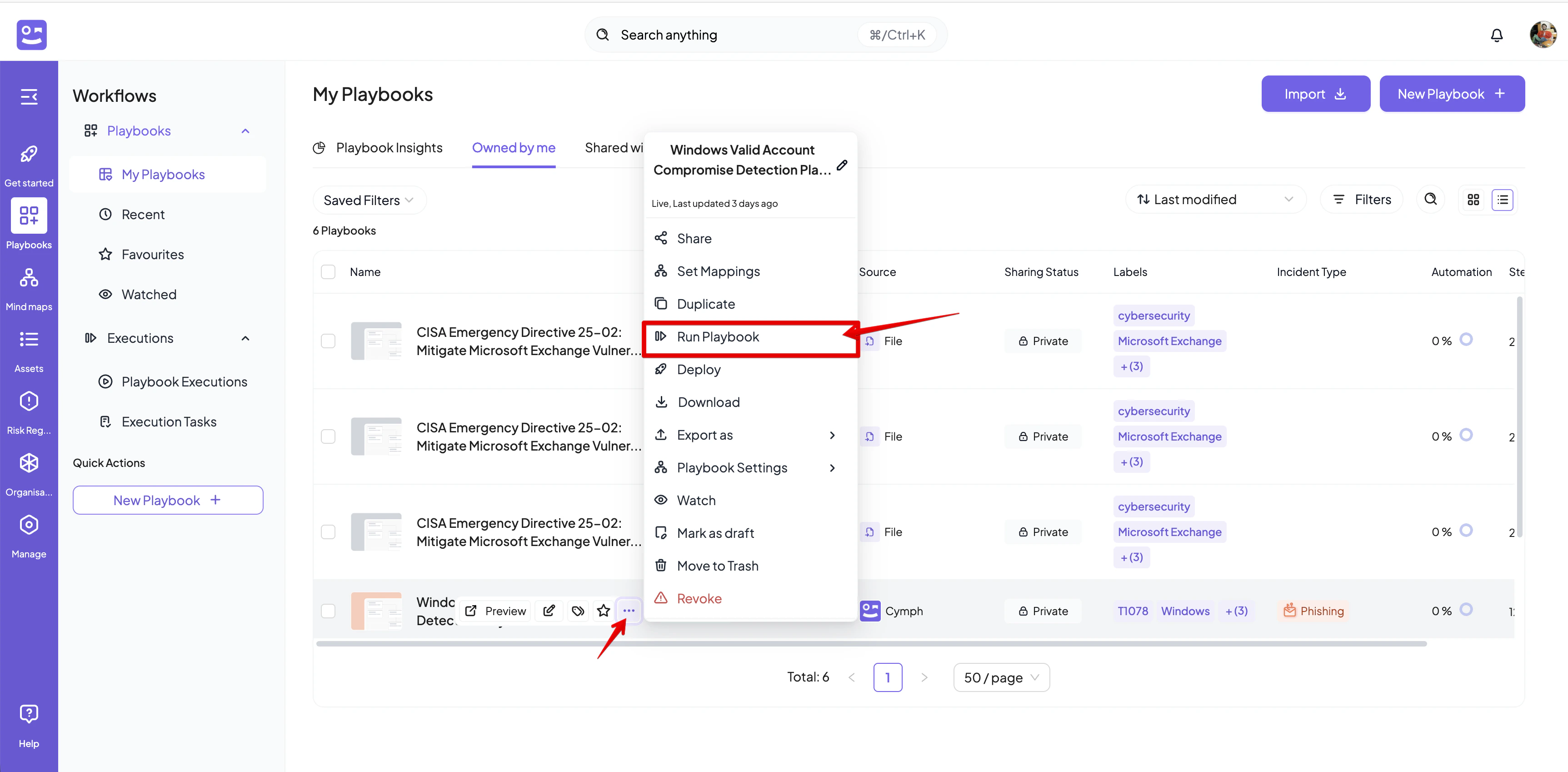
Playbooks can be executed either via the playbook management system or via the editor. Each execution is named. In order to execute a playbook from the management system:- Open the action menu for the playbook you want to execute
- Select Run Playbook from the action menu
- If the option is disabled, this means that the playbook is ineligible for execution.
- Provide a name for the execution and optionally a description in the dialog that appears
- At this stage you can also change the default assignees. If you have edit access to the playbook, an Edit Assignees will appear. By clicking on it, a playbook editor will open in a new tab
- Click on Run Playbook to start the execution. You will be redirected to the execution editor
Executing via the playbook editor
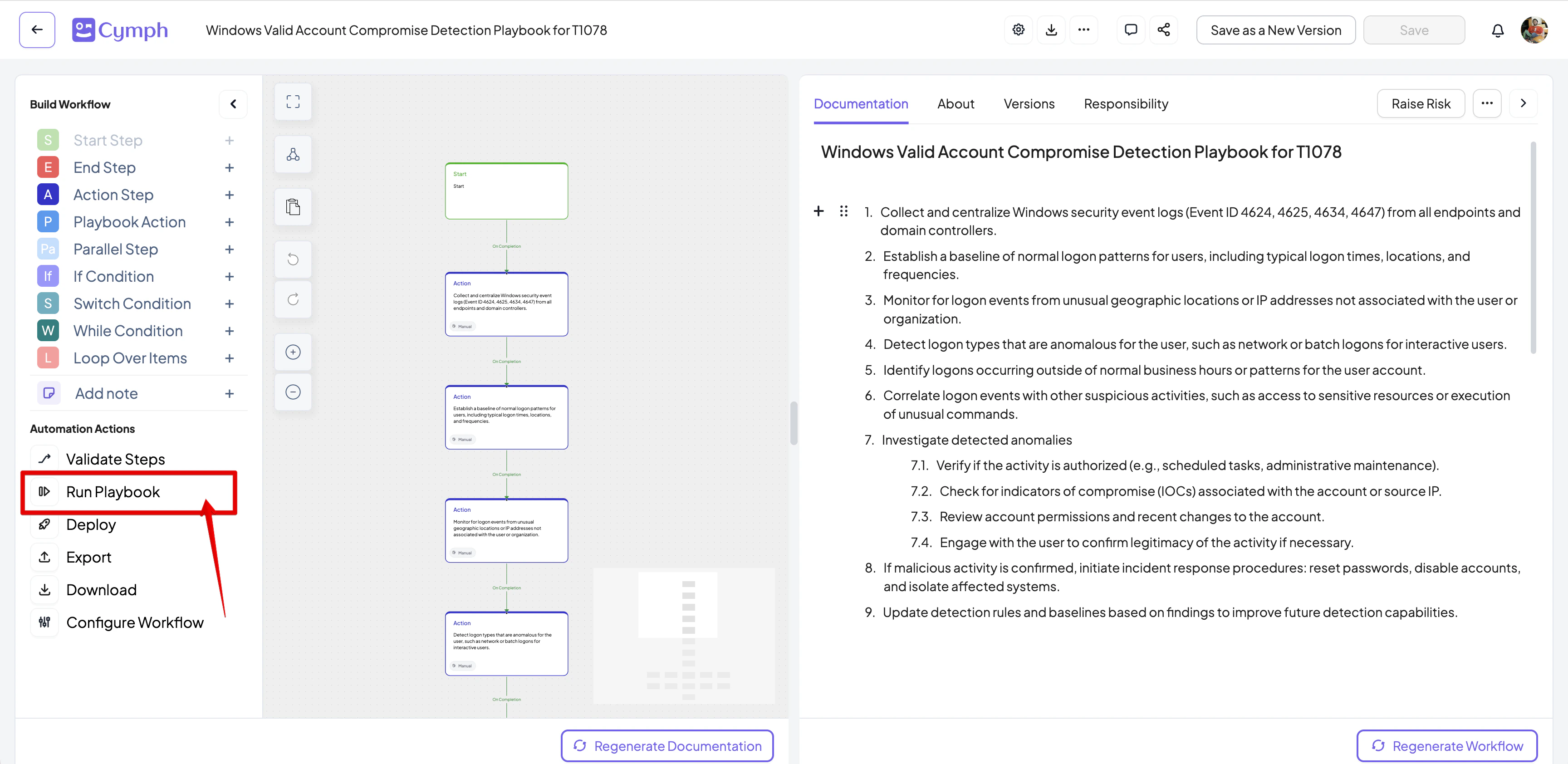
- From the workflow actions panel on the left side, click on Run Playbook
- Provide a name for the execution and optionally a description in the dialog that appears