

How to edit your language settings
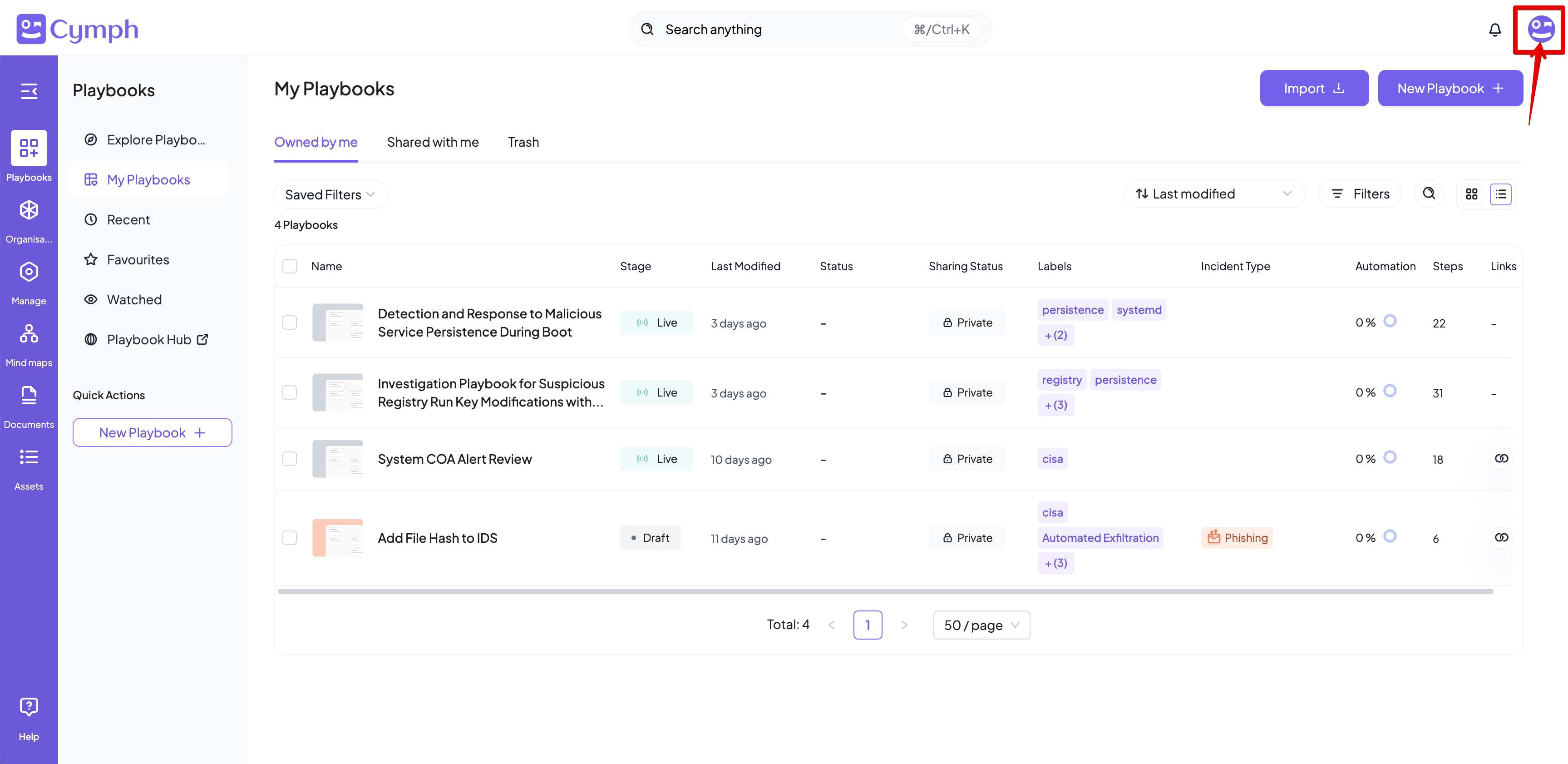
- Go to your profile menu.
- Click your profile picture on the top right corner of the dashboard.
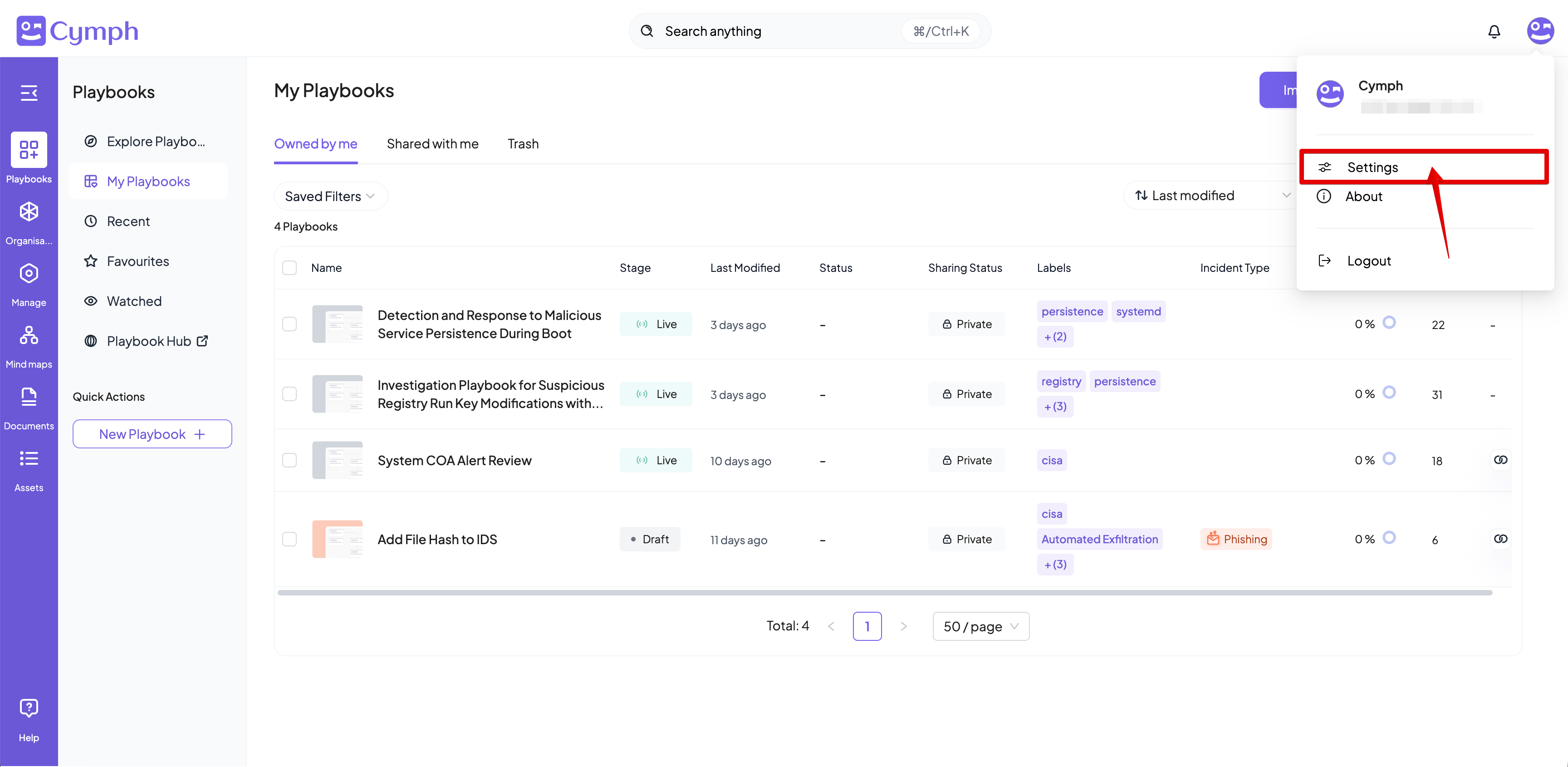
- Go to your settings.
- Click Settings.
- Go to Preferences
- Select the language to be used for the user interface
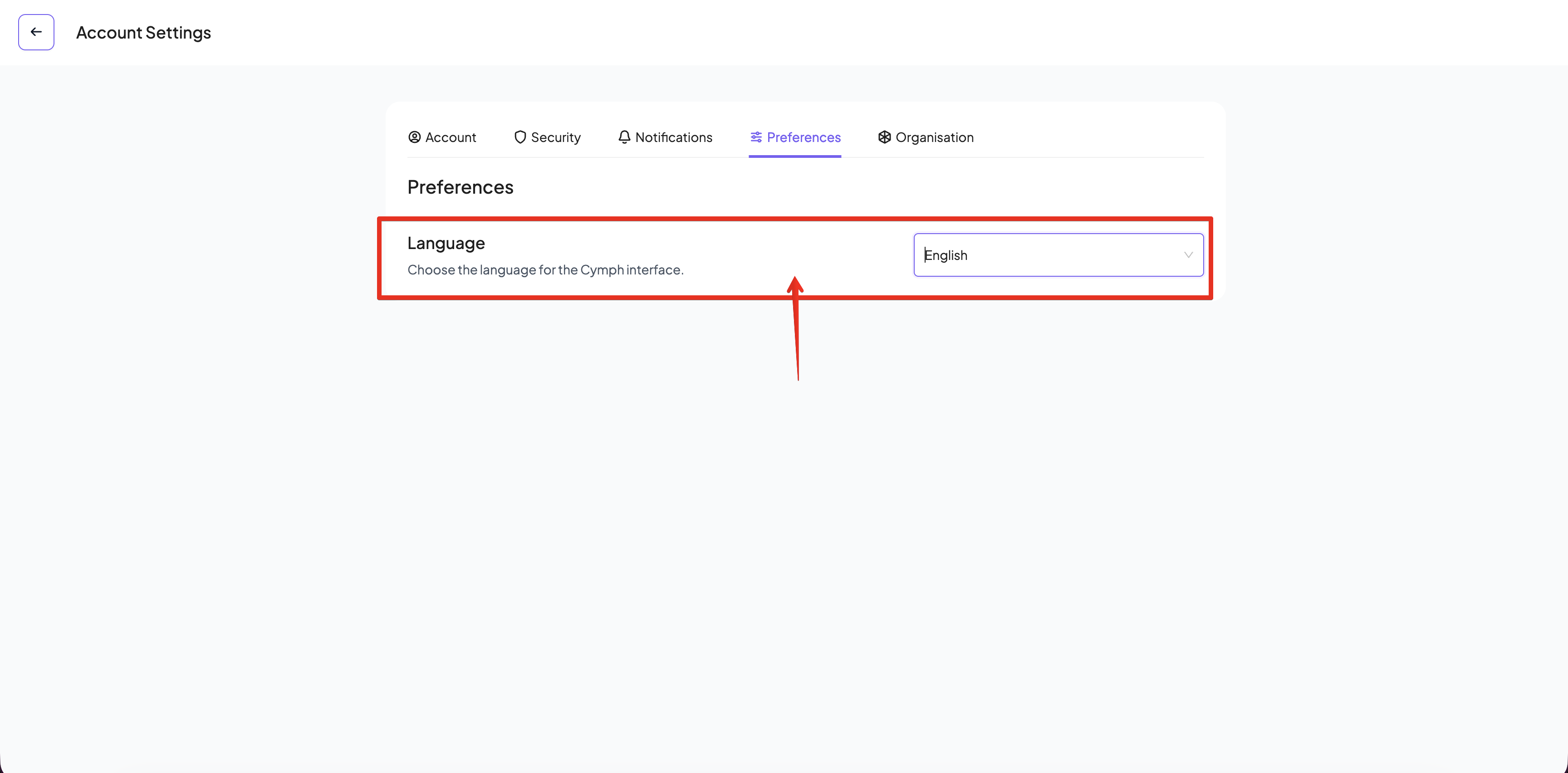
- The user interface will be automatically refreshed upon selection of a language