

- Draft a new playbook from a short description, through a guided conversation.
- Propose improvements to existing playbooks as targeted changes that you review and approve before they are applied.
- Answer questions about your workspace, summarise content and search connected sources.
AI features require the AI settings of your instance to be configured. Nothing is sent to a model unless a user explicitly asks the assistant for something. See AI & data usage.
Opening Cymph AI
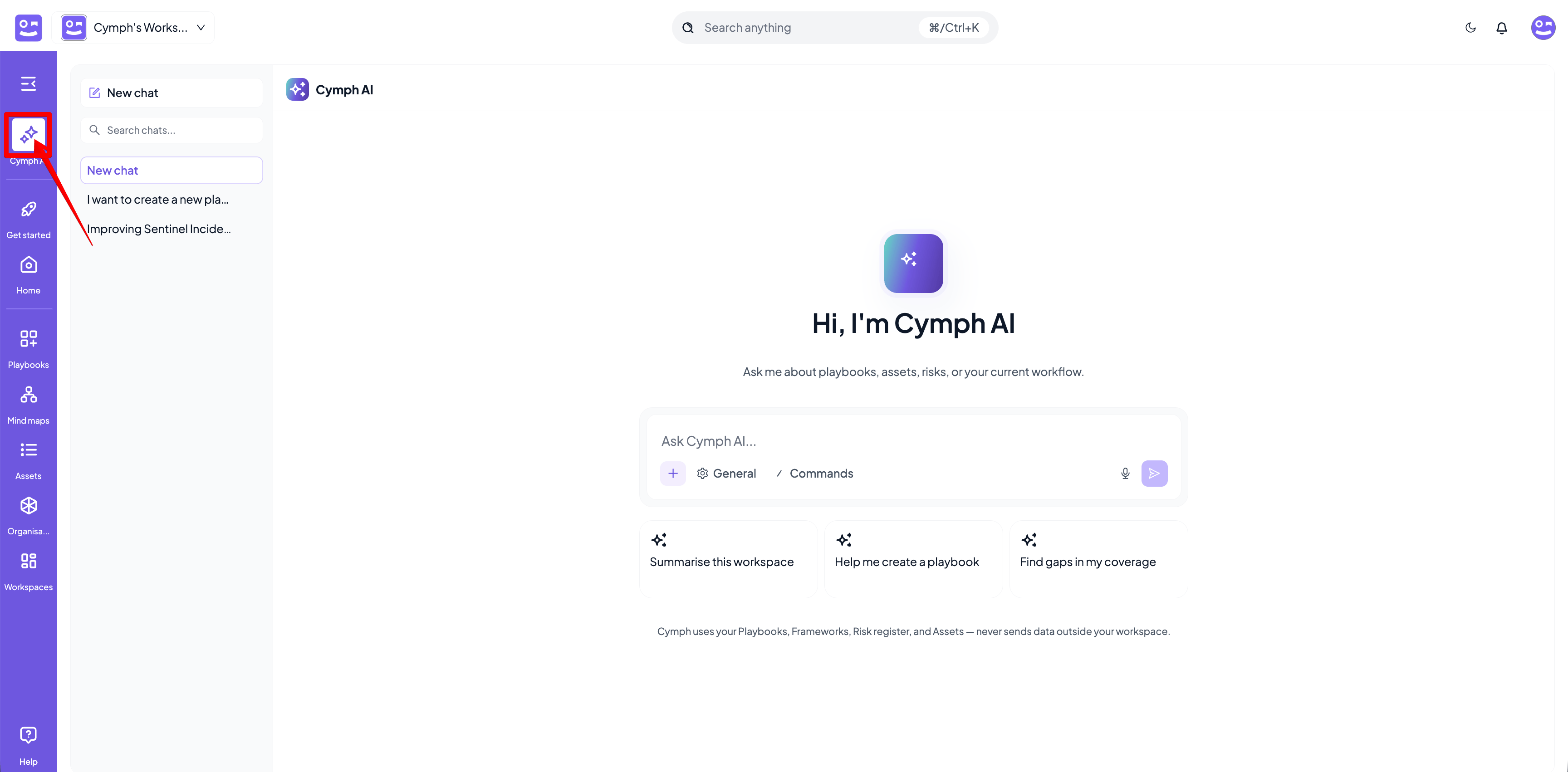
There are two ways to open the assistant:- Click Cymph AI from the left navigation menu.
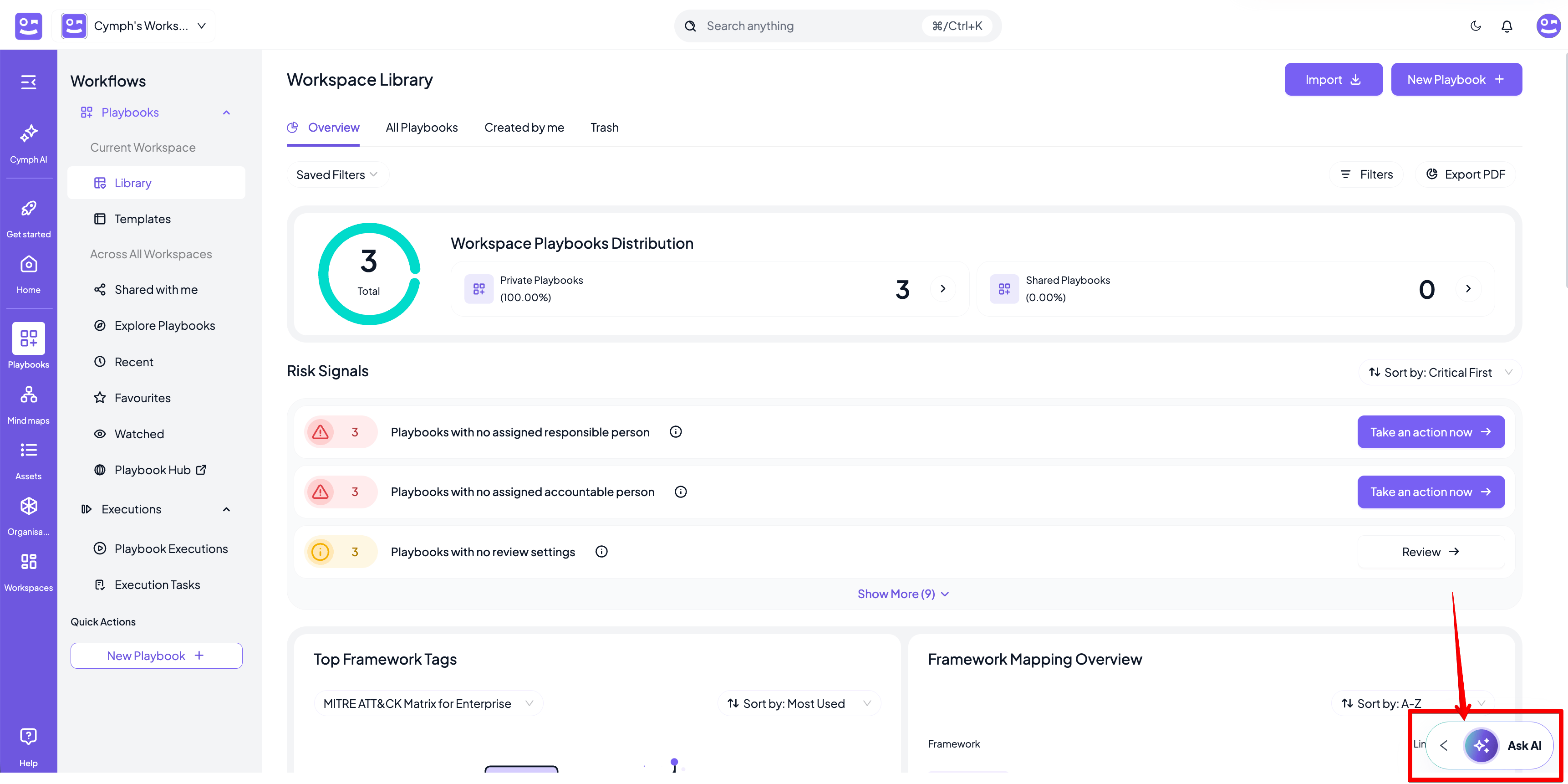
- Click the Ask AI button available on most screens.
Drafting a new playbook
Describe the playbook you need, for example “I want a playbook for Windows”. Rather than guessing, the assistant asks the questions it needs to shape the draft, such as whether you want an incident response runbook for a specific alert, a high-level response plan or a generic technical playbook, and lets you describe exactly what it should cover. Answer by picking an option or typing.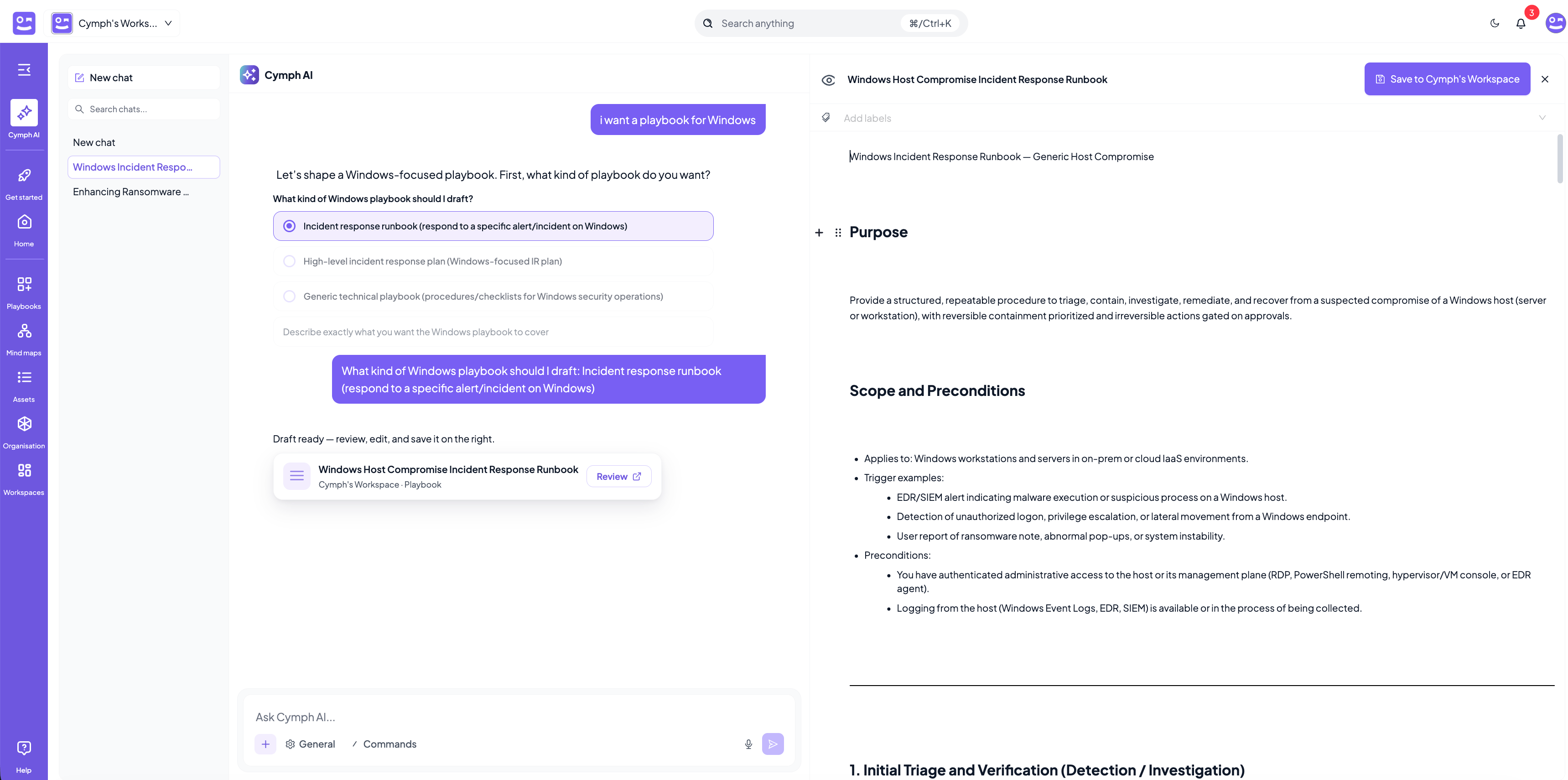
Improving existing playbooks
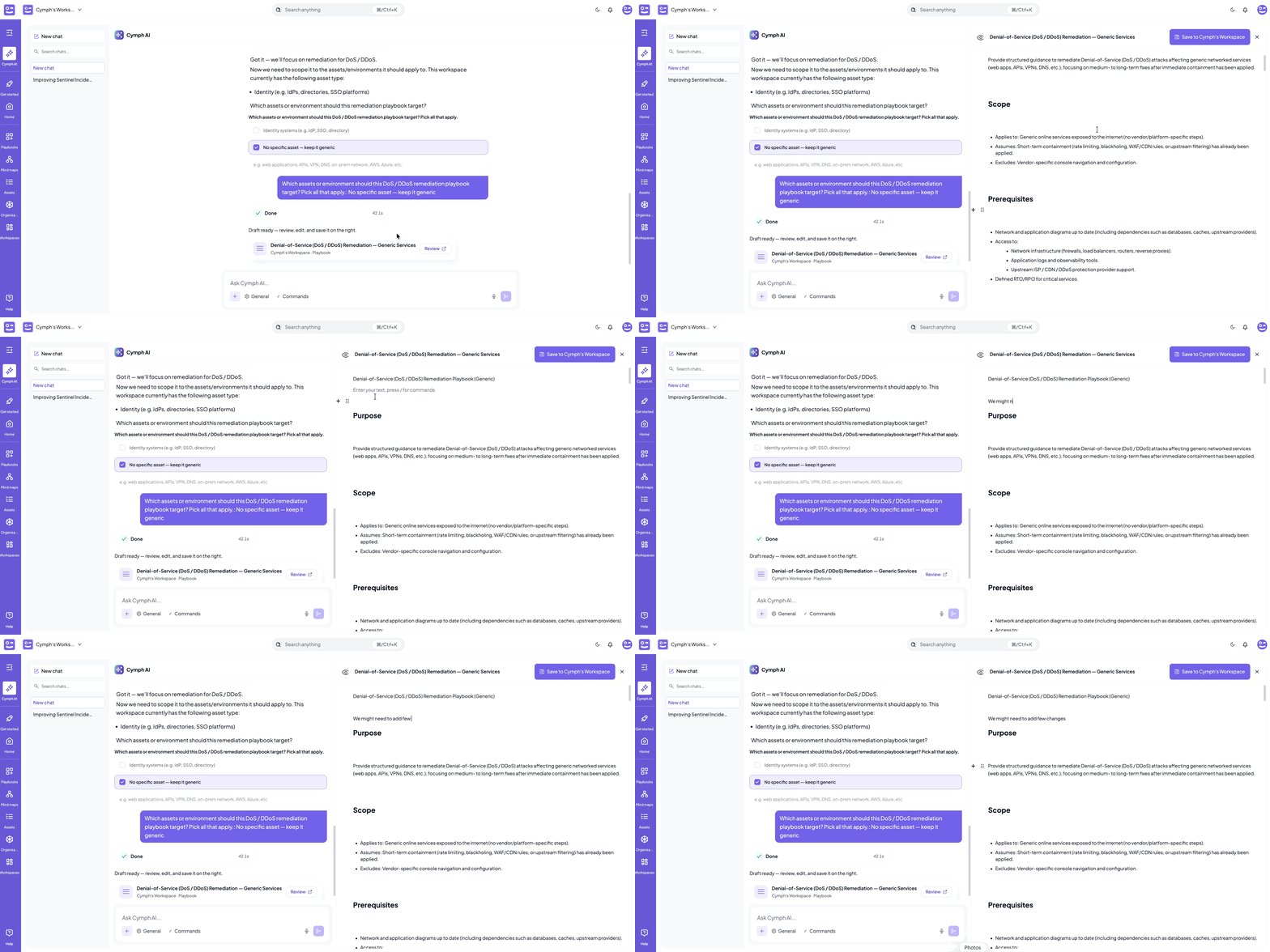
Ask the assistant to improve a playbook, for example “Can you suggest improvements for the playbook RANSOM-RECOVERY?”, or describe what changed in your environment or what an exercise showed. The assistant uses the playbook itself and the context around it: its assets and governance, its framework mappings, and any executions with their improvements, skip and fail reasons and timings. The response is a set of proposed changes, not a rewritten playbook. The assistant summarises what it proposes, lists each affected playbook with the number of additions and removals, and marks it For Review. Nothing is changed until you decide. For each playbook you can:- Click Review change to inspect the proposal before applying it.
- Click Apply update to apply it directly, when the summary is enough.
Reviewing a proposed change
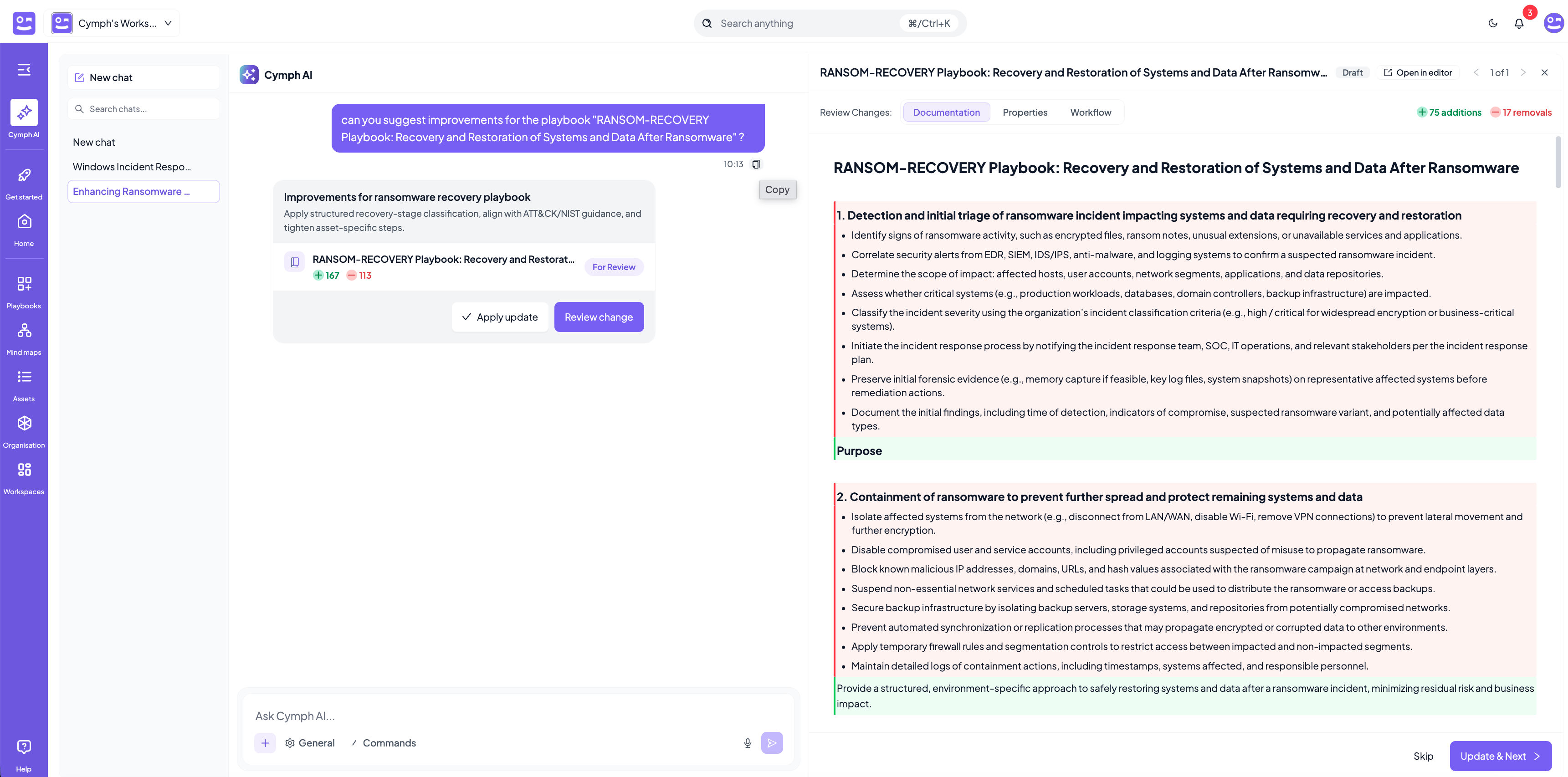
- Click Update & Next to apply the change and move to the next proposal.
- Click Skip to leave the playbook as it is and move on.
- Click Open in editor if you want to adjust the proposal by hand rather than accept or skip it as a whole.
Asking questions
Beyond generating and improving playbooks, the assistant answers questions about your workspace, summarises playbooks and documents, and searches the sources connected to it. Answers are grounded in the content you have access to, so the assistant never reveals playbooks or assets that are not shared with you.Chats
Conversations are saved as chats so you can return to them later.- Click New chat to start a fresh conversation.
- Use the Search chats box at the top of the chat list to find a previous conversation.
- Chats can be renamed via their inline menu action.
- Chats can be deleted.
Attachments and voice
- Click the + button to attach a file for additional context, for example a debrief document or an existing procedure.
- Click the microphone icon to dictate your message instead of typing.