

Overview
Organisation administrations can organise their members into teams. An organisation member can belong to one or multiple teams at once. Each team needs to have a unique name within the context of the organisation.How to create a team
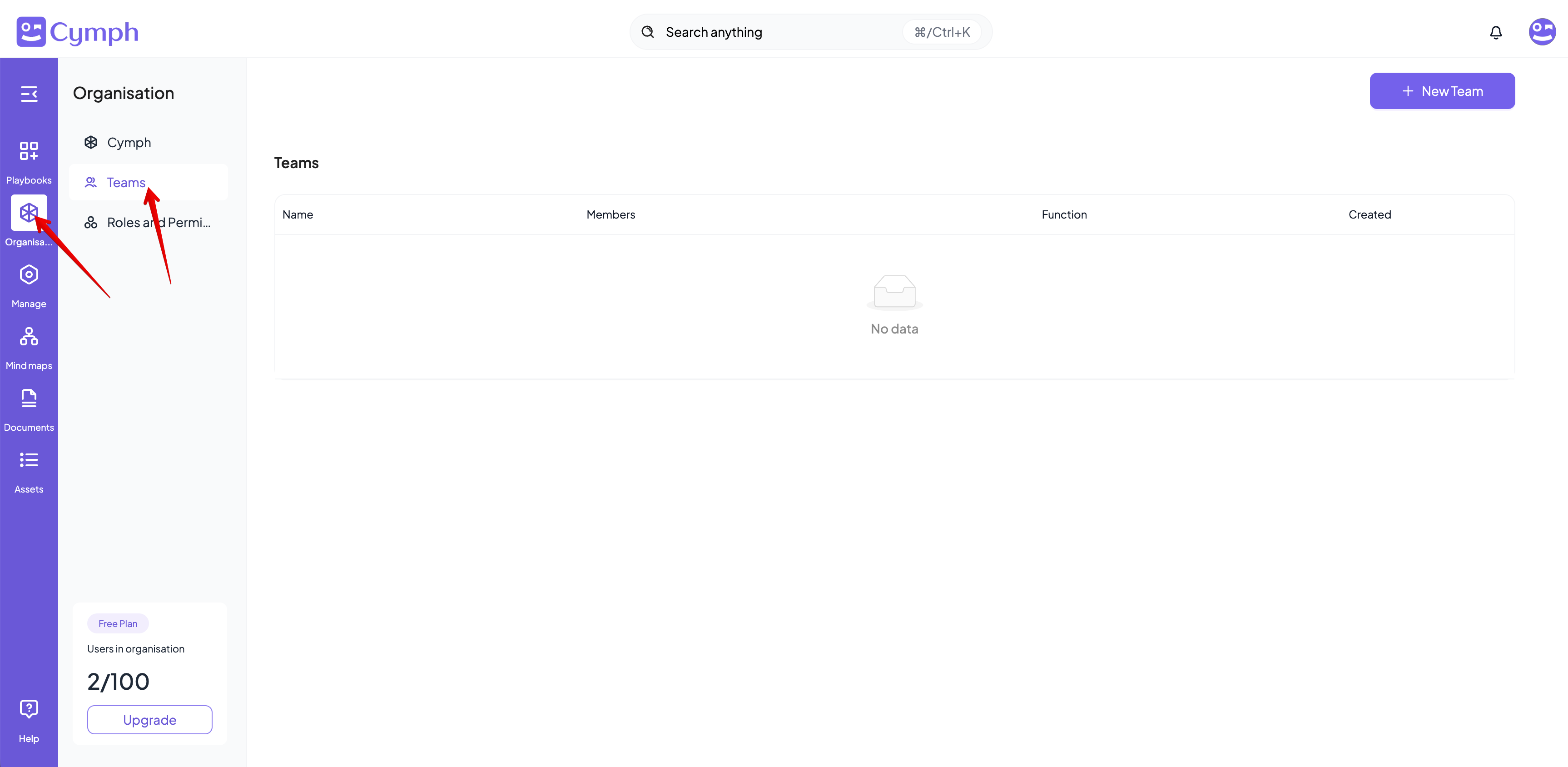
- Go to your Teams page
- From the navigation menu, go to Organisations and then select the Teams page.
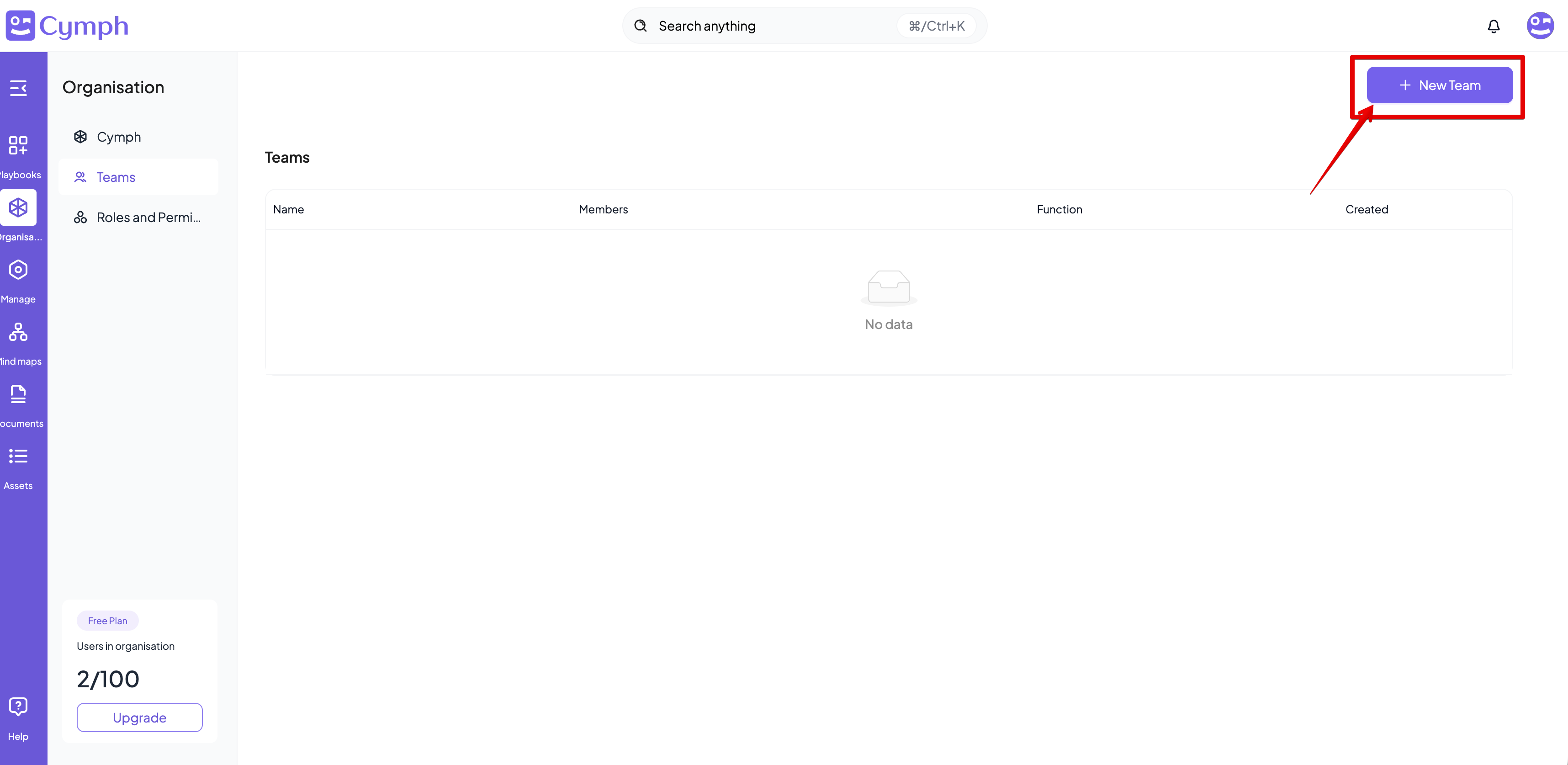
- Click on the New Team button
- A popup dialog will appear for the settings of the new team
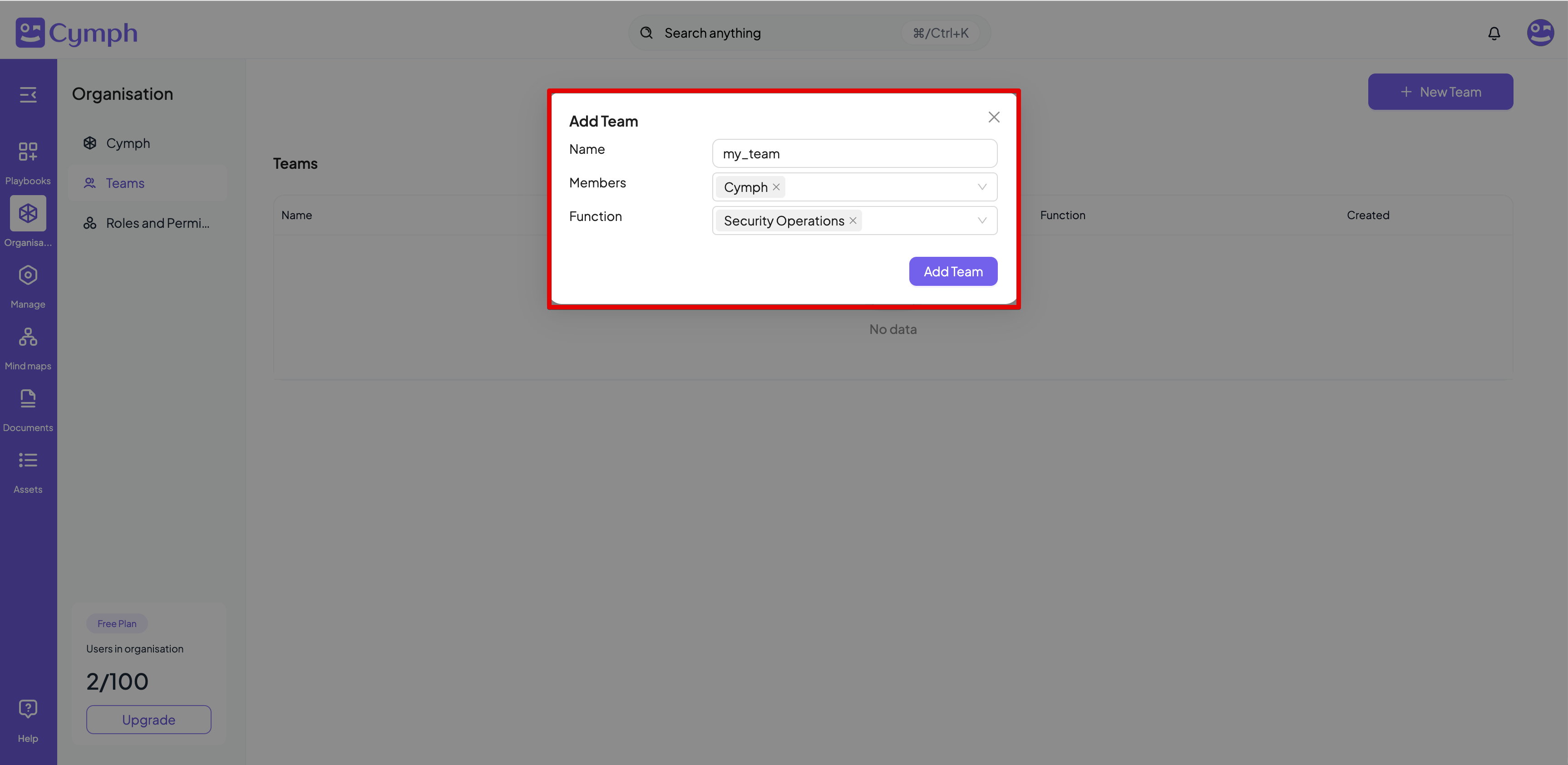
- Enter details of the new team
- Name: it is required and must be unique across the organisation’s teams
- Members: it is required
- Function: optional, states the function of your team (e.g. Security Operations team)
- Click on the Add Team button
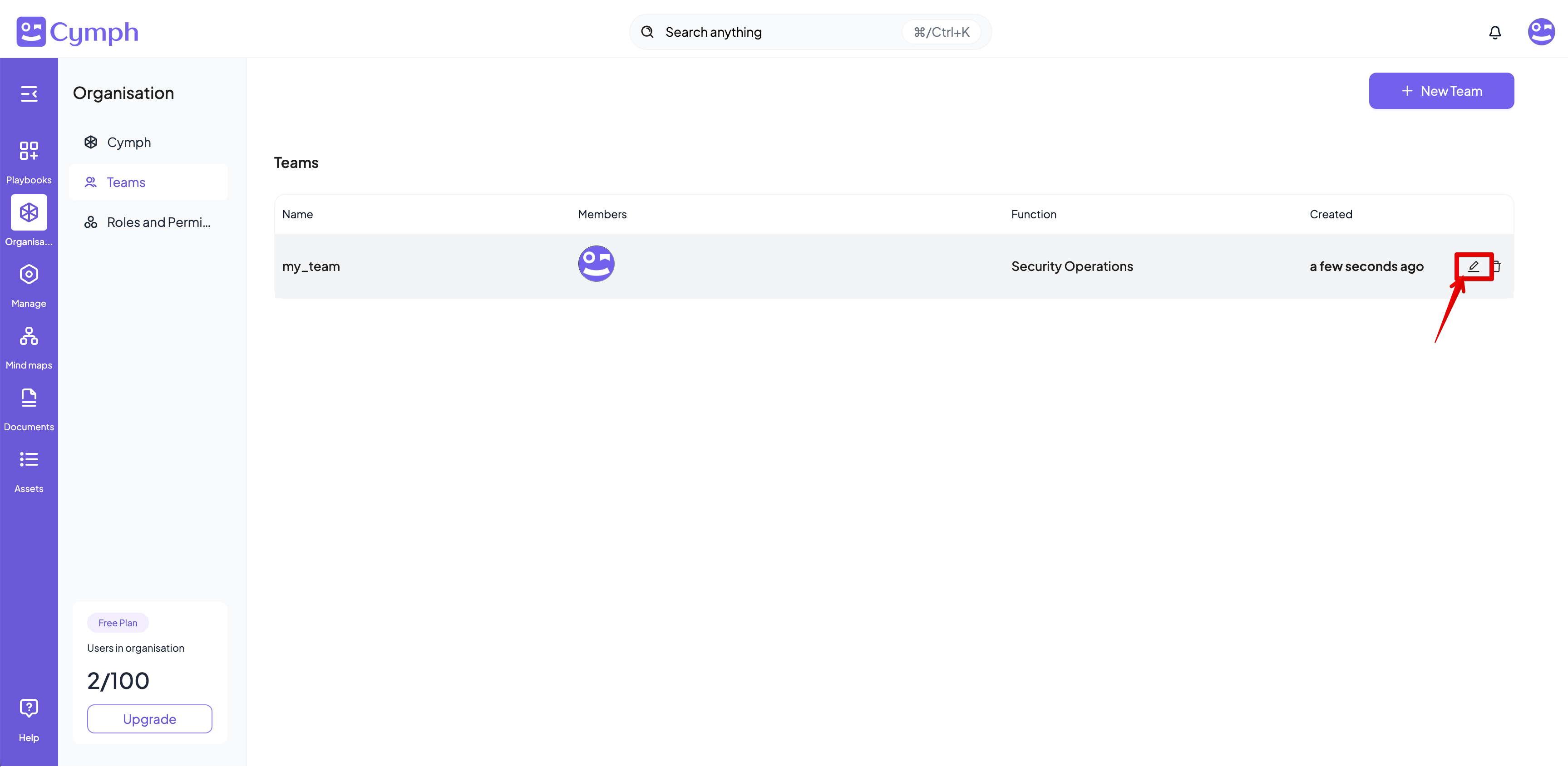
- The teams page will be automatically refreshed to show the new team
How to edit a team
- Go to your Teams page
- Click the Edit icon for the team you want to edit
- A popup dialog will appear with the team details
- Edit the details of the team
- Click on the Update Team button to save your changes
How to delete a team
- Go to your Teams page
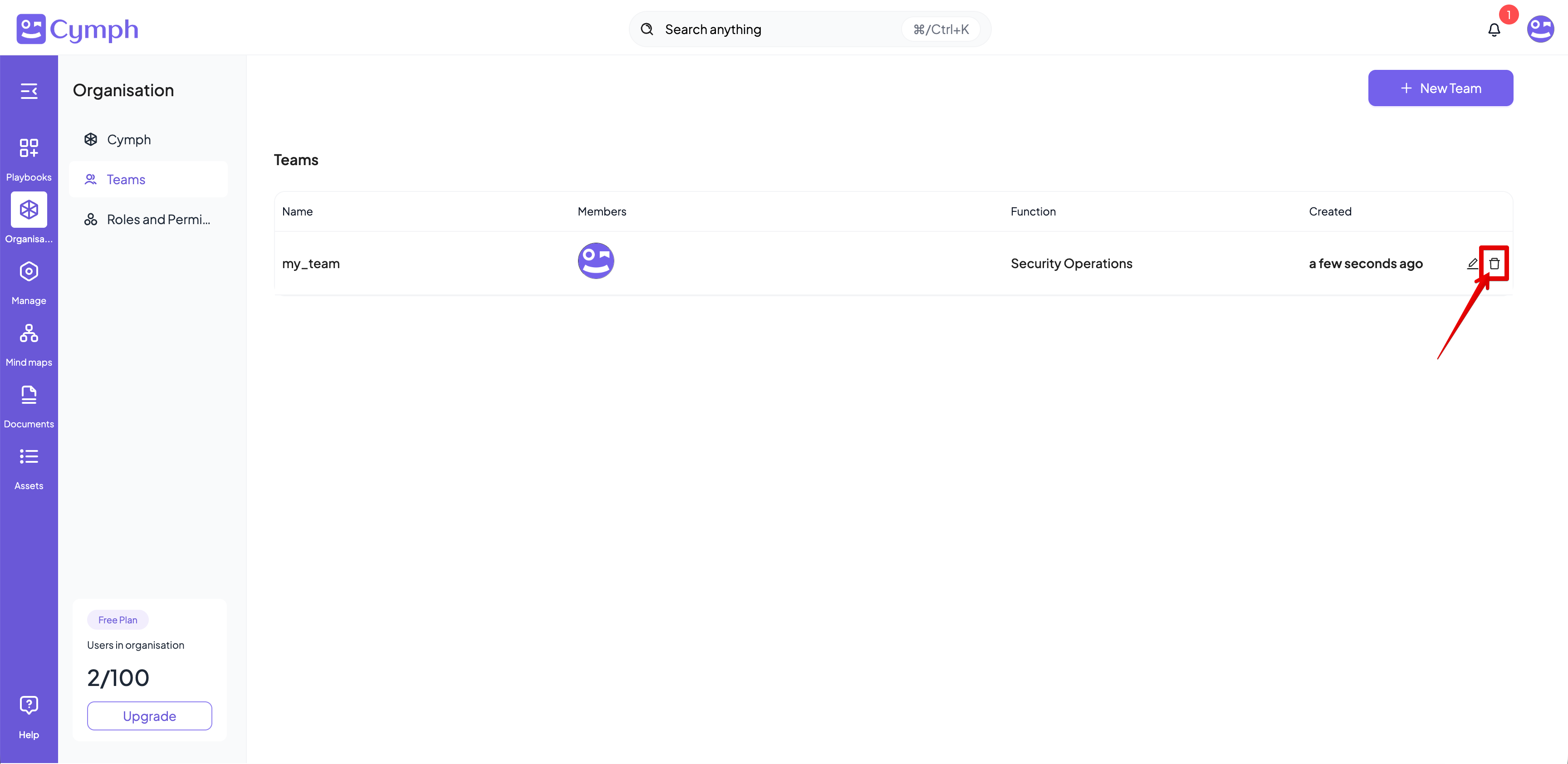
- Click on the Delete icon for the team you want to delete
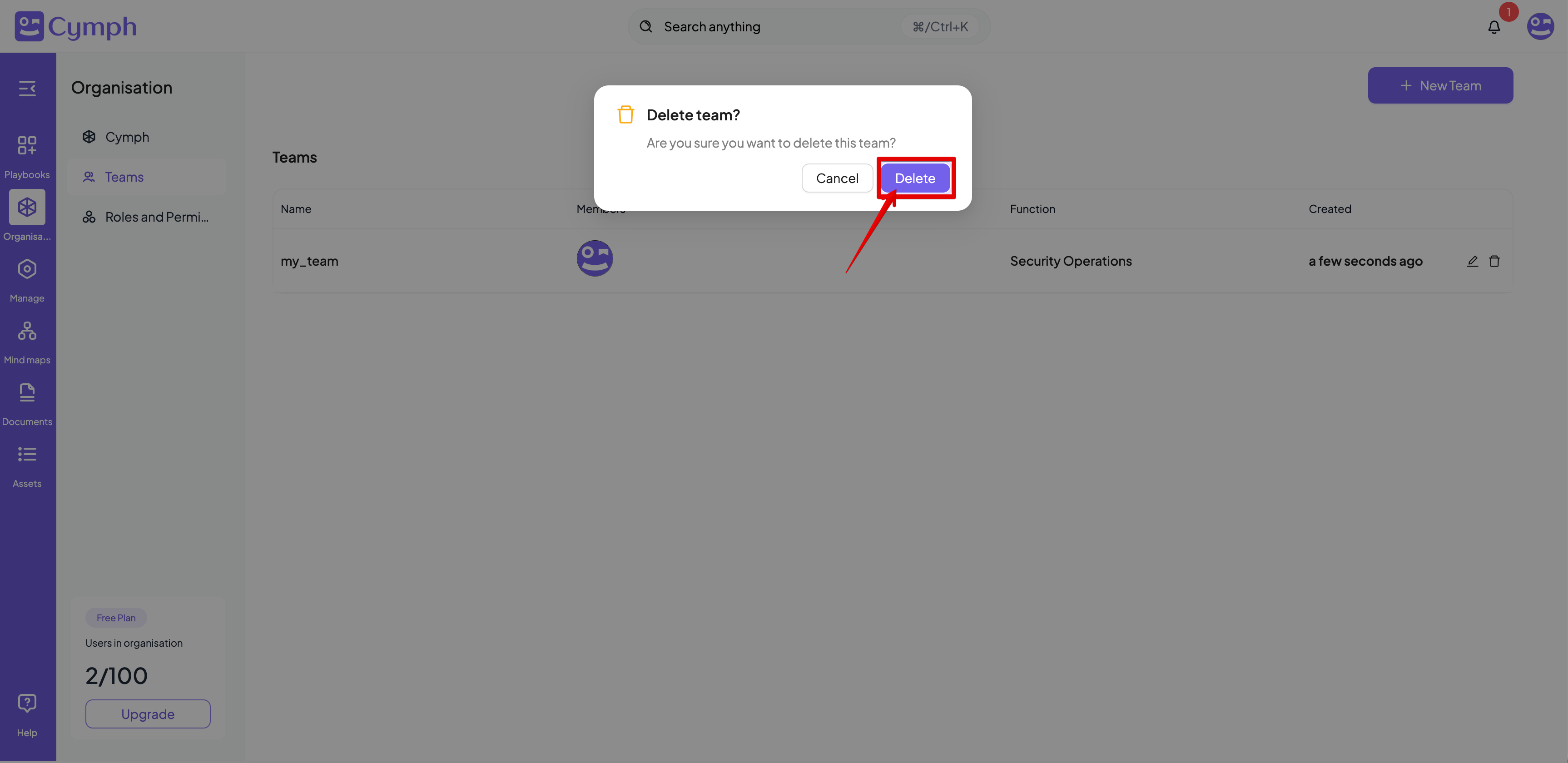
- Confirm the deletion by clicking the Delete button
- The team will be deleted and the Teams table will be automatically refreshed