

Overview
On-prem deployments allow the addition and removal of organisation members without invitation. Users with the Administration role can manually add or remove members to and from their organisationHow to add members
- Go to your Organisation page
- Click on Add Members
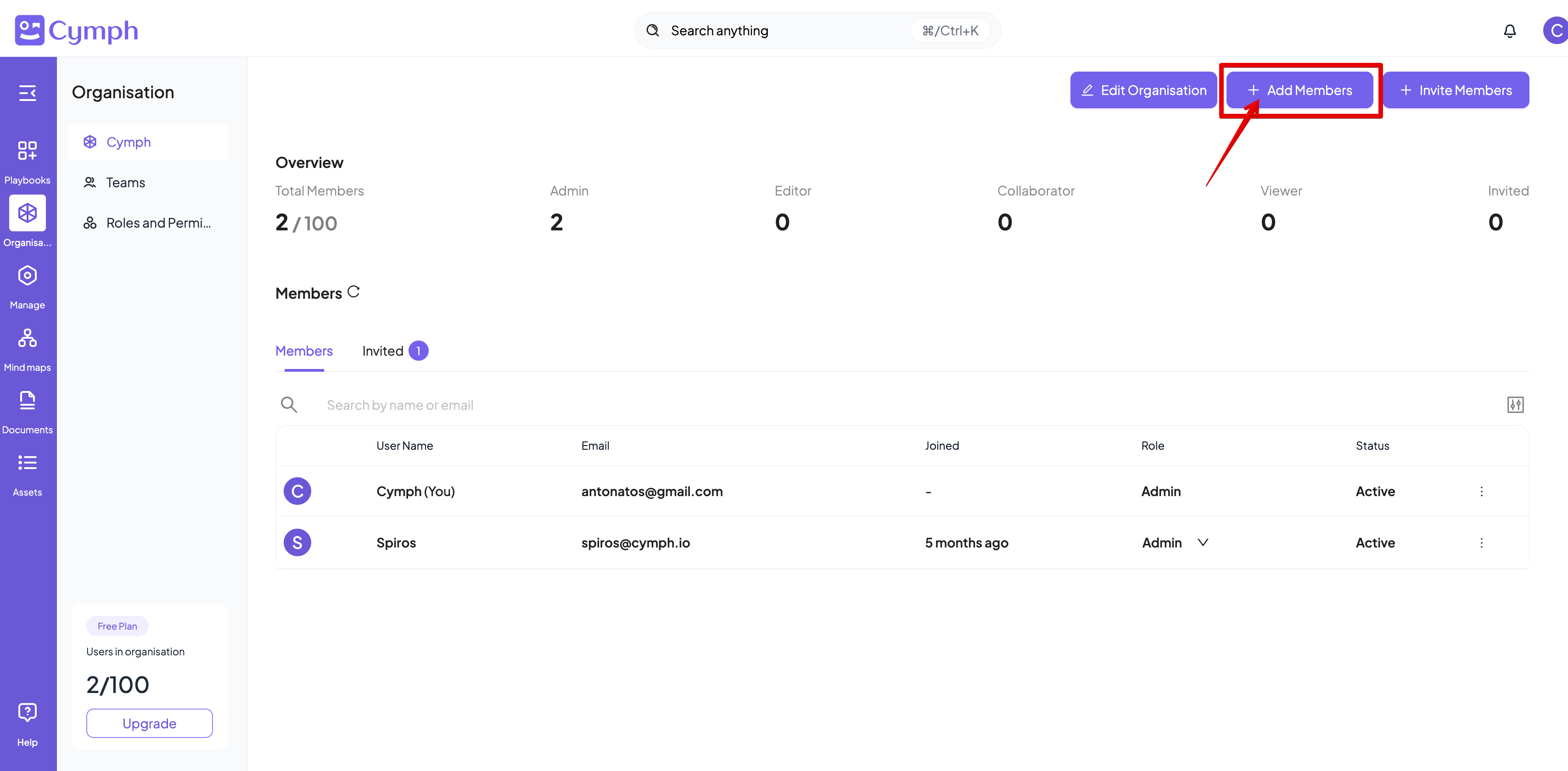
- Enter the details of the member(s) you want to add
- By clicking on Add more users button additional entries will appear
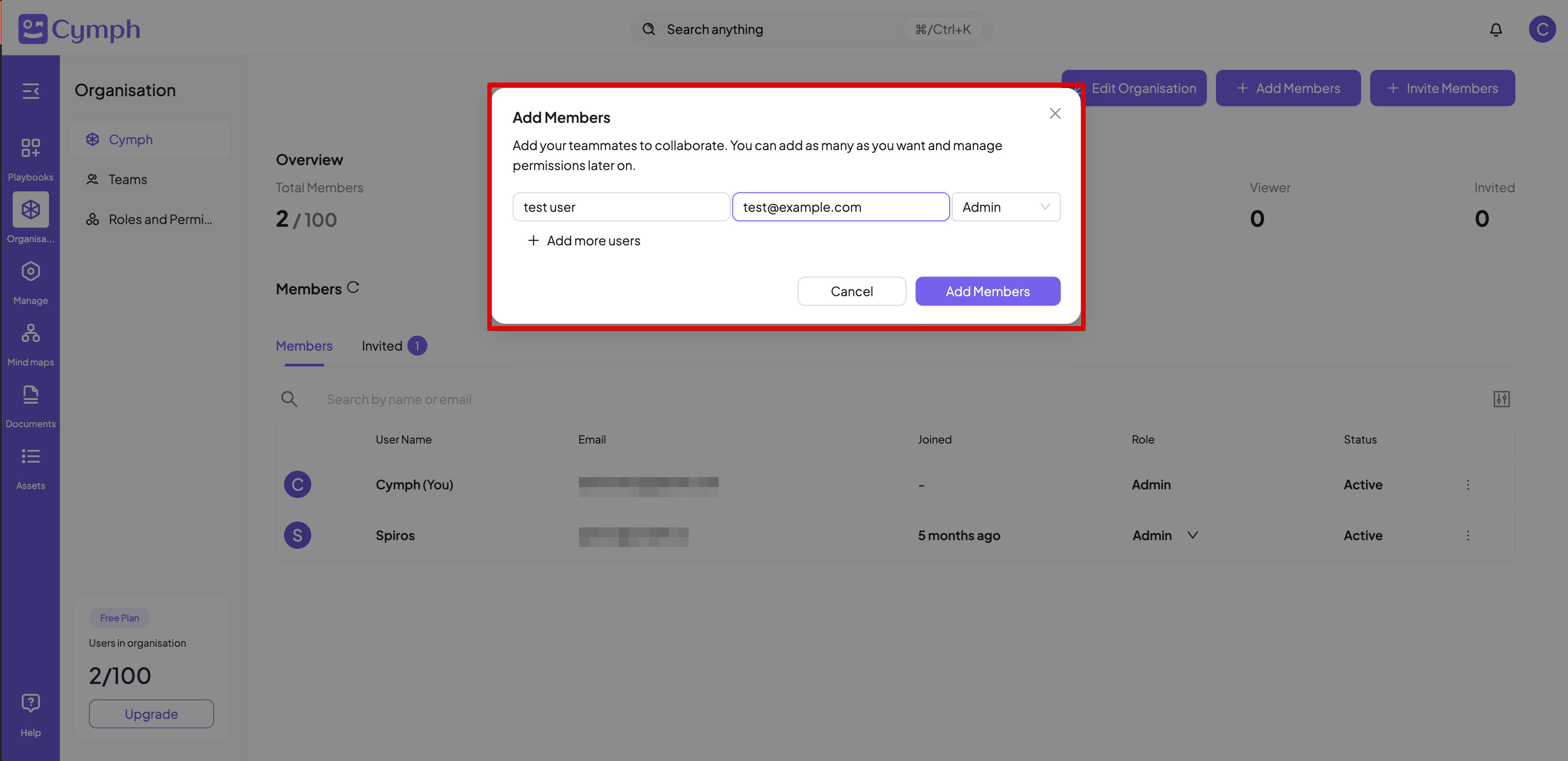
- Click on Add Members once all information is keyed in
- The Organisation table will be automatically refresh to reflect the changes
- If the e-mail address provided for a user is not found in the list of registered users, a new account will be created with that address. The password for this new user will be
password. Users will be forced to change the password upon first login. - If the e-mail address provided for a user belongs to a member of another organisation, the process will fail
- If any of the e-mail addresses provided belong to an on-premises administrator, the process will fail
How to remove a member
- Go to your Organisation page
- Click on the **Actions icon **of the member you want to delete
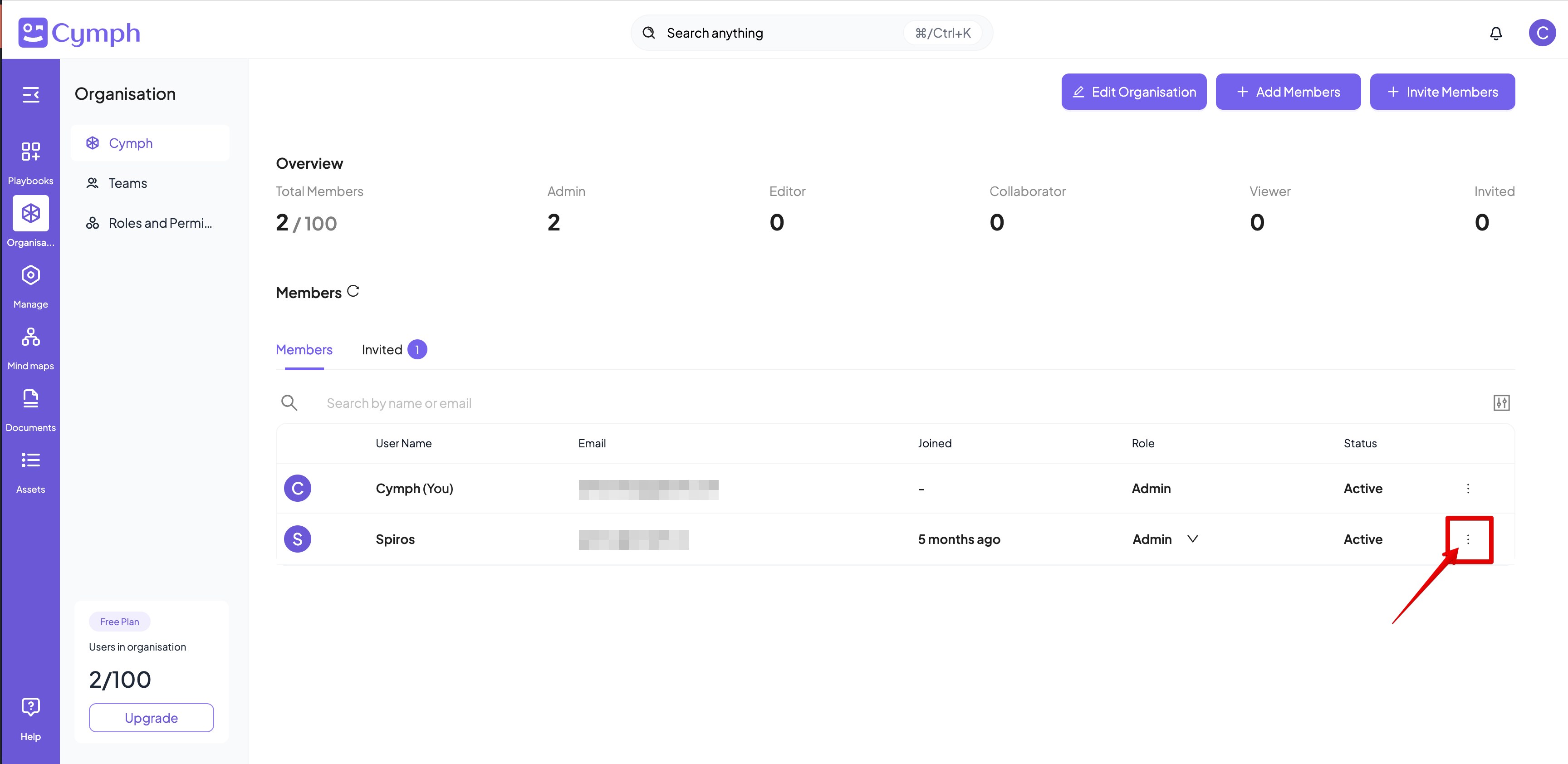
- Click on Remove from organisation
- Confirm the removal by clicking on Remove User
The playbooks created by the member while they were part of the organisation will be transferred to the administrator of the organisation