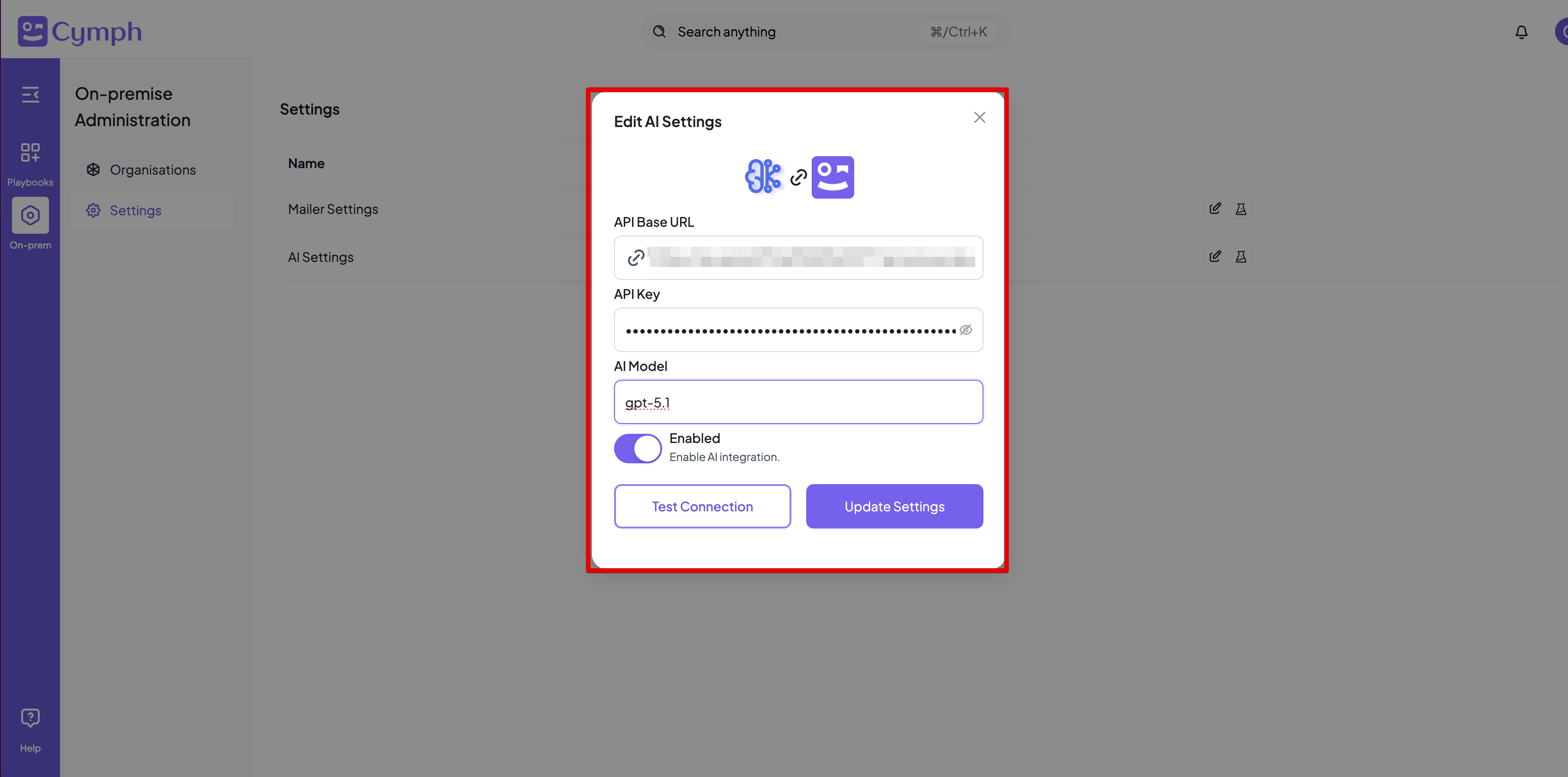
How to modify AI settings
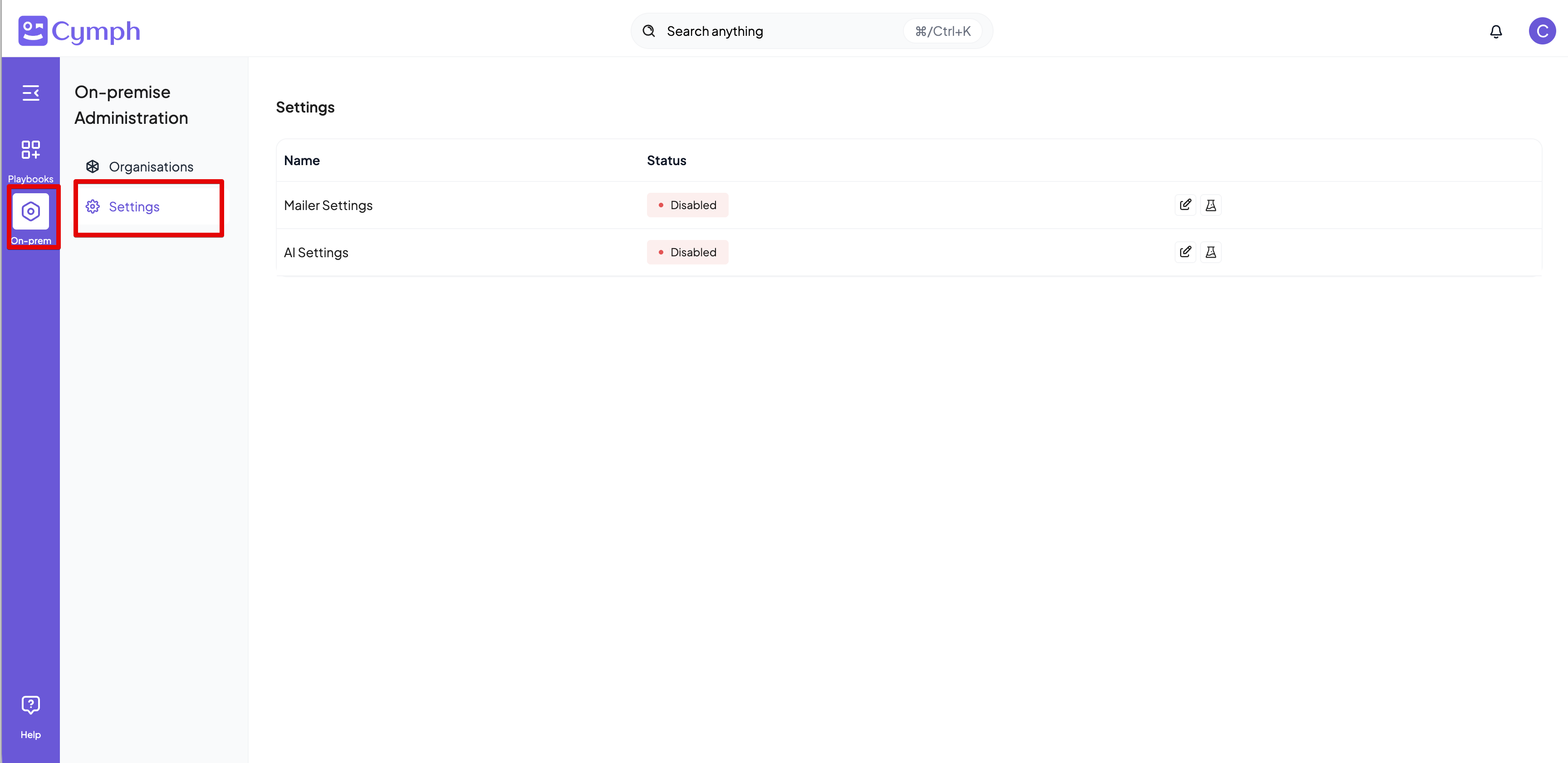
Users with the On-prem Administrator role can modify the AI settings. By enabling AI, users will be able to use the AI capabilities of the platforms, such as playbook generation from prompts and mindmaps and autotagging.- Go to On-prem settings page
- Click on On-prem from the navigation menu, then Settings
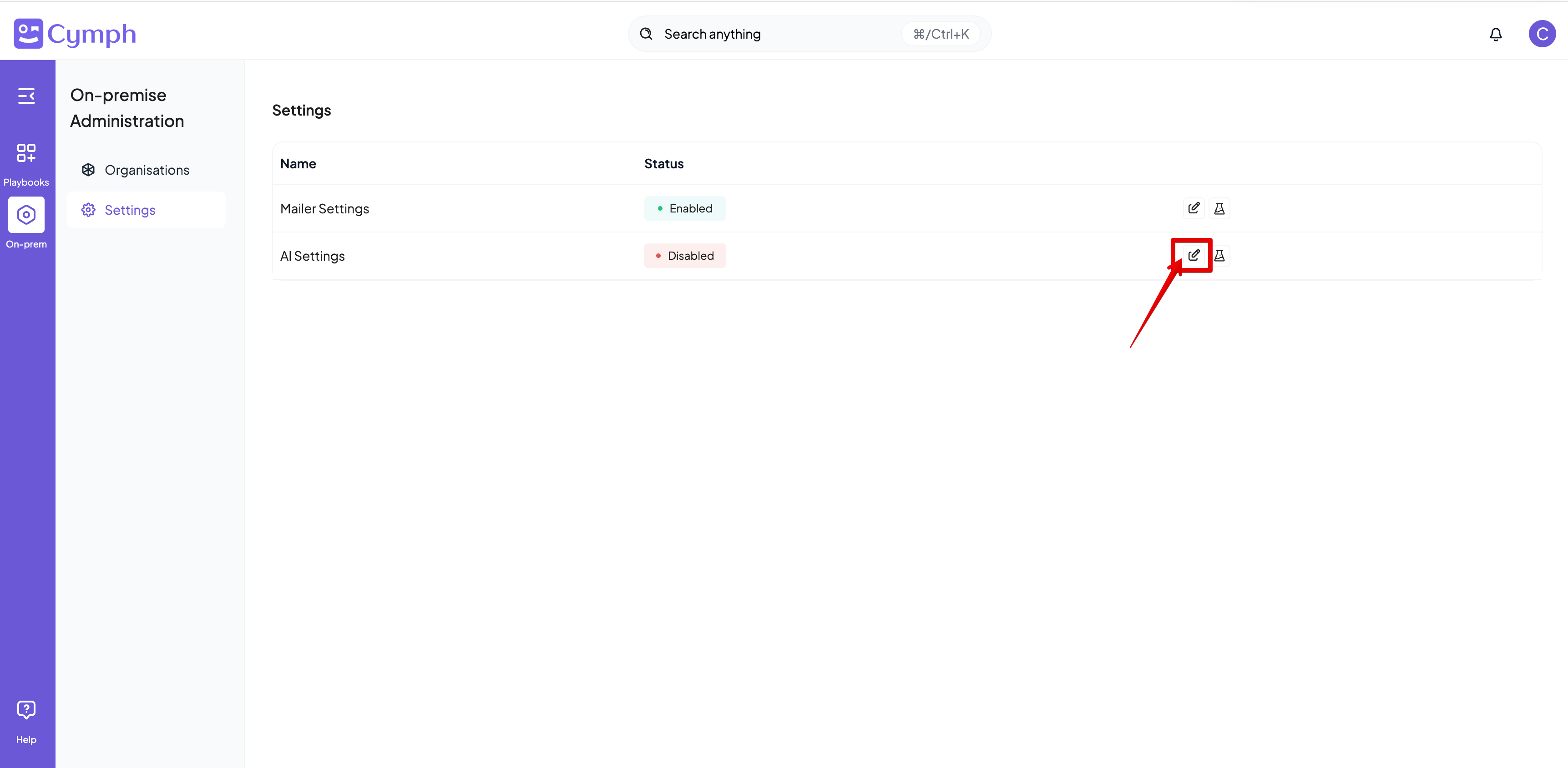
- Edit the AI Settings
- Click on the Edit icon next on the AI settings row
- Enter the settings for your AI provider