

How to create an organisation
- Go to your profile menu.
- Click your profile picture on the top right corner of the dashboard.
- Go to your settings.
- Click Settings.
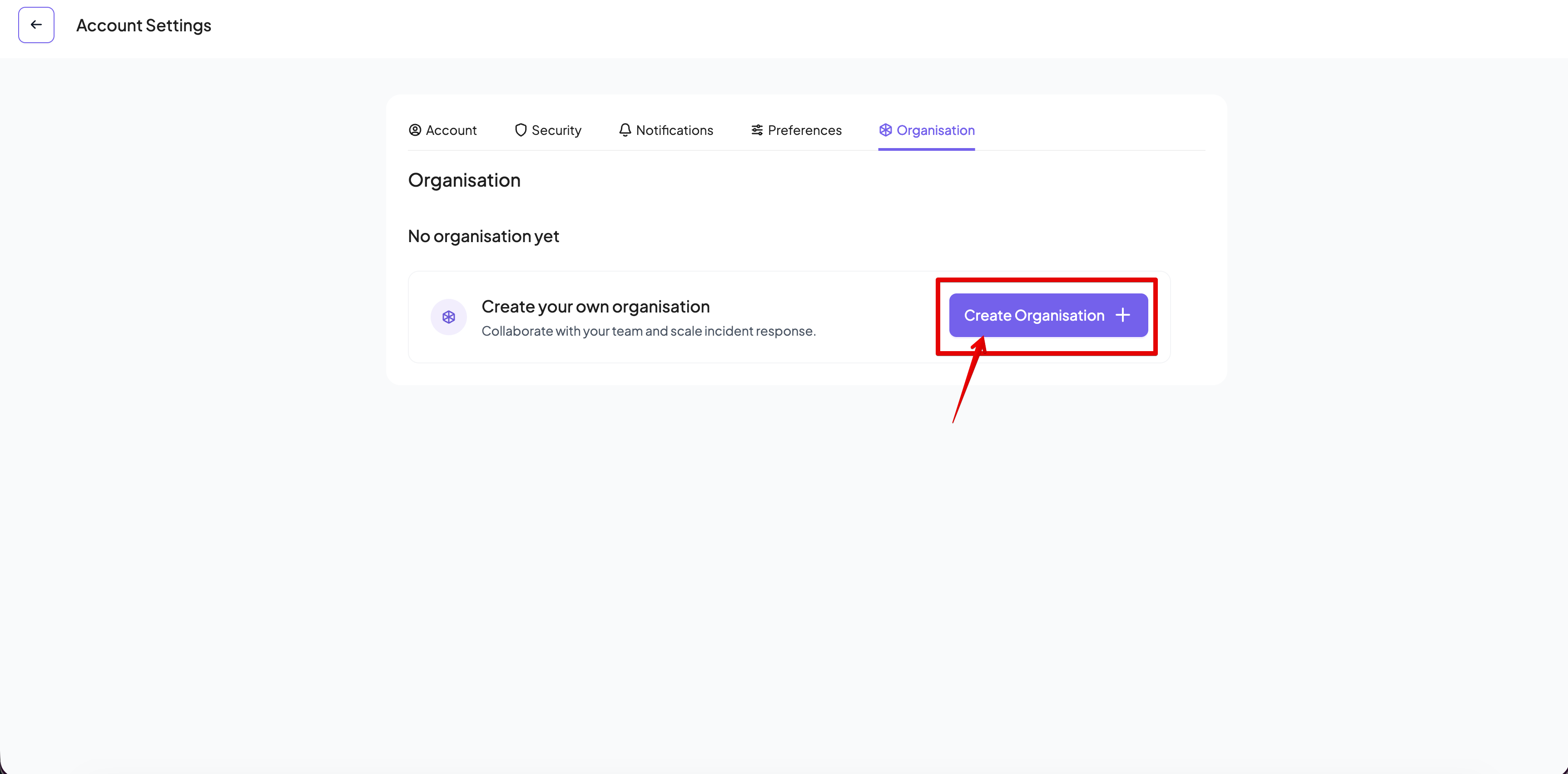
- Go to the Organisation tab
- Click on Create Organisation.
- The new organisation wizard will start.
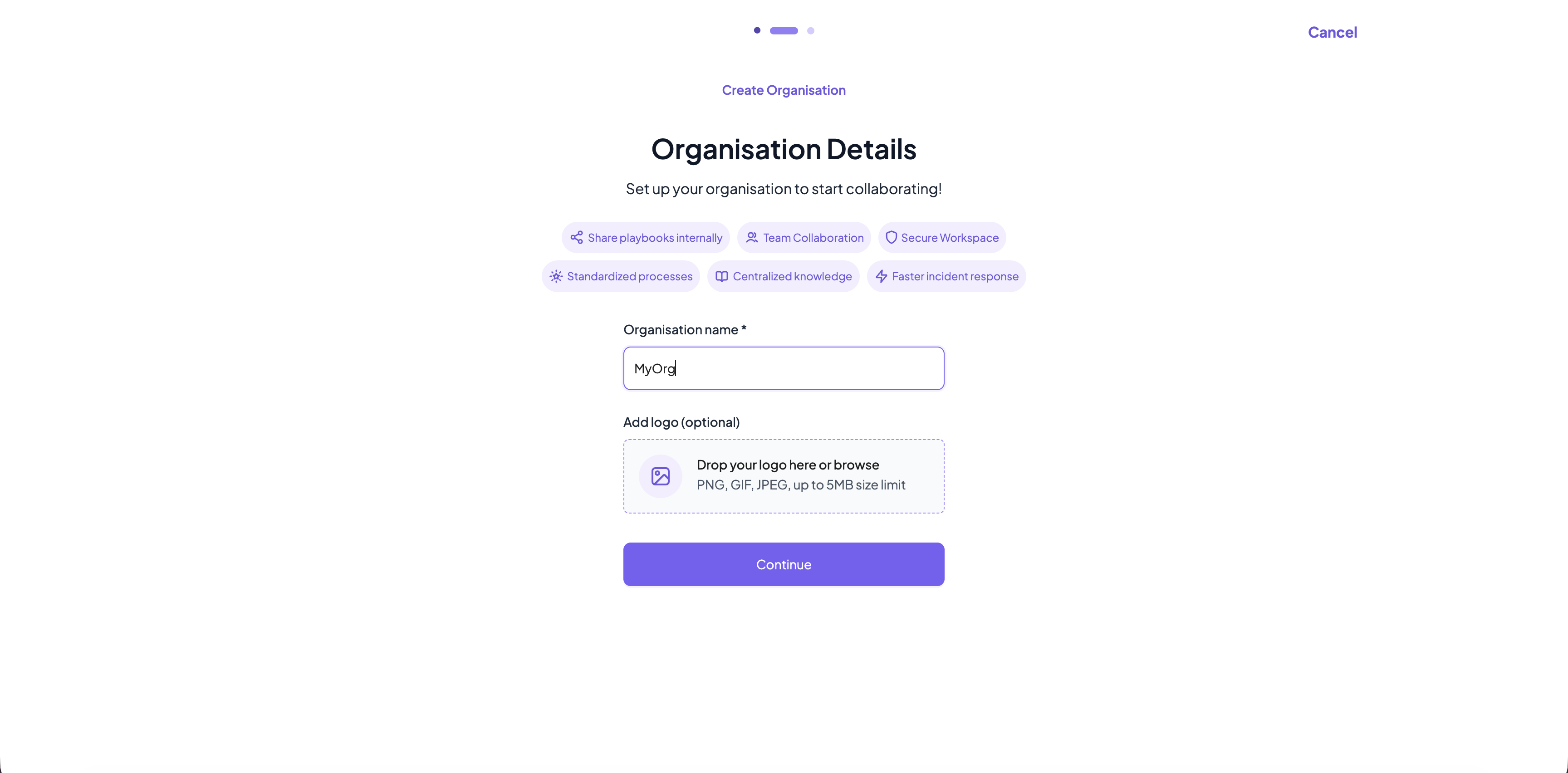
- Fill in the organisation details.
- Organisation name is mandatory. Organisation names in Cymph are case insensitive, they must be at least 3 characters long and are unique across the platform.
- You can upload a logo for your organisation. Supported formats are PNG, GIF and JPEG and the maximum file size is 5MB.
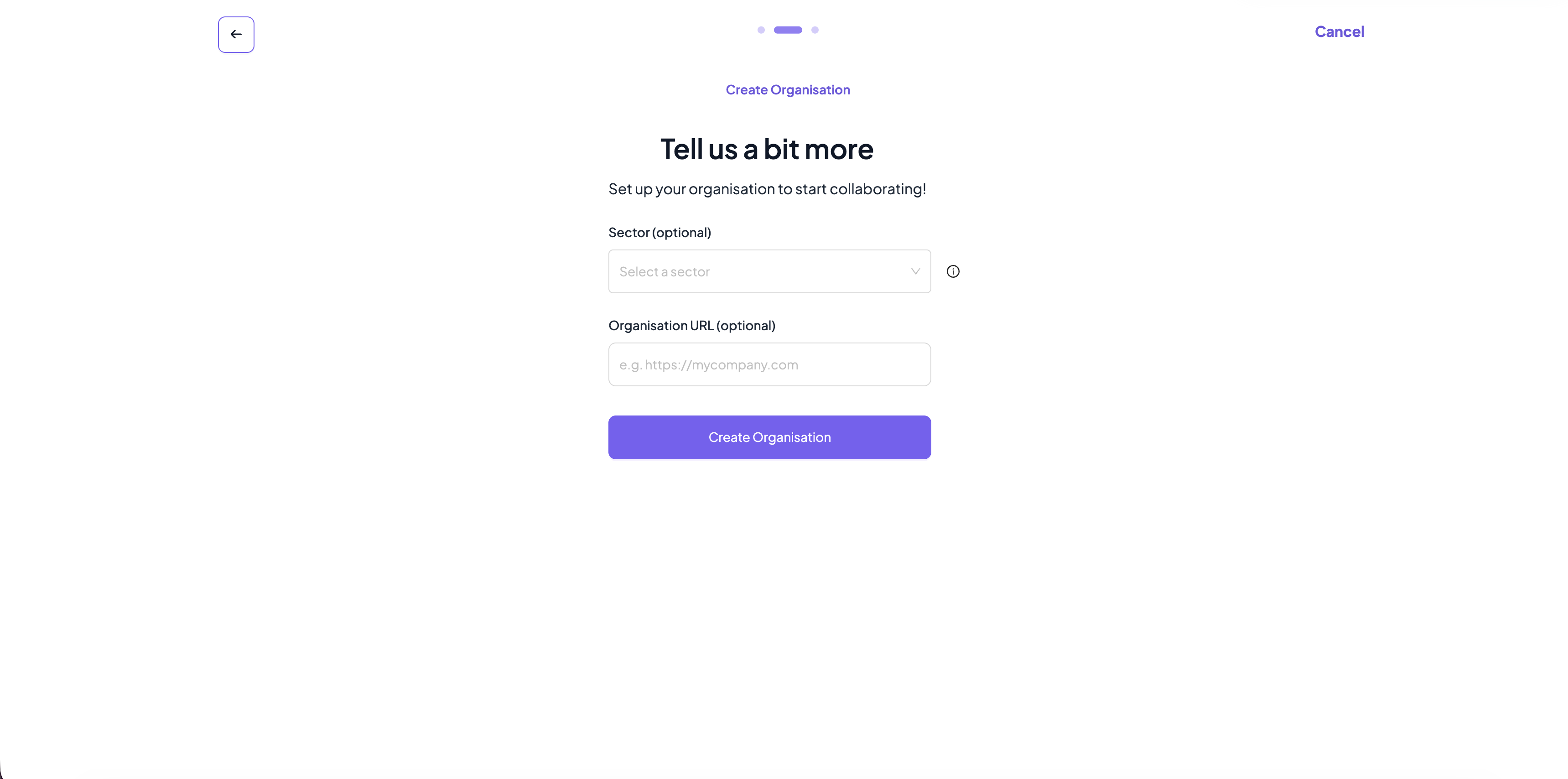
- Provide additional information for the organisation
- Sector (optional). The sector where the organisation belongs
- URL (optional). A URL for the organisation.
- Click Create Organisation.
- The organisation will be created and you will be automatically assigned as Administrator for the organisation.
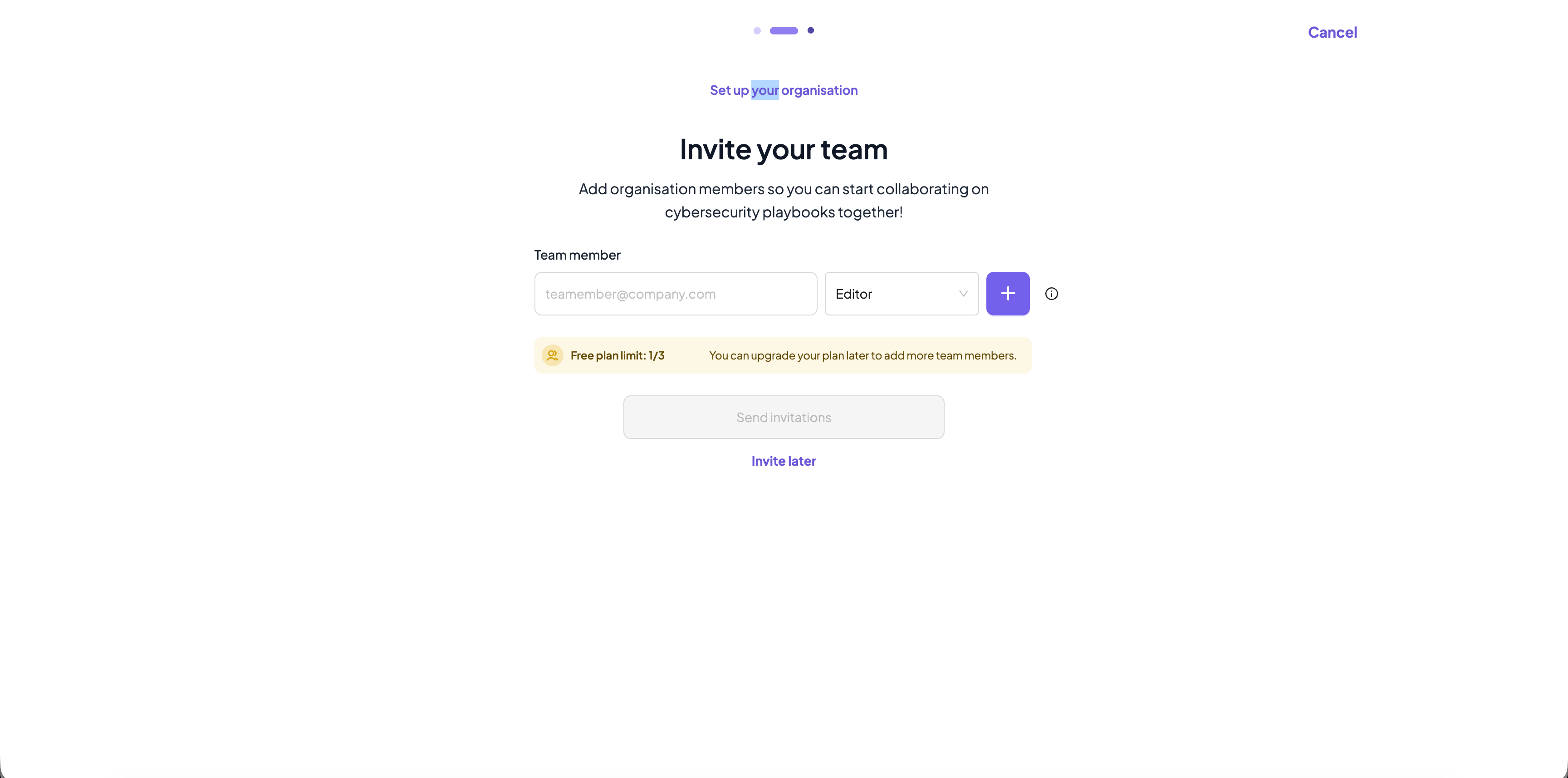
- As a last step, you can optionally invite members to your newly created organisation
- You can skip that part by clicking Invite later option.
You can cancel the process at any point by clicking on Cancel on the top right corner