

Overview
The Cymph platform’s sharing capability allow users to share playbooks seamlessly. You can share playbooks that you have created with others and, with the right privileges, playbooks already shared by others.Learn more: Read the User roles page for more details on roles are allowed to share playbooks.
How to share a playbook
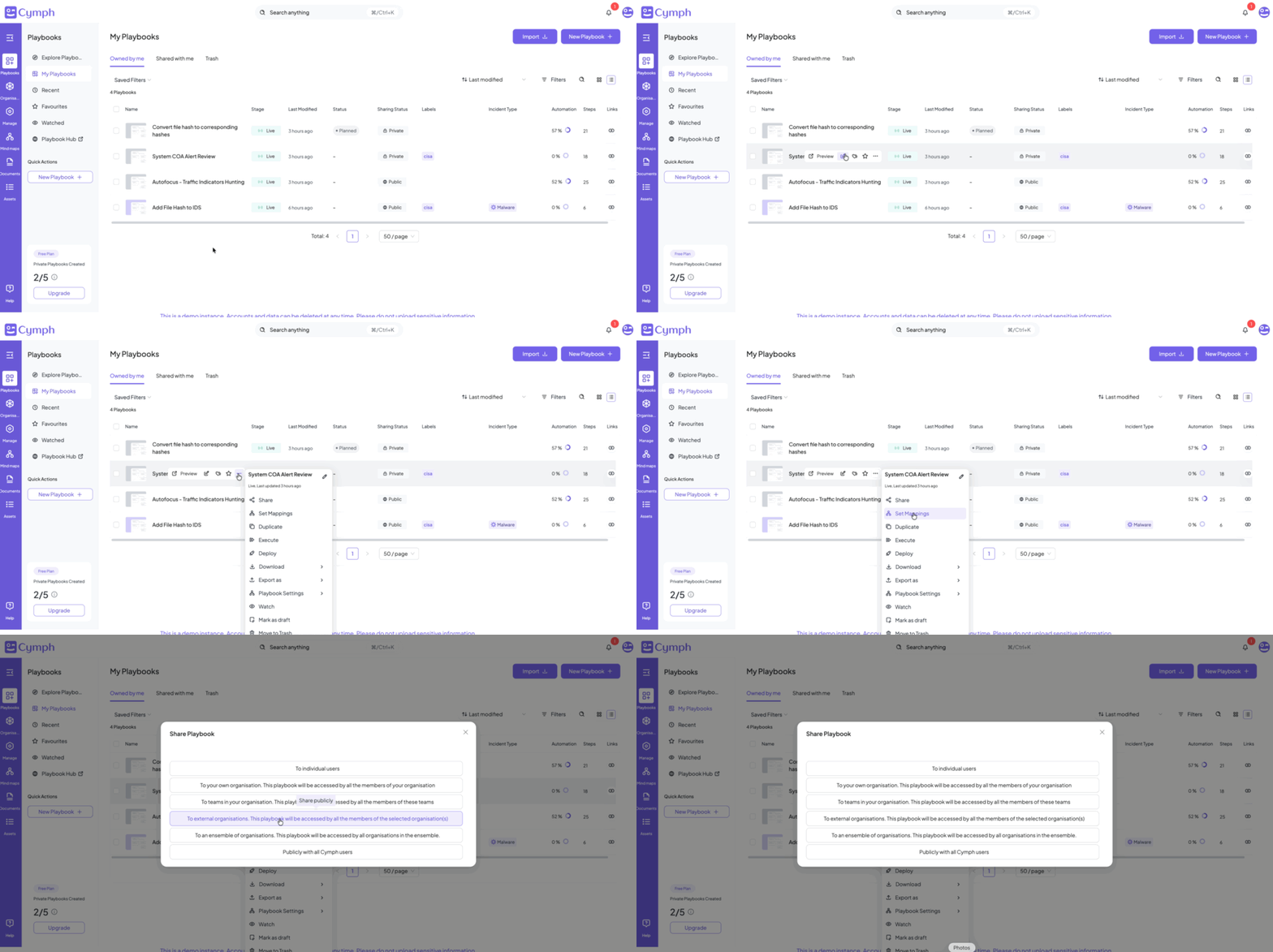
- Search for the playbook you want to share in the Playbook Management System or open the playbook inside the Playbook Editor.
From the Playbook Management System
- Hover over the playbook you want to share
- Go to the action menu
- Click on the triple dot action button
- Share your playbook
- Select the Share option
- The share playbook dialog will open
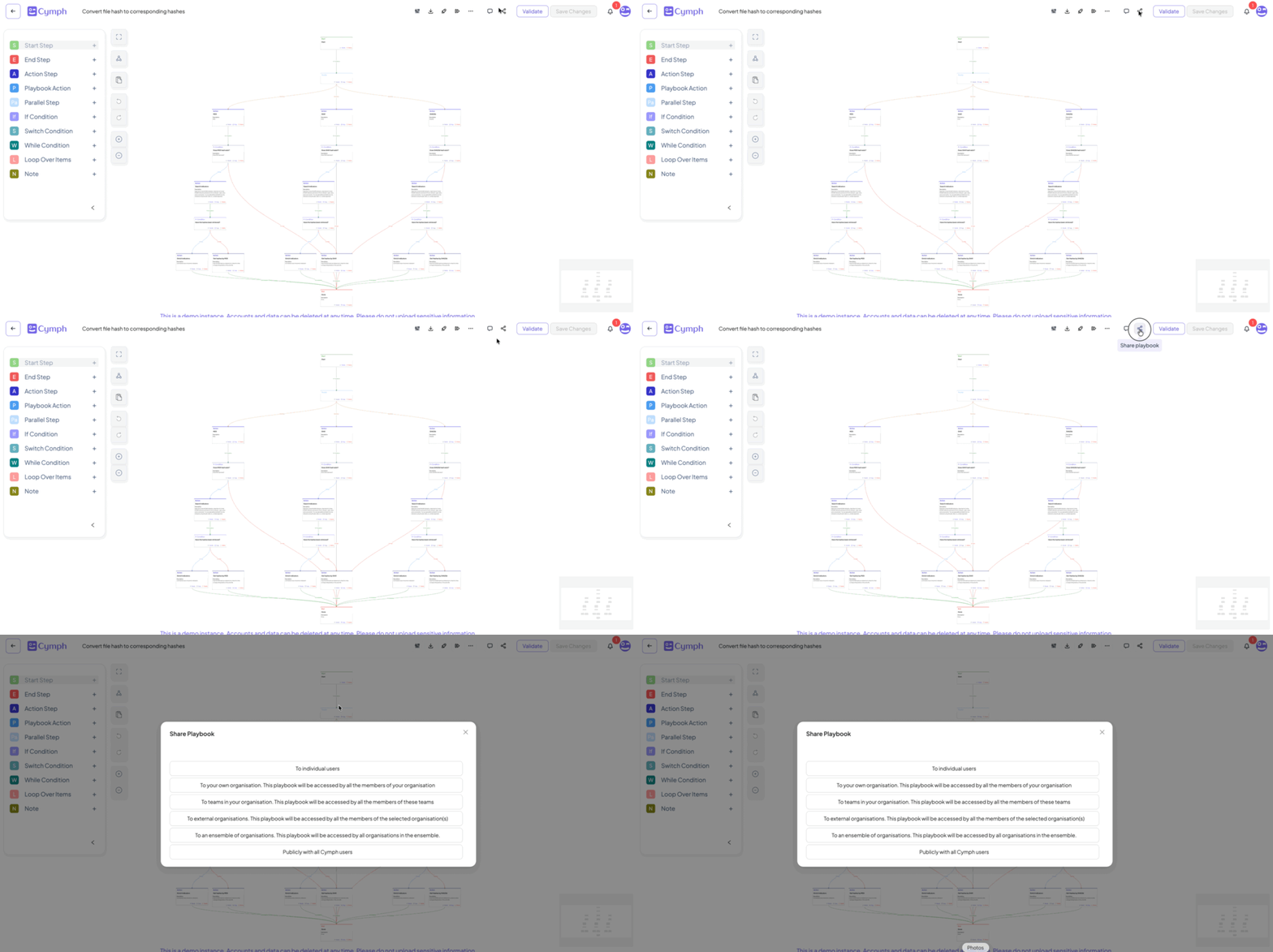
From the playbook editor
Once a playbook is open in the playbook editor, you can share it without exiting the editor- Share the playbook
- Click the Share button from the top action bar
- The share playbook dialog will open
Sharing modes
- You can share the selected playbook with:
- An individual user.
- Your own organisation.
- An external organisation.
- An ensemble of organisations. An ensemble is a group of organisations. By sharing to an ensemble, all the organisations belonging to it will received the shared playbook.
- Publicly with all Cymph users. This action will share the playbook with everyone using Cymph, allowing all Cymph users to see, deploy, and duplicate the shared playbook.