

How to create your first playbook from scratch
- Login to the Cymph platform.
- Go to the Playbooks section
- Click on Library from the sidebar menu.
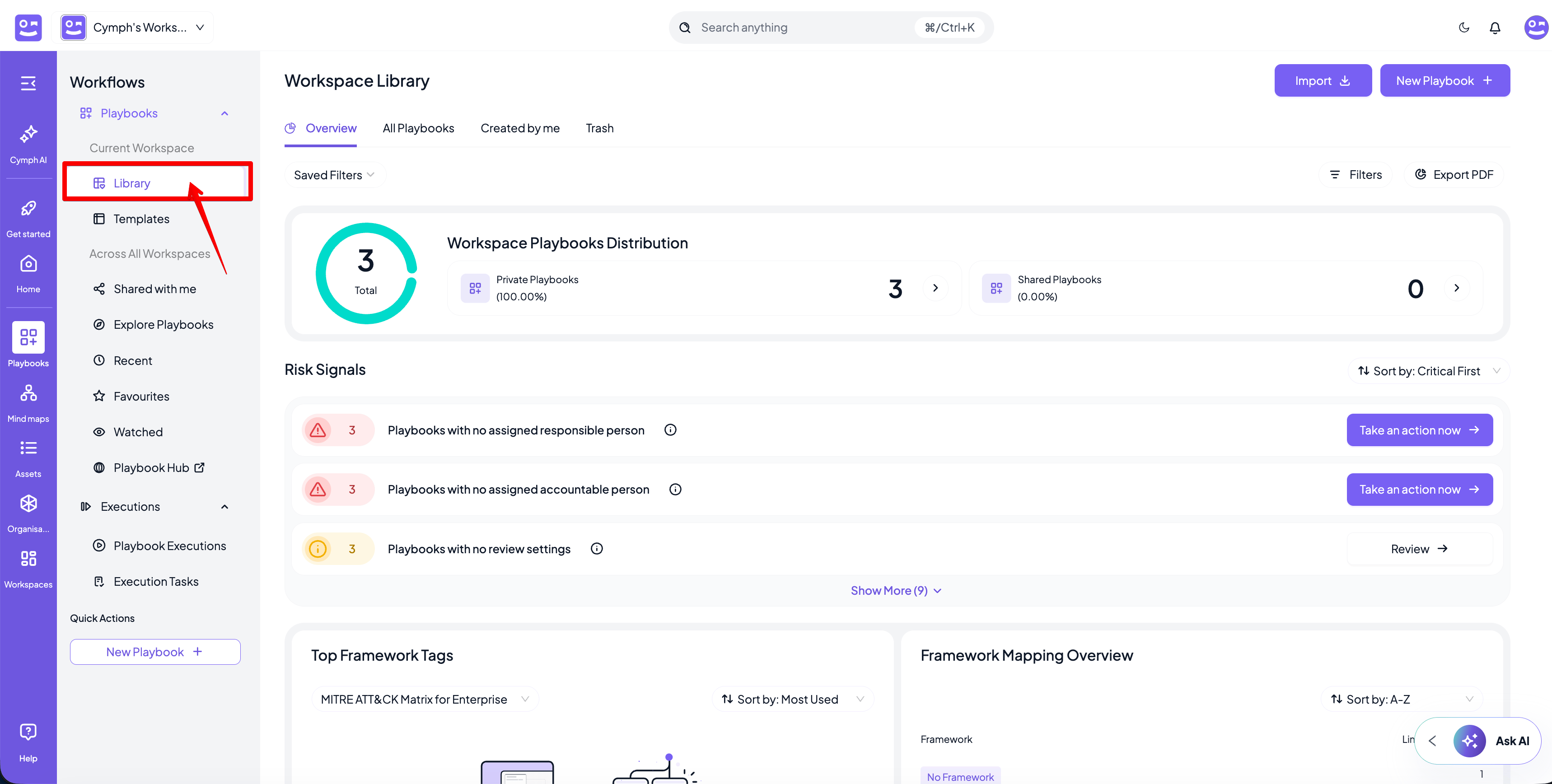
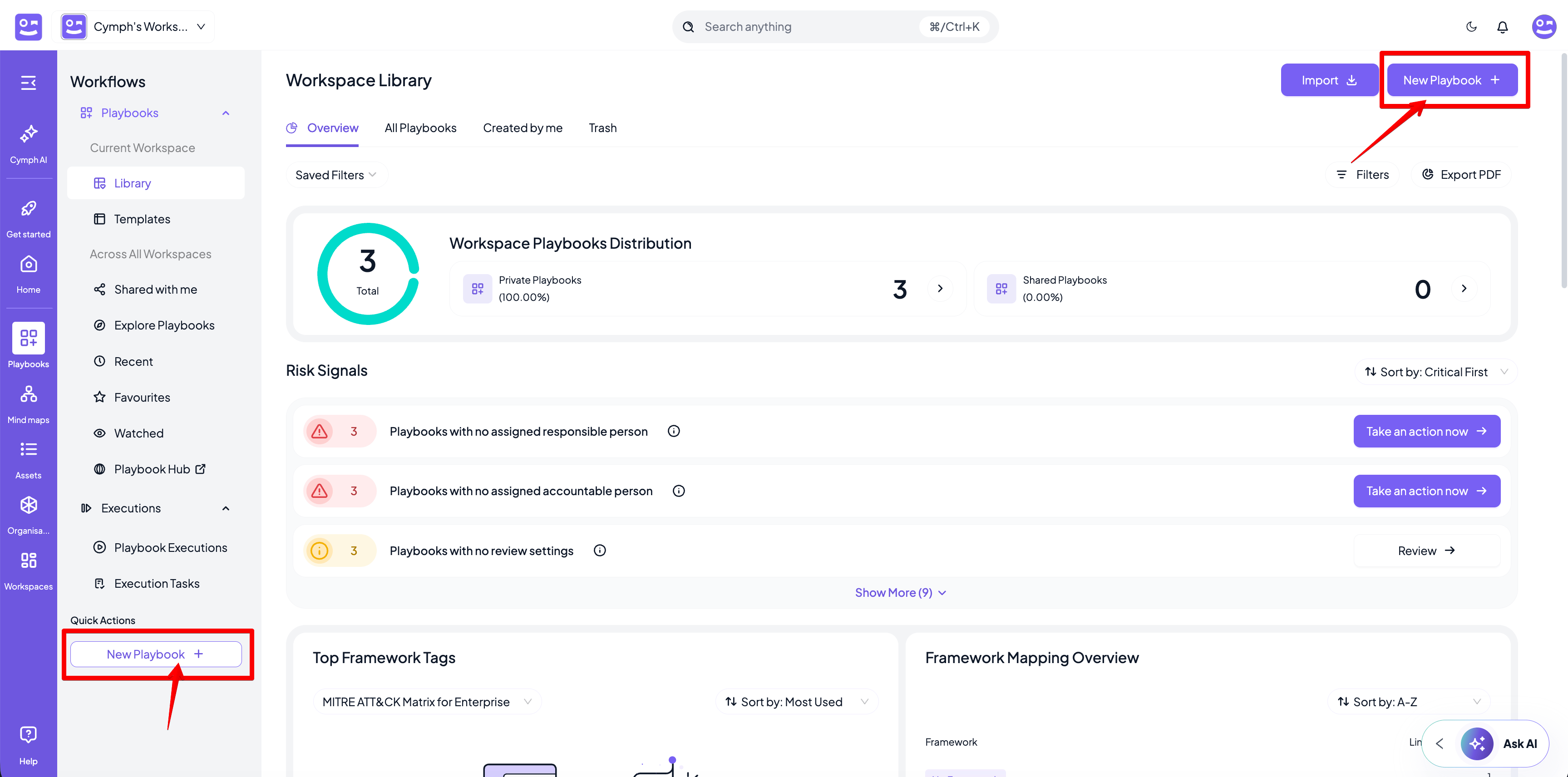
- Click the New Playbook button and then the From scratch option from the menu that appears.
- Alternatively, you can click on the New Playbook quick action from the sidebar menu
- You will be redirected to the Playbook Editor.
- Your newly created playbook will have a Start Step.
- Edit your playbook.
Learn more: Read the Playbook Editor page for more details on how to design a playbook in the Playbook Editor
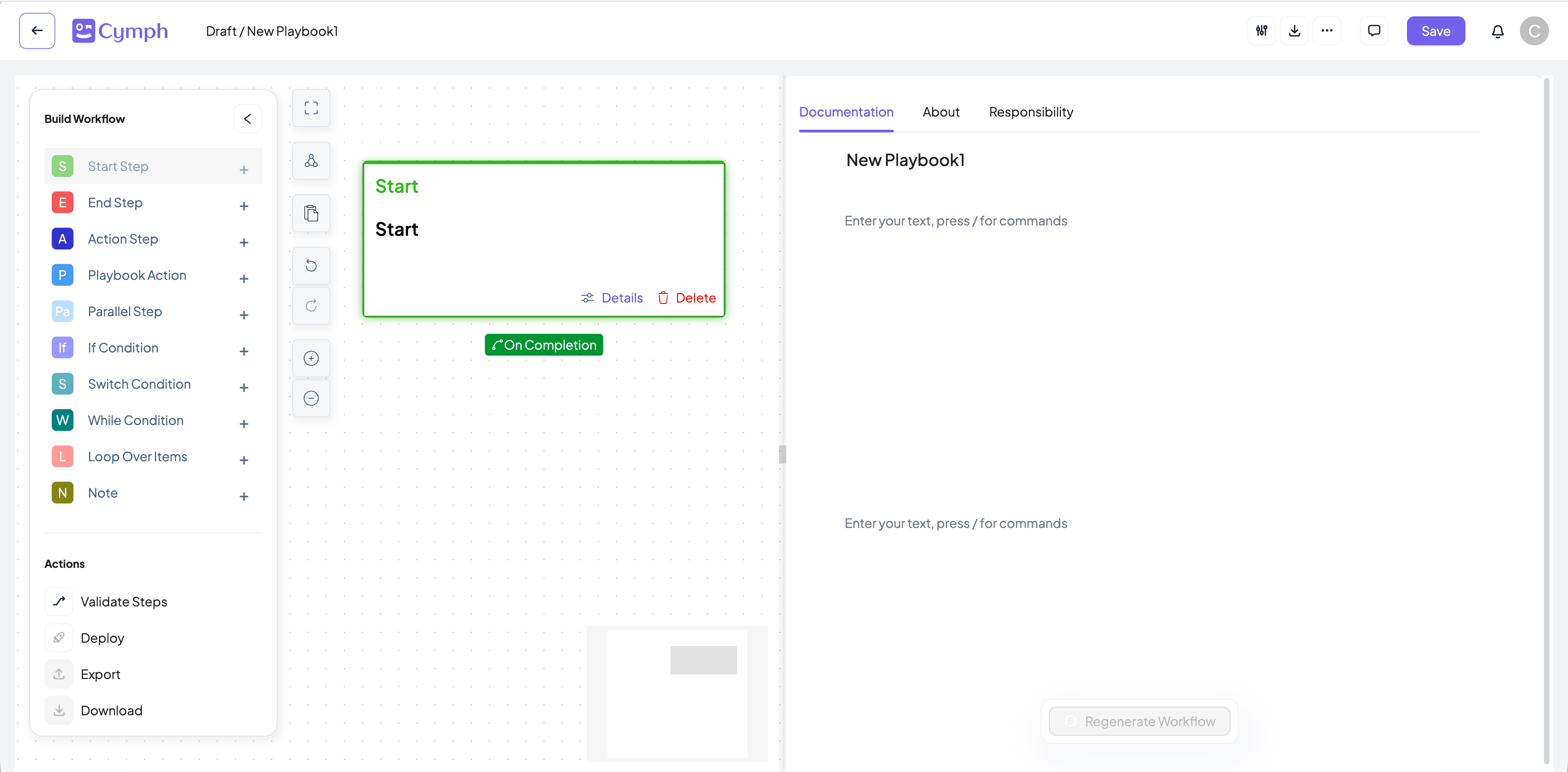
- Save your changes.
- After making all your changes, click the Save Changes button.
How to create your first AI-assisted playbook
- Login to the Cymph platform.
- Go to the Playbooks section
- Click on Library from the sidebar menu.
- Click the New Playbook button and then the Generate with AI option from the menu that appears.
- Alternatively, you can click on the New Playbook quick action from the sidebar menu
- You will be redirected to the Cymph AI assistant
- From there, an interactive process will start where you can describe your requirements
- At the end of the process, a playbook draft will be available for review. By clicking on the Review button, you will be able to view the generated playbook and also edit it if necessary
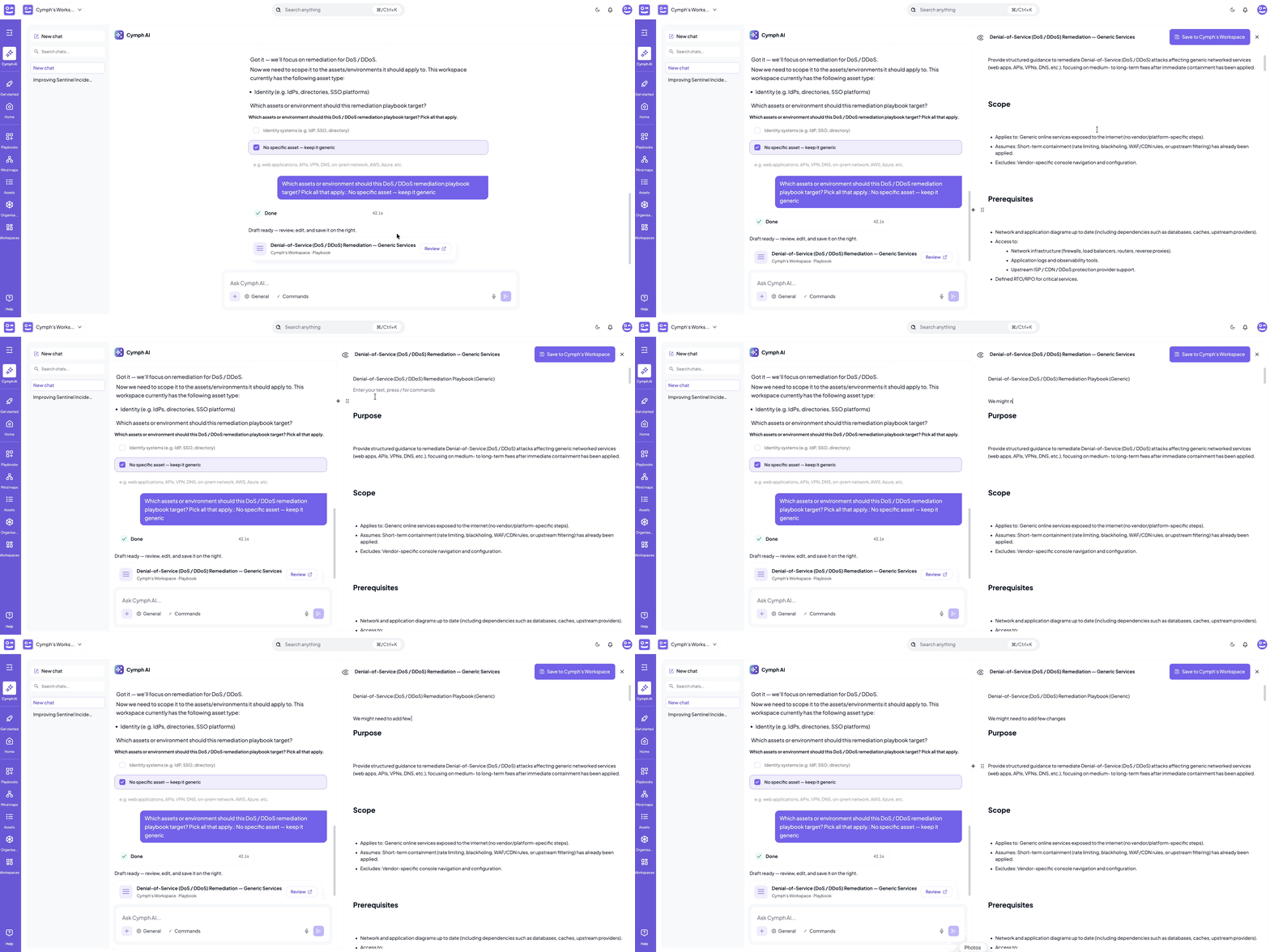
- From the preview editor, you can save the playbook by clicking on the “Save to…” button
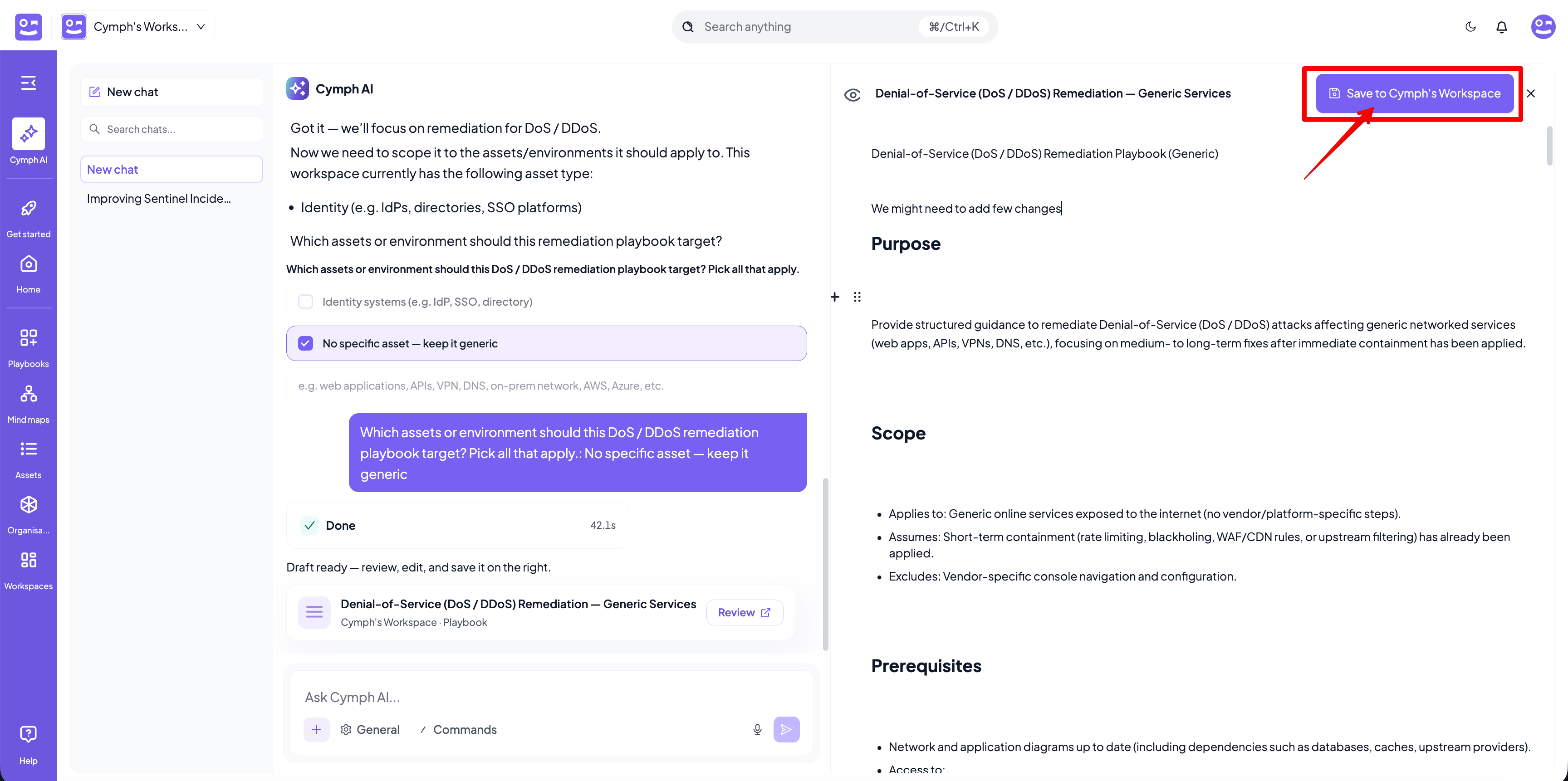
- Before saving the playbook, a modal will appear to complete the RACI matrix and review settings for the playbook
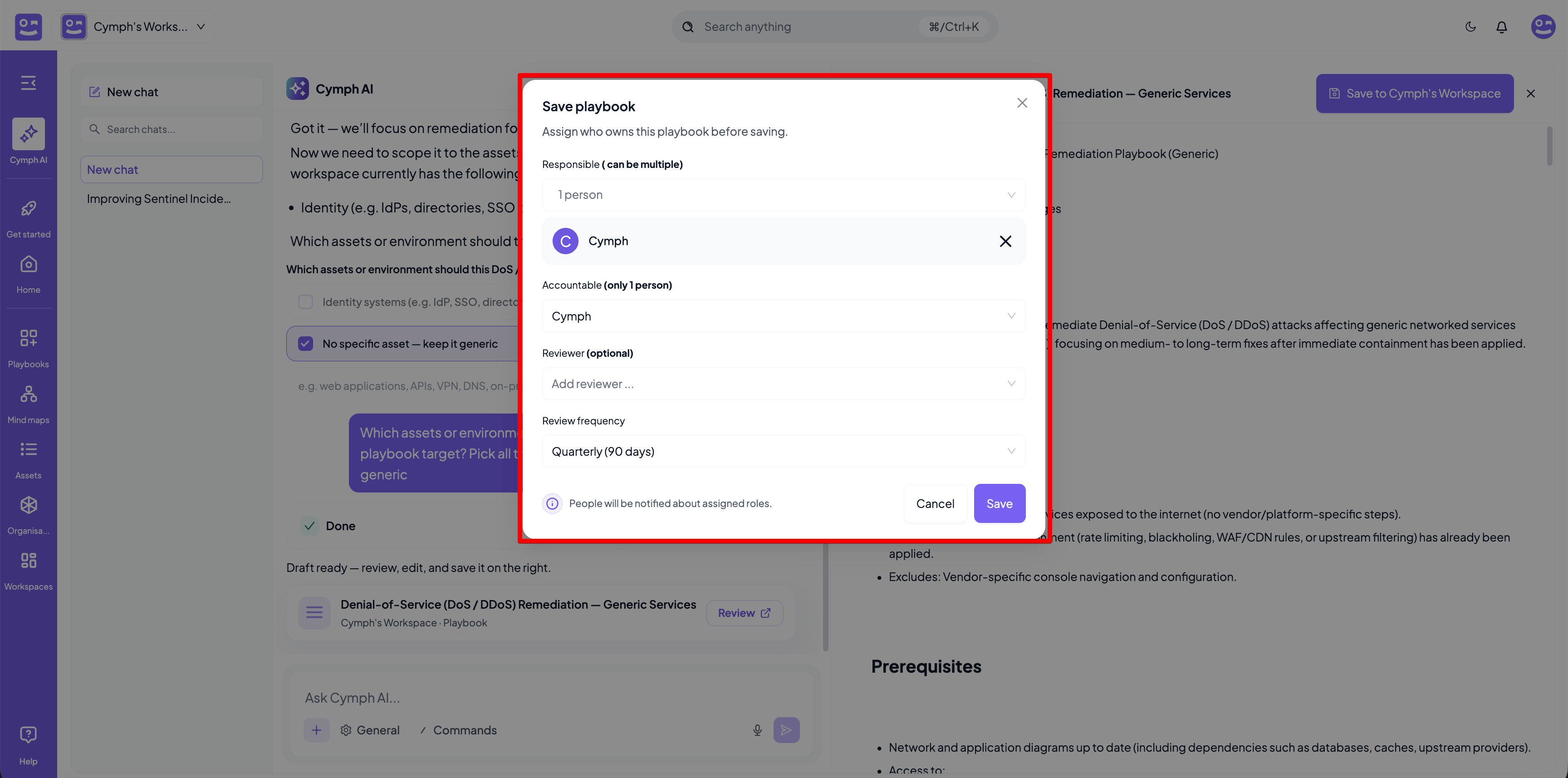
- Once the required settings are filled in (Responsible, Accountable and Review Frequency are mandatory), you can click on the Save button. The playbook will be saved to the current workspace library as draft
If the option to generate playbooks with AI does not appear, the AI settings of your instance are not configured