

Applies to both deployment models. The AI provider is supplied by you in a managed cloud tenant just as in a self-hosted deployment — see AI & data usage.
How to modify AI settings
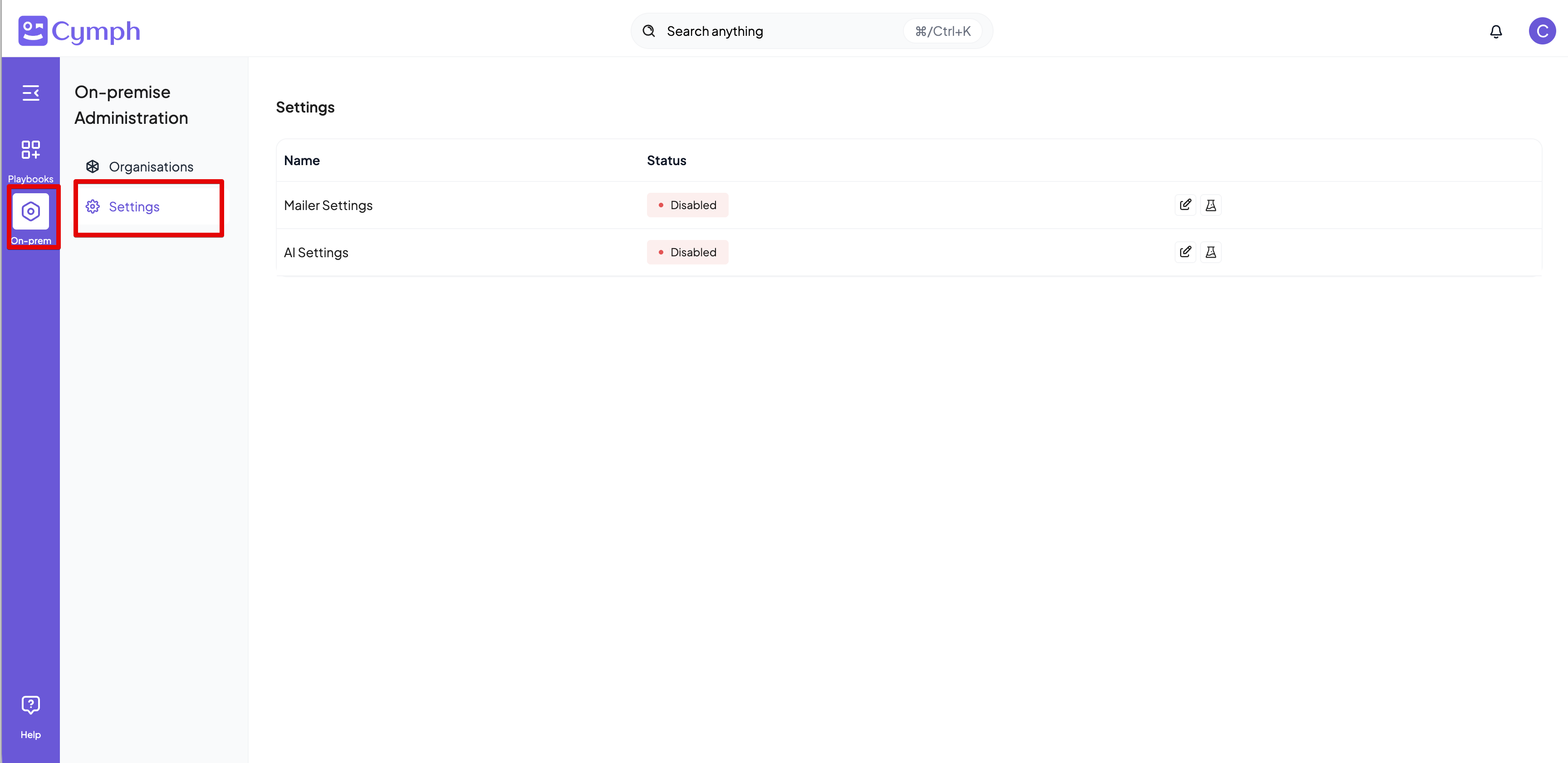
Users with the On-prem Administrator role can modify the AI settings. By enabling AI, users will be able to use the AI capabilities of the platforms, such as playbook generation from prompts and mindmaps and autotagging.- Go to On-prem settings page
- Click on On-prem from the navigation menu, then Settings
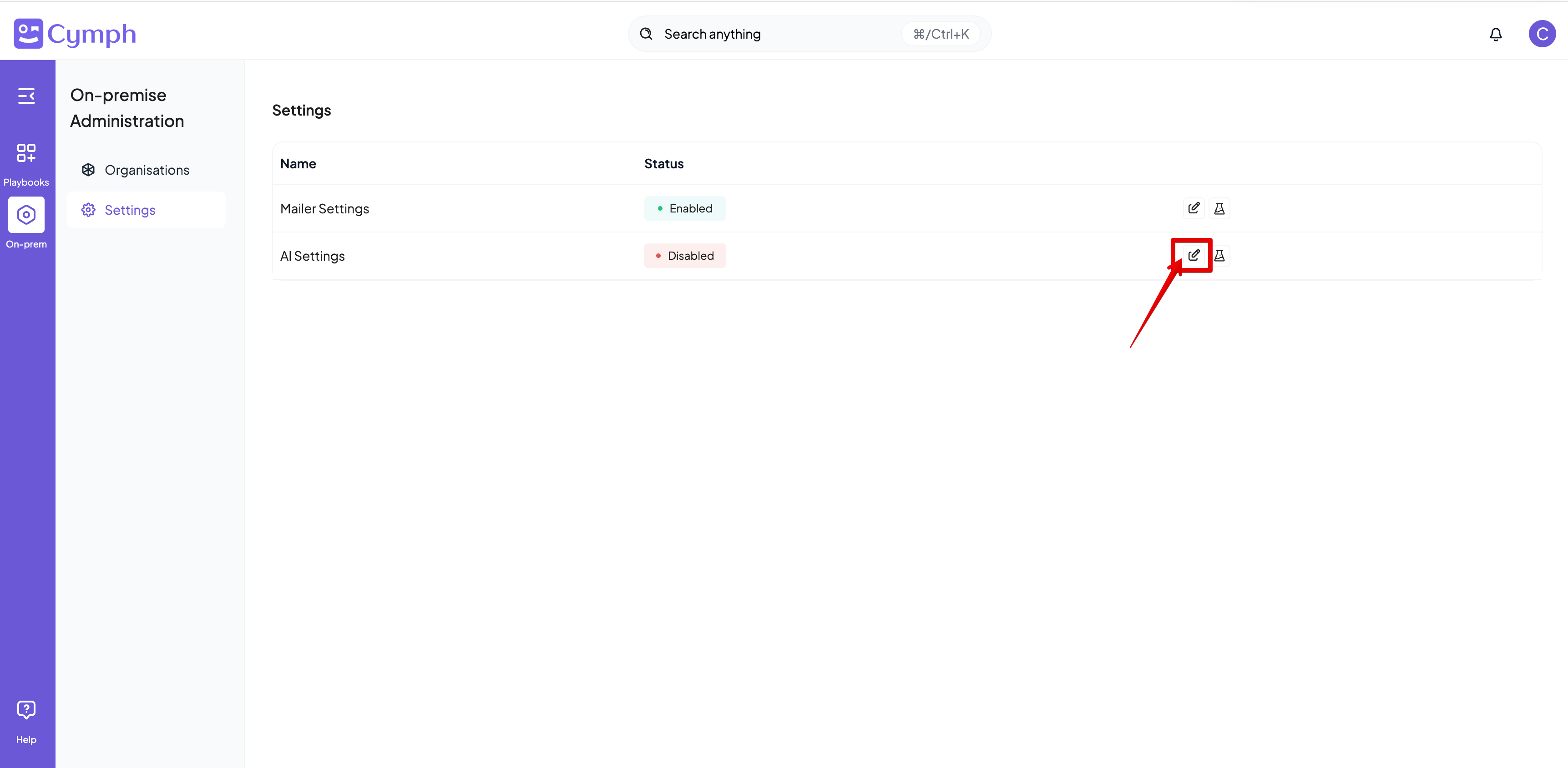
- Edit the AI Settings
- Click on the Edit icon next on the AI settings row
- Enter the settings for your AI provider
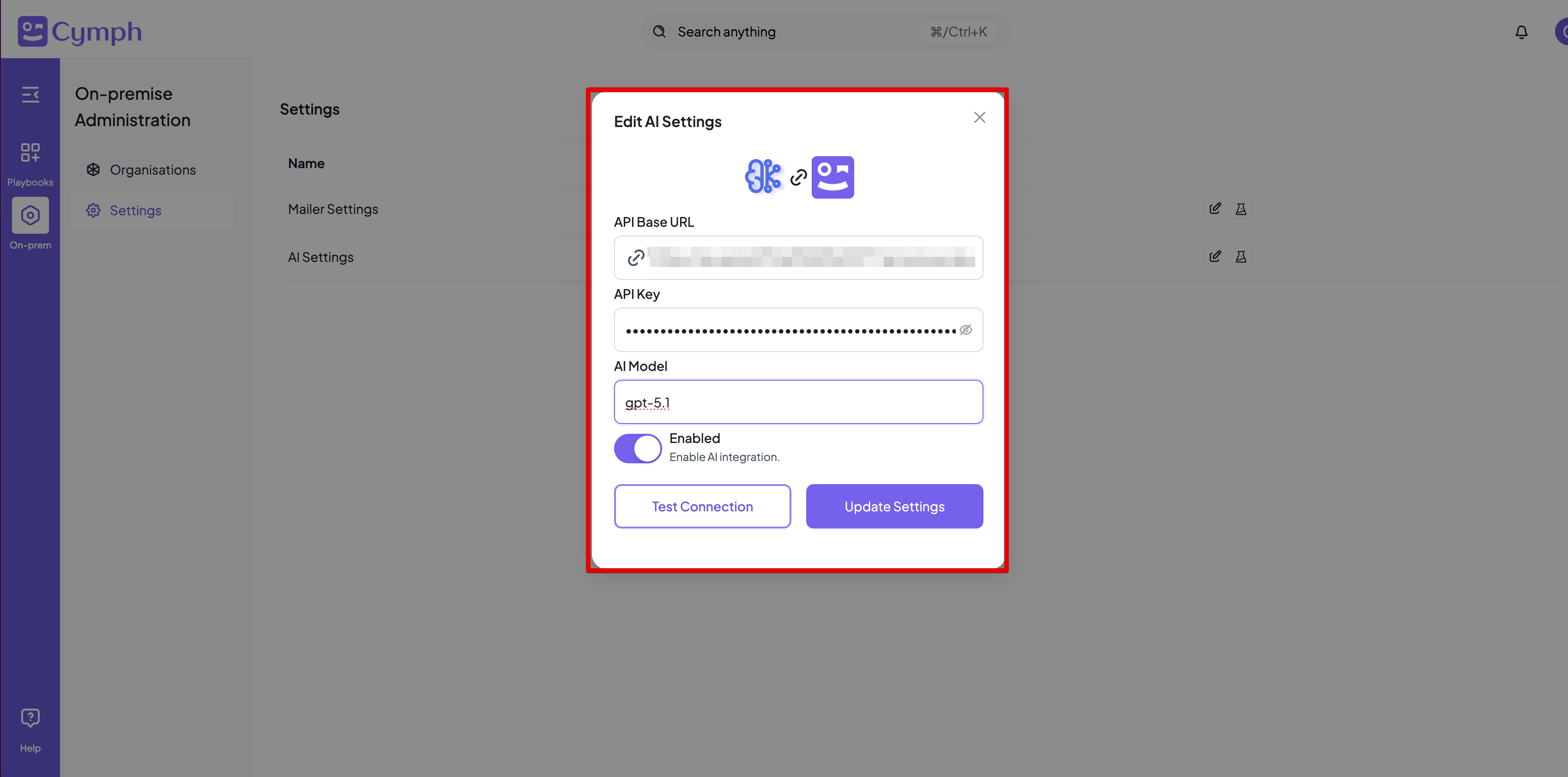
- Click Test to verify the connection before saving. The test sends a minimal chat completion request to the configured endpoint and model — see How the test works below.
Provider compatibility
Cymph does not bundle a model. It calls whatever endpoint you configure using the OpenAI Chat Completions API (POST {base URL}/chat/completions). Any provider or gateway that implements this API can be used — including OpenAI itself, Azure OpenAI, and self-hosted servers such as vLLM, Ollama, LM Studio or LiteLLM.
The three settings map directly onto that API:
What the endpoint must support
Cymph uses only the Chat Completions endpoint. It does not use the Responses API, the Assistants API, streaming, or an embeddings endpoint — semantic search runs on a local embedding model inside the deployment (see AI & data usage). Within Chat Completions, the following features are required. Most features work as long as the first two are supported; the AI assistant additionally needs tool calling.Known limitations
- Non-chat endpoints (legacy text completions, embeddings, images) are not used and cannot be configured here.
- Models that ignore JSON mode will cause generation and autotagging to fail with parsing errors even though the connection test passes.
- Small local models frequently lack reliable tool calling. They are fine for generation and autotagging, but expect the AI assistant to behave unpredictably.
How the test works
The Test button, available both before and after saving, sends a single chat completion to the configured base URL with the configured model and a one-word user message, limited to 10 output tokens. The test passes when the endpoint returns a completion. It also passes if the endpoint returns an HTTP 400 whose error message mentionsmax_tokens, because that response proves the base URL, API key and model name are all accepted and only the request size was rejected.
The test fails on any other error, and the response says why.
Every result carries a human-readable message and a details object so the failure can be diagnosed without server access: