

Applies to both deployment models. The setting is off until an administrator enables it, in a managed cloud tenant just as in a self-hosted deployment.
What it does
With content updates enabled, the deployment periodically connects outbound over HTTPS to Cymph’s content service and downloads whatever is newer than what it already holds:
The connection is one-way. The deployment downloads content; it does not upload anything. No playbooks, executions, assets, chats, users, integration configuration or credentials are sent to Cymph, and the content service receives nothing beyond what any HTTPS client sends to any server — the request itself and the originating IP address.
Updates never change existing work:
- Presets keep their version. Frameworks are versioned and a preset is pinned to the version you chose when you created it, so a newly downloaded version never silently changes the meaning of an existing preset — see Frameworks without framework maintenance. To use a new version, edit the preset and select it.
- Framework mappings on playbooks are untouched. A mapping to a technique stays as you set it. Techniques that a new version revokes or deprecates are reported as validation issues when a preset using that version is built, as described in Stale technique IDs in shipped content, rather than remapped or dropped.
What it does not cover
Content updates carry framework and Learning Center material only. They do not upgrade the product: application code, the embedding model behind semantic search, AI prompts and feature behaviour all change with product releases, exactly as before. Nor do they involve licensing or telemetry — a deployment with content updates disabled makes no connection to Cymph at all, and a deployment with them enabled makes only this one.Enabling or disabling content updates
Users with the On-prem Administrator role can change the setting.- Go to the On-prem settings page
- Click on On-prem from the navigation menu, then Settings
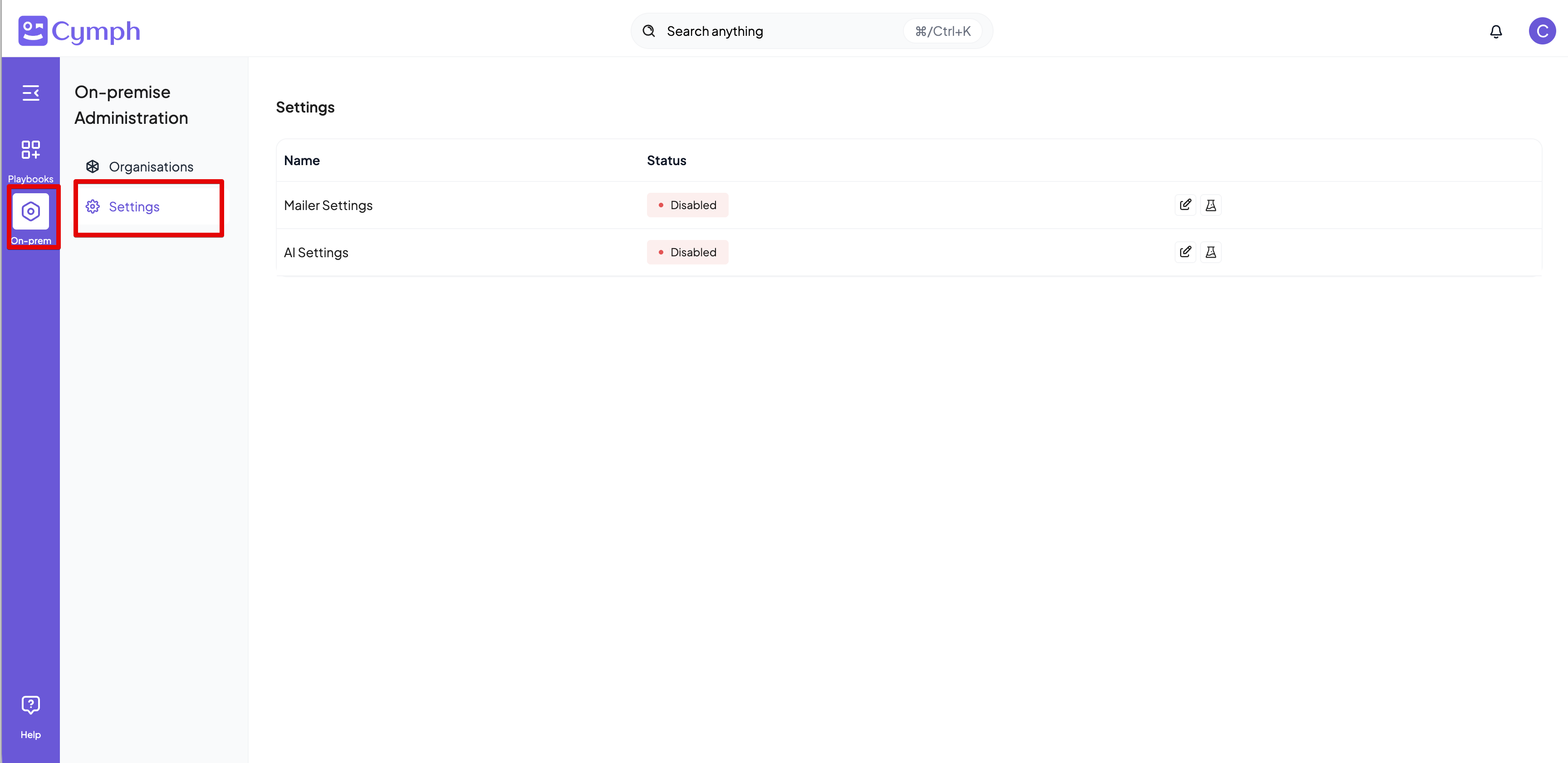
- Enable or disable Content updates