> ## Documentation Index
> Fetch the complete documentation index at: https://docs.cymph.io/llms.txt
> Use this file to discover all available pages before exploring further.
# I cannot login
If you have trouble logging in, check the following:
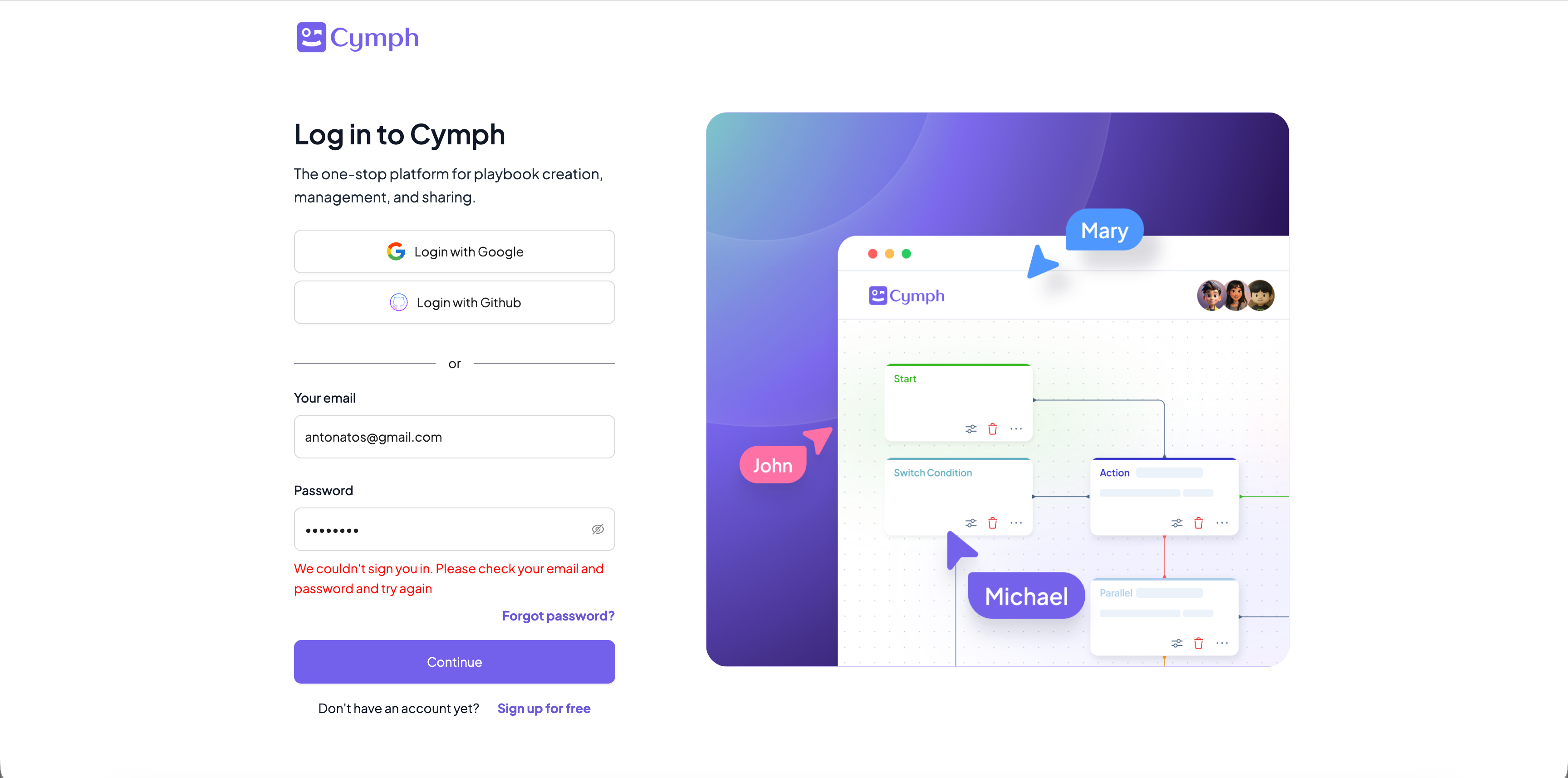
* If you are logging in via email and password, make sure you have entered the correct credentials. In case of invalid credentials, you should see an error message just below the password field:
 * Make sure your account is not locked due to too many password failures.
* Try to reset your password:
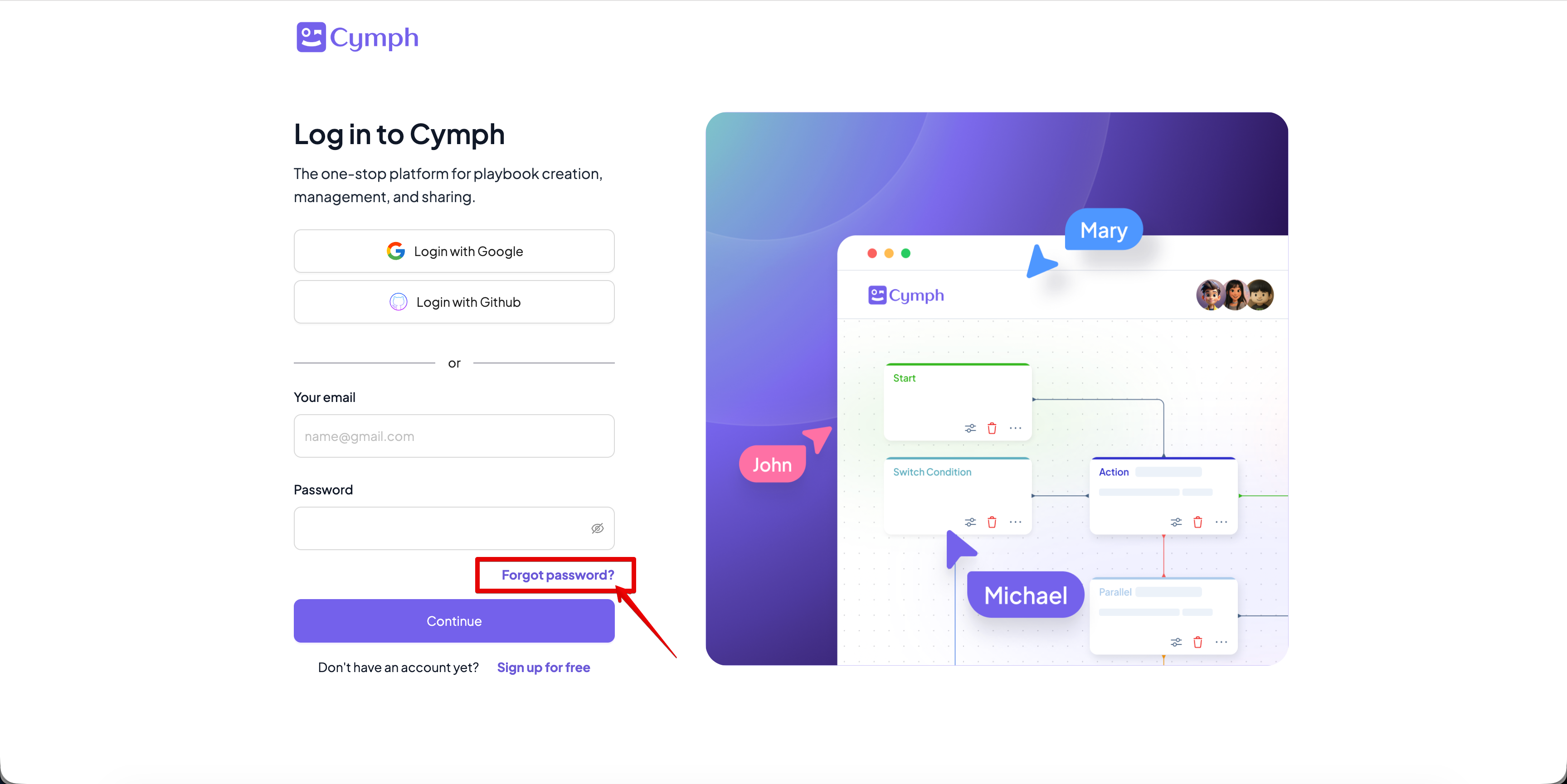
1. From the login screen, click on **Forgot Password?**
* Make sure your account is not locked due to too many password failures.
* Try to reset your password:
1. From the login screen, click on **Forgot Password?**
 2. Enter the e-mail address that you have used upon registration.
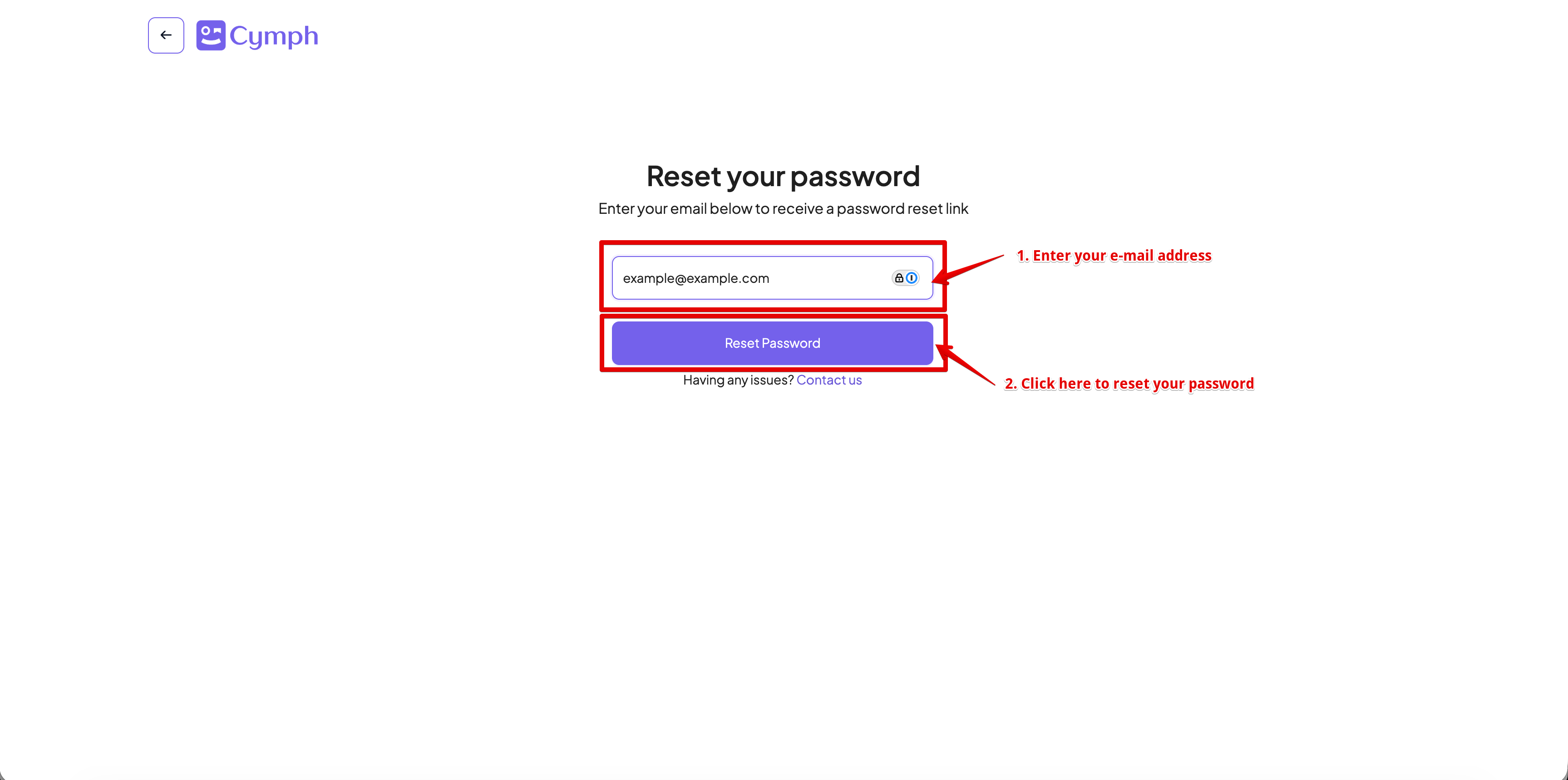 An e-mail will be sent with further instructions on how to reset your password.
**Need more help?**
Send our support team a note at [support@cymph.io](mailto:support@cymph.io)!
An e-mail will be sent with further instructions on how to reset your password.
**Need more help?**
Send our support team a note at [support@cymph.io](mailto:support@cymph.io)!