> ## Documentation Index
> Fetch the complete documentation index at: https://docs.cymph.io/llms.txt
> Use this file to discover all available pages before exploring further.
# Reporting a bug
If you encounter an issue or a bug, you can file a bug report via the web application.
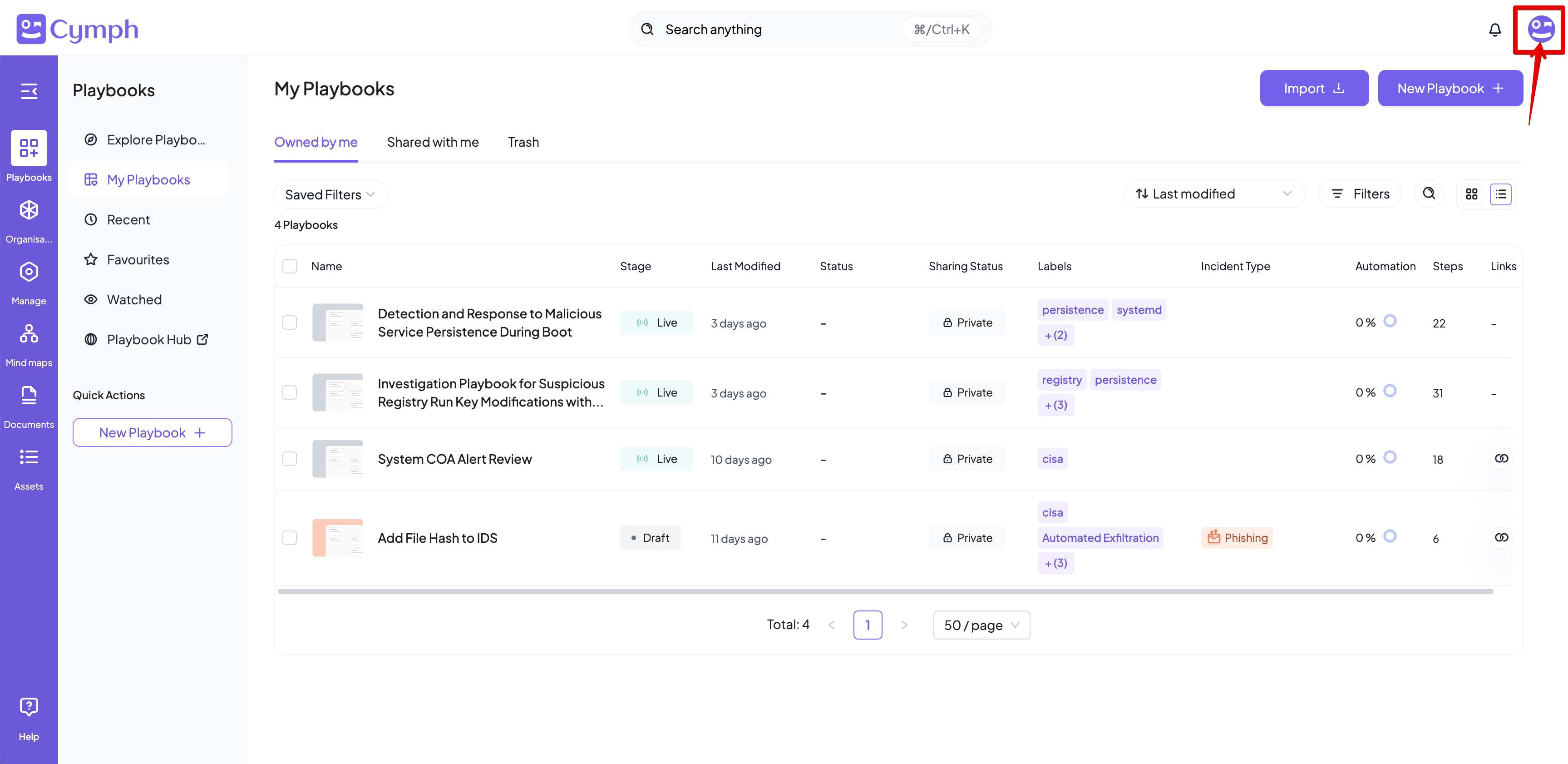
1. Open the **Account** menu.
* Click on your avatar in the top right corner.
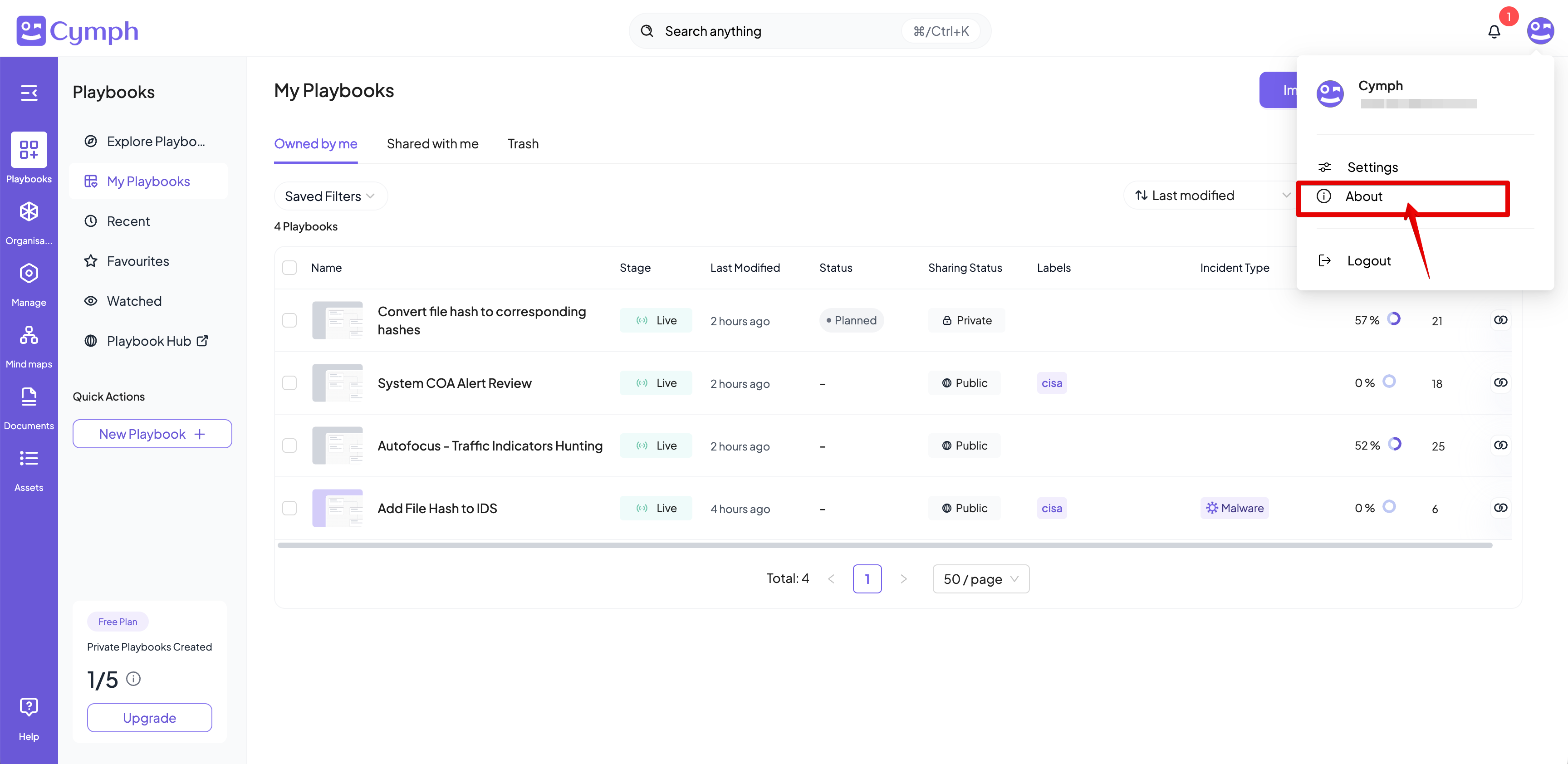
 2. Go to **About** dialog box.
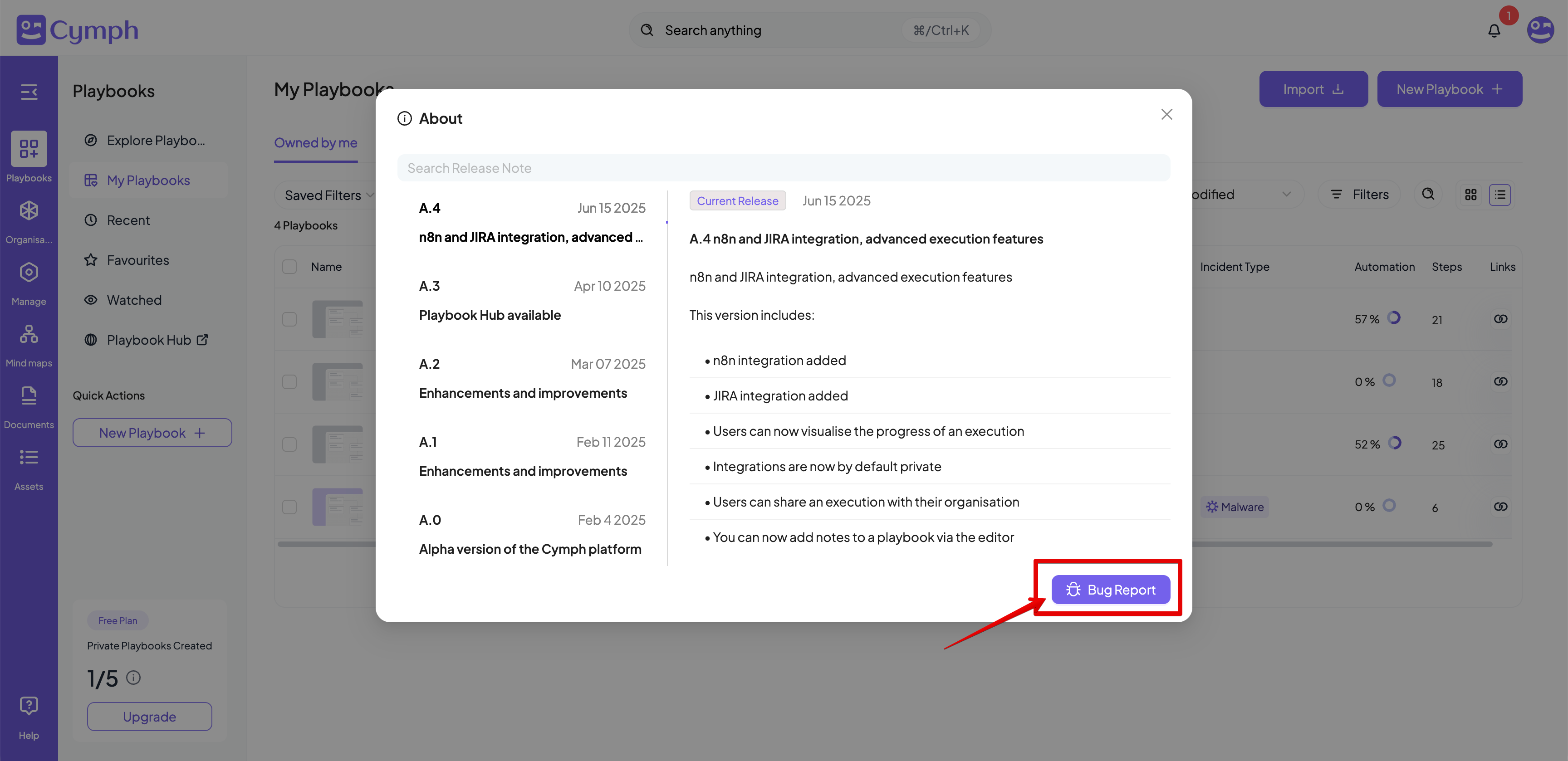
 3. Click the **Bug Report** button.
* The **Bug Report** form will appear.
3. Click the **Bug Report** button.
* The **Bug Report** form will appear.
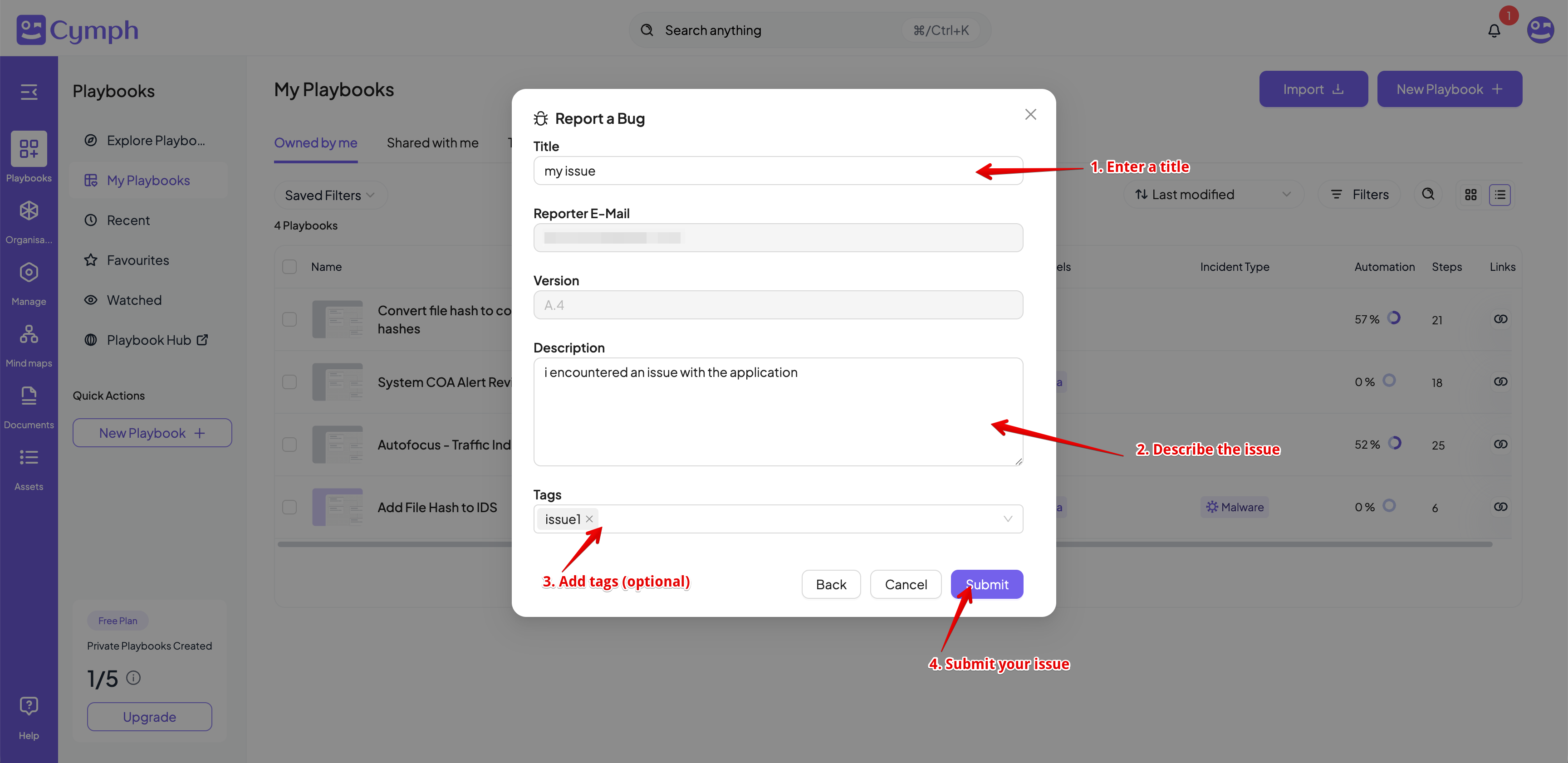
 4. Insert a title and a description for your issue.
5. Add tags to your issue (optional).
6. Click the **Submit** button.
4. Insert a title and a description for your issue.
5. Add tags to your issue (optional).
6. Click the **Submit** button.