> ## Documentation Index
> Fetch the complete documentation index at: https://docs.cymph.io/llms.txt
> Use this file to discover all available pages before exploring further.
# Delete your account
## How to delete your account
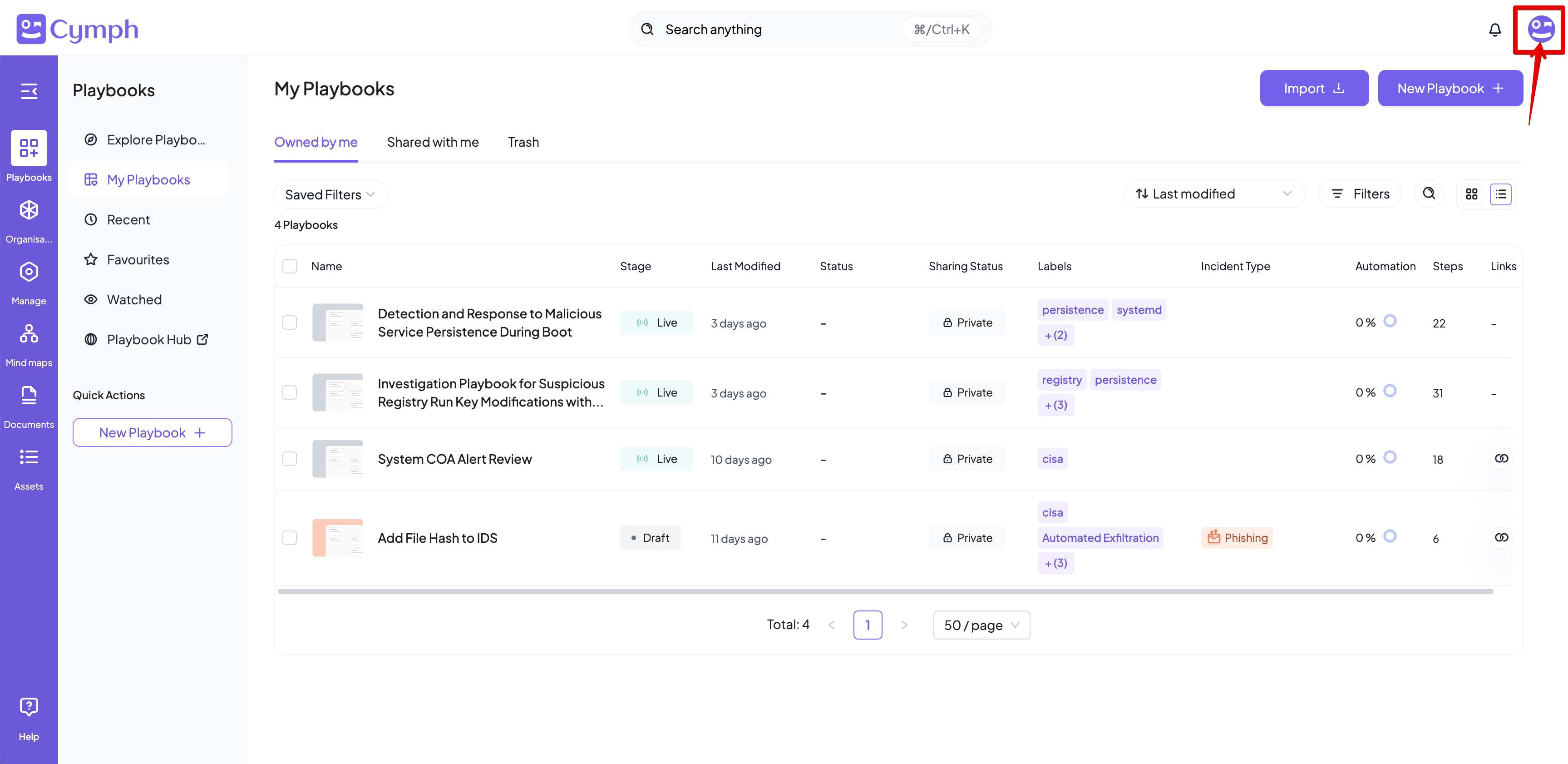
1. Go to your profile menu.
* **Click your profile picture** on the top right corner of the dashboard.
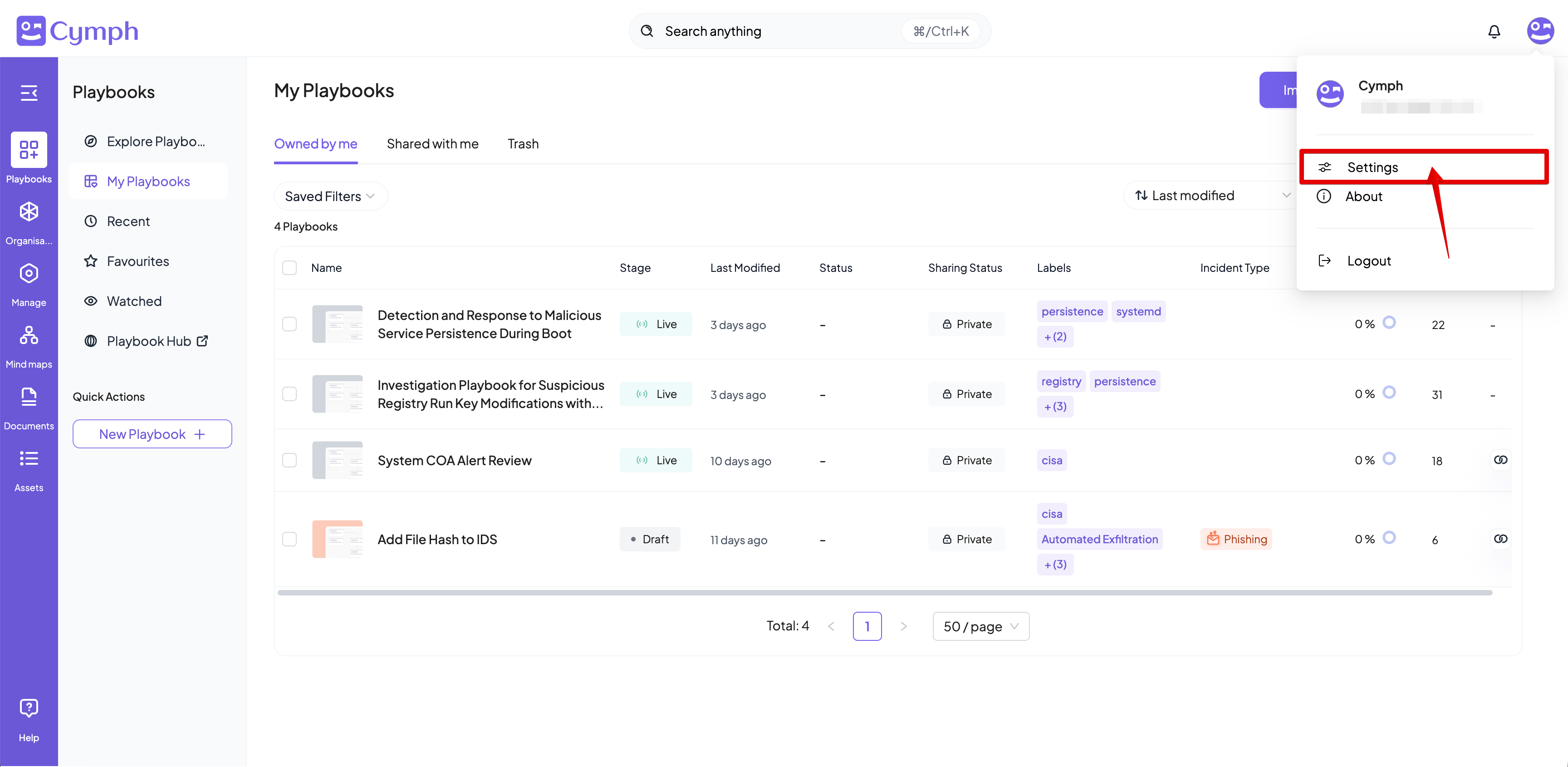
 2. Go to your settings.
* Click on **Settings.**
2. Go to your settings.
* Click on **Settings.**
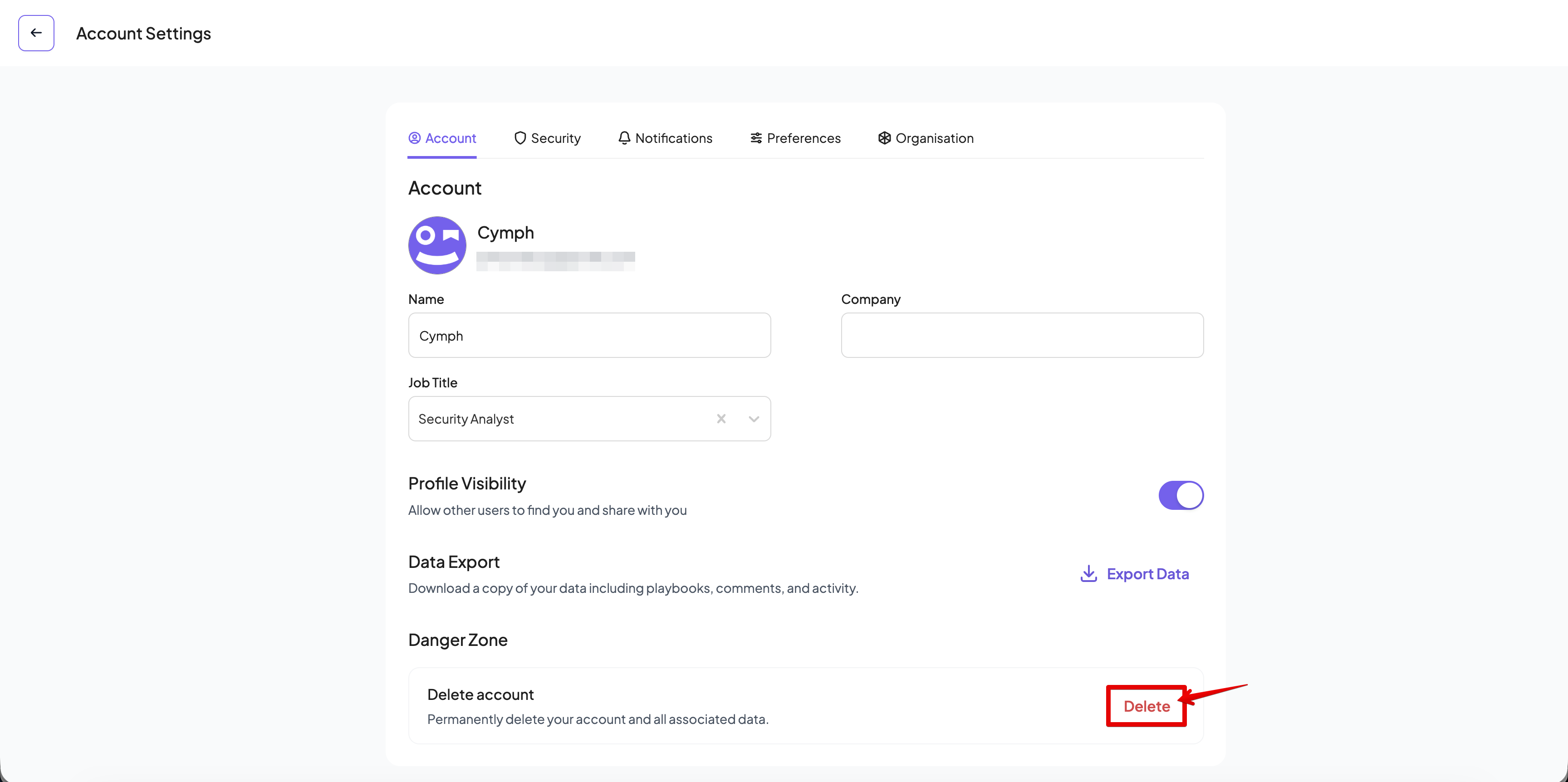
 3. Go to the account settings.
* Click on the **Account** tab of the settings panel, if not selected already.
4. Delete your account.
* Click on the **Delete account** button.
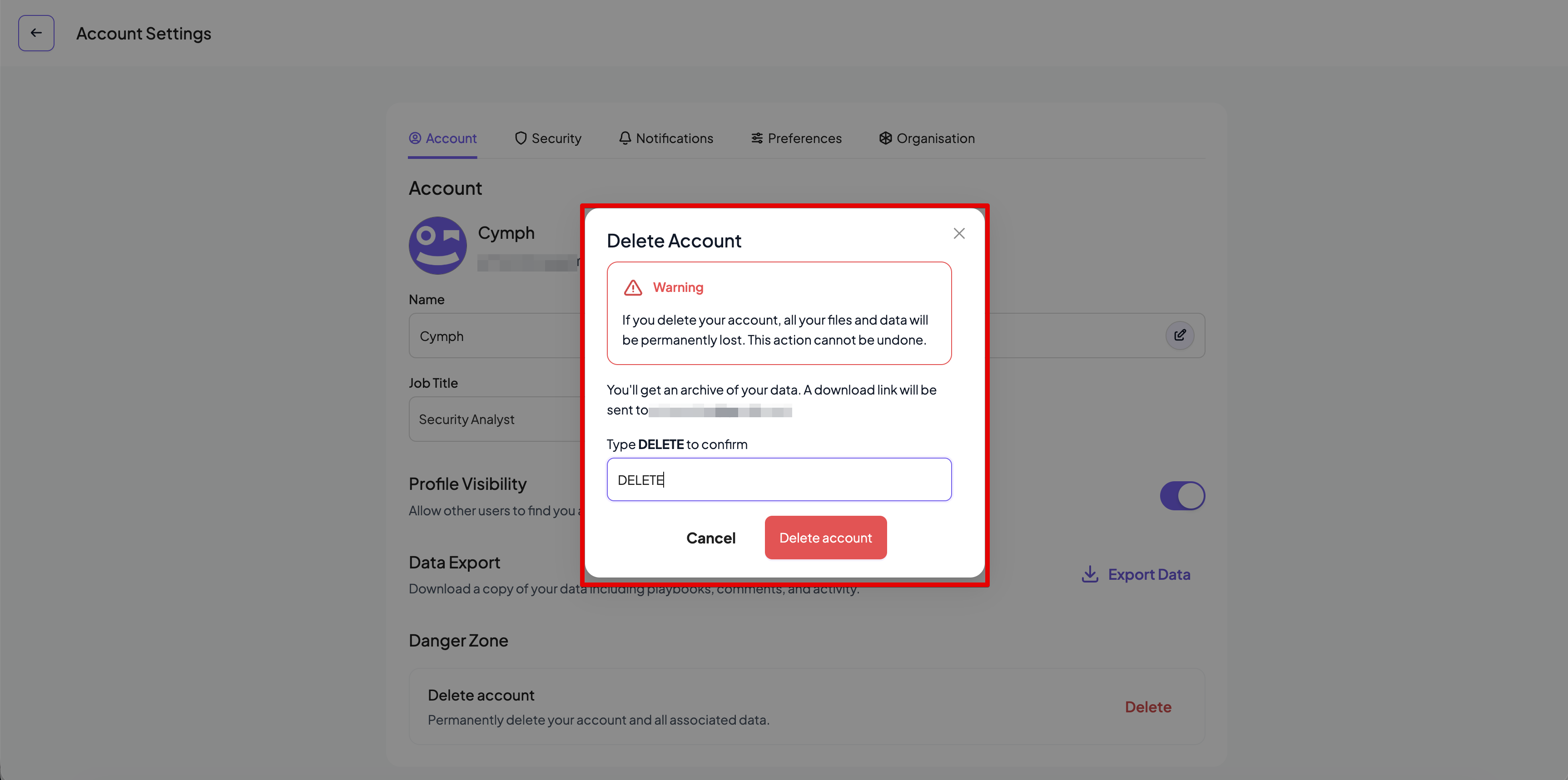
* A confirmation dialog will appear.
3. Go to the account settings.
* Click on the **Account** tab of the settings panel, if not selected already.
4. Delete your account.
* Click on the **Delete account** button.
* A confirmation dialog will appear.
 5. **Confirm** that you want to delete your account. Type "DELETE" in the input box and click on the **Delete Account** button
* Upon confirmation, you will be redirected to the login / signup screen.
5. **Confirm** that you want to delete your account. Type "DELETE" in the input box and click on the **Delete Account** button
* Upon confirmation, you will be redirected to the login / signup screen.
 * You cannot delete your account if you are the last user with an Admin role for that organisation and there are other users in the organisation. Assign the Admin role to another member in order to proceed with your account deletion.
* When you delete your account and there are other users in your organisation, all the playbooks created while a member of that organisation will be **inherited** by the first available user in the organisation with the Admin role. \
* If the user is the last member of the organisation then the **organisation will be deleted** and all their playbooks will be **deleted permanently.**
* All the playbooks created by the user while not in an organisation will be **deleted permanently**.
* You cannot delete your account if you are the last user with an Admin role for that organisation and there are other users in the organisation. Assign the Admin role to another member in order to proceed with your account deletion.
* When you delete your account and there are other users in your organisation, all the playbooks created while a member of that organisation will be **inherited** by the first available user in the organisation with the Admin role. \
* If the user is the last member of the organisation then the **organisation will be deleted** and all their playbooks will be **deleted permanently.**
* All the playbooks created by the user while not in an organisation will be **deleted permanently**.