> ## Documentation Index
> Fetch the complete documentation index at: https://docs.cymph.io/llms.txt
> Use this file to discover all available pages before exploring further.
# API Access
You can access the Cymph platform via API from your applications. Cymph exposes a REST API so you can programmatically perform the same functionality as the Web application.
## Authentication
Authentication is achieved via the **x-cymph-api-key** HTTP header.
## Create an API key
1. Go to your profile menu.
* **Click your profile picture** on the top right corner of the dashboard.
2. Go to your settings.
* Click **Settings.**
3. Go to API access management page
* Click on **API Keys** tab
4. Create a new key
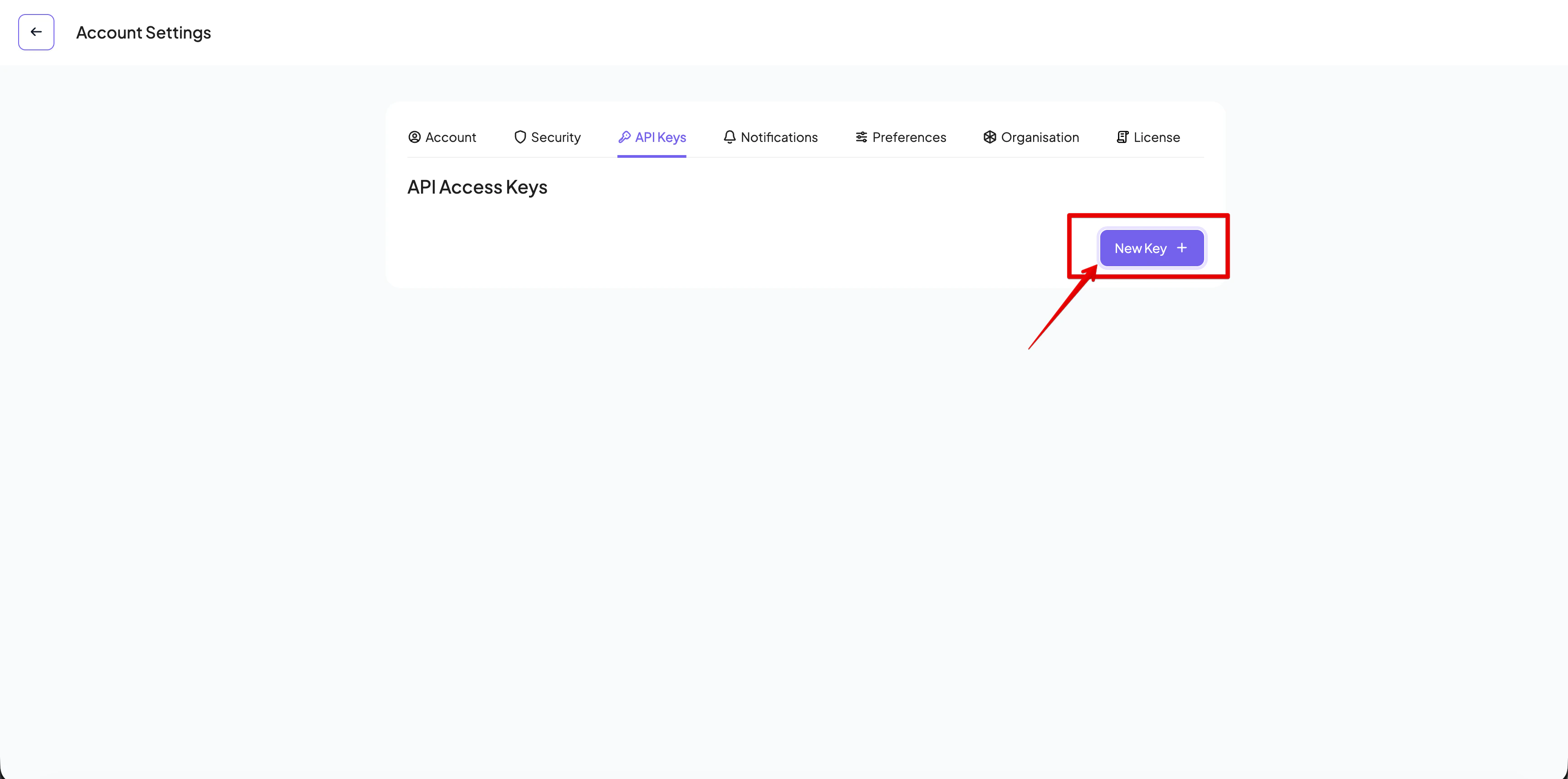
* Click on **New Key** button
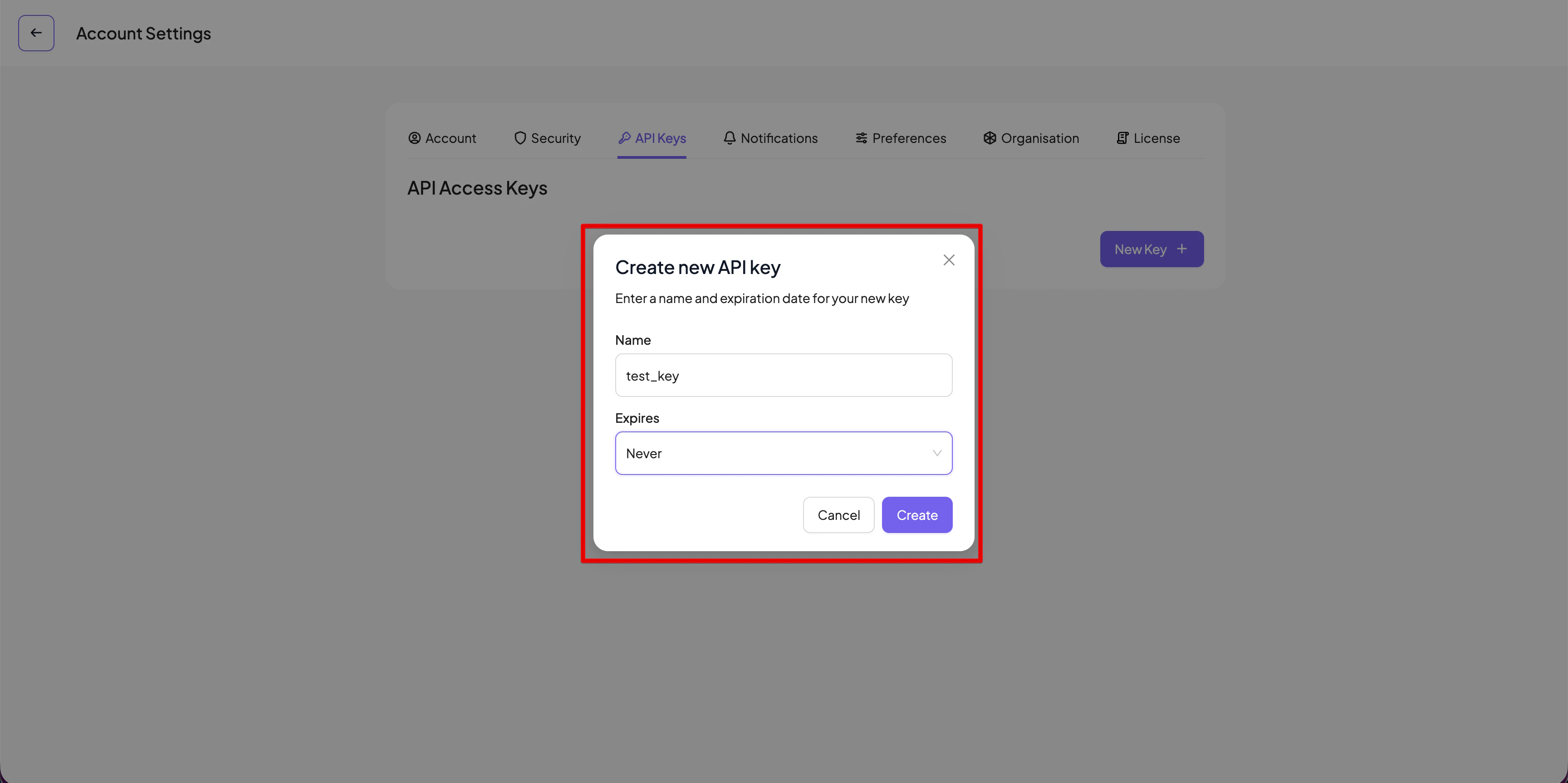
 5. Enter a name and select an expiration period
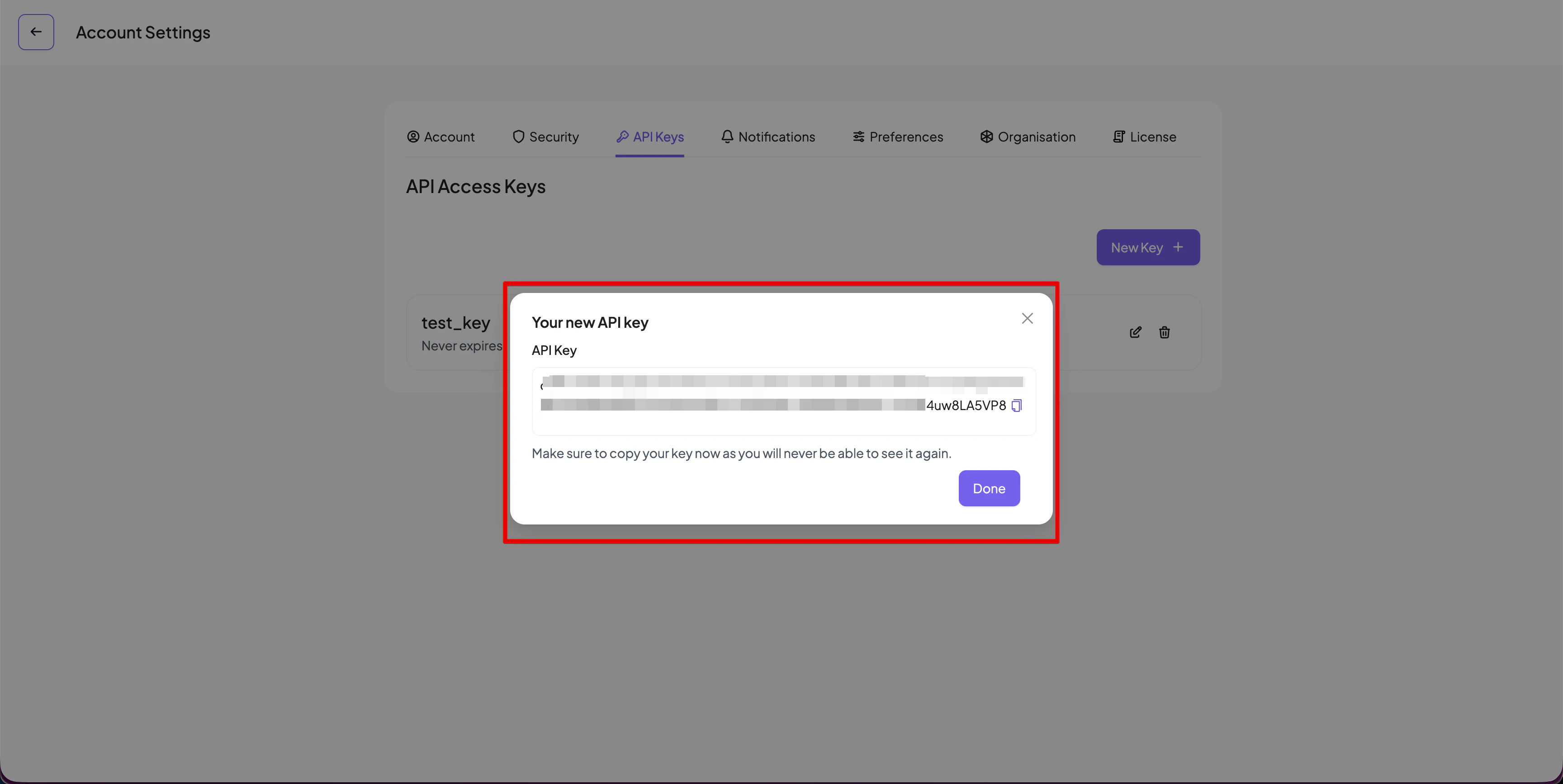
 6. The API key will be created and displayed. Make sure you copy the key because it will not be displayed again!
 ## Deleting an API key
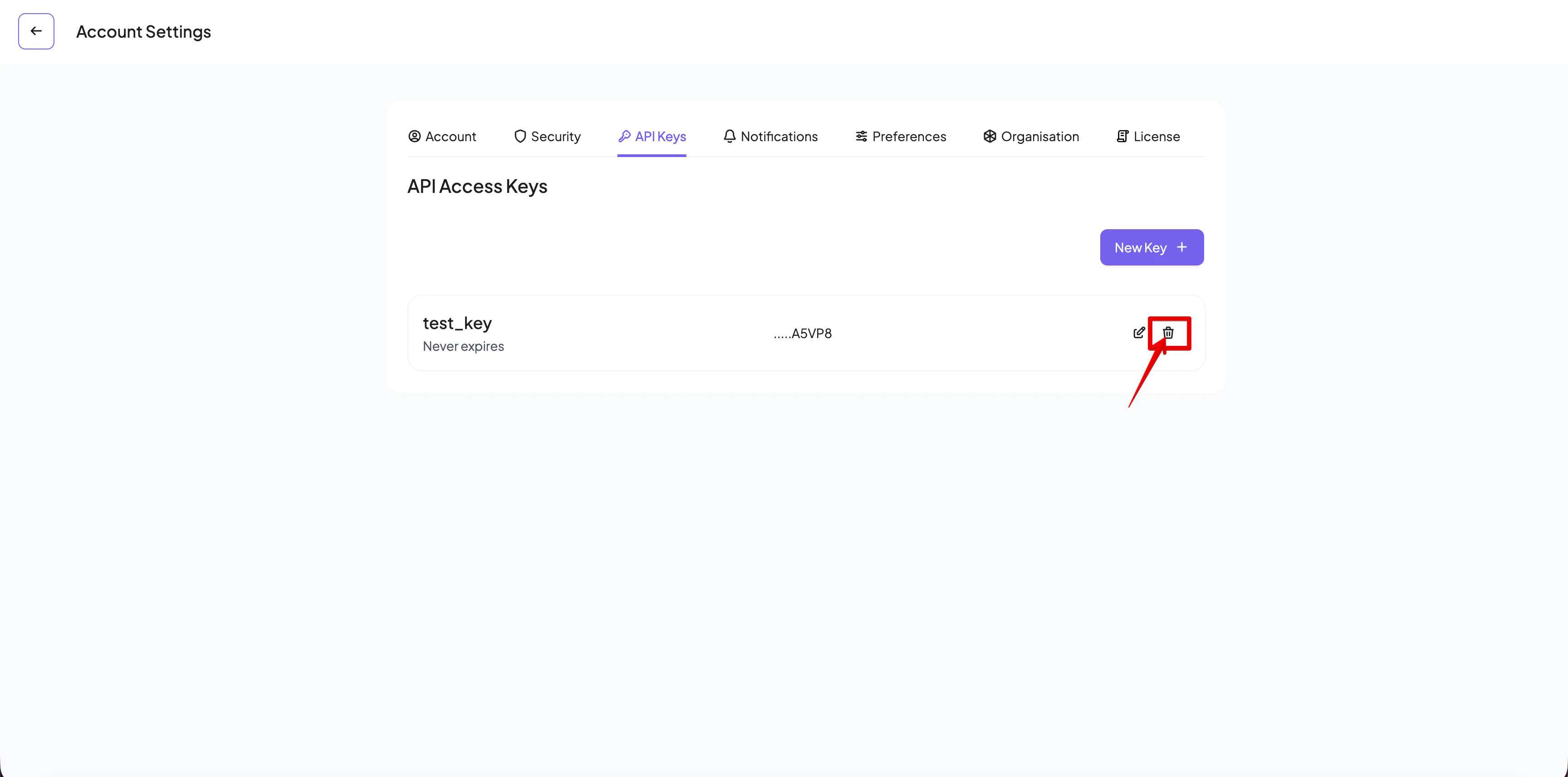
The generated API keys are listed in the API key management page. Only the last five characters of the key are displayed to help you locate the key. If you want to delete it, press the Delete button of the key's entry
## Deleting an API key
The generated API keys are listed in the API key management page. Only the last five characters of the key are displayed to help you locate the key. If you want to delete it, press the Delete button of the key's entry