> ## Documentation Index
> Fetch the complete documentation index at: https://docs.cymph.io/llms.txt
> Use this file to discover all available pages before exploring further.
# Mailer settings
# How to modify mailer settings
Users with the On-prem Administrator role can modify the mailer settings. By enabling mailer, users will be able to receive notifications for events as well as perform account recovery.
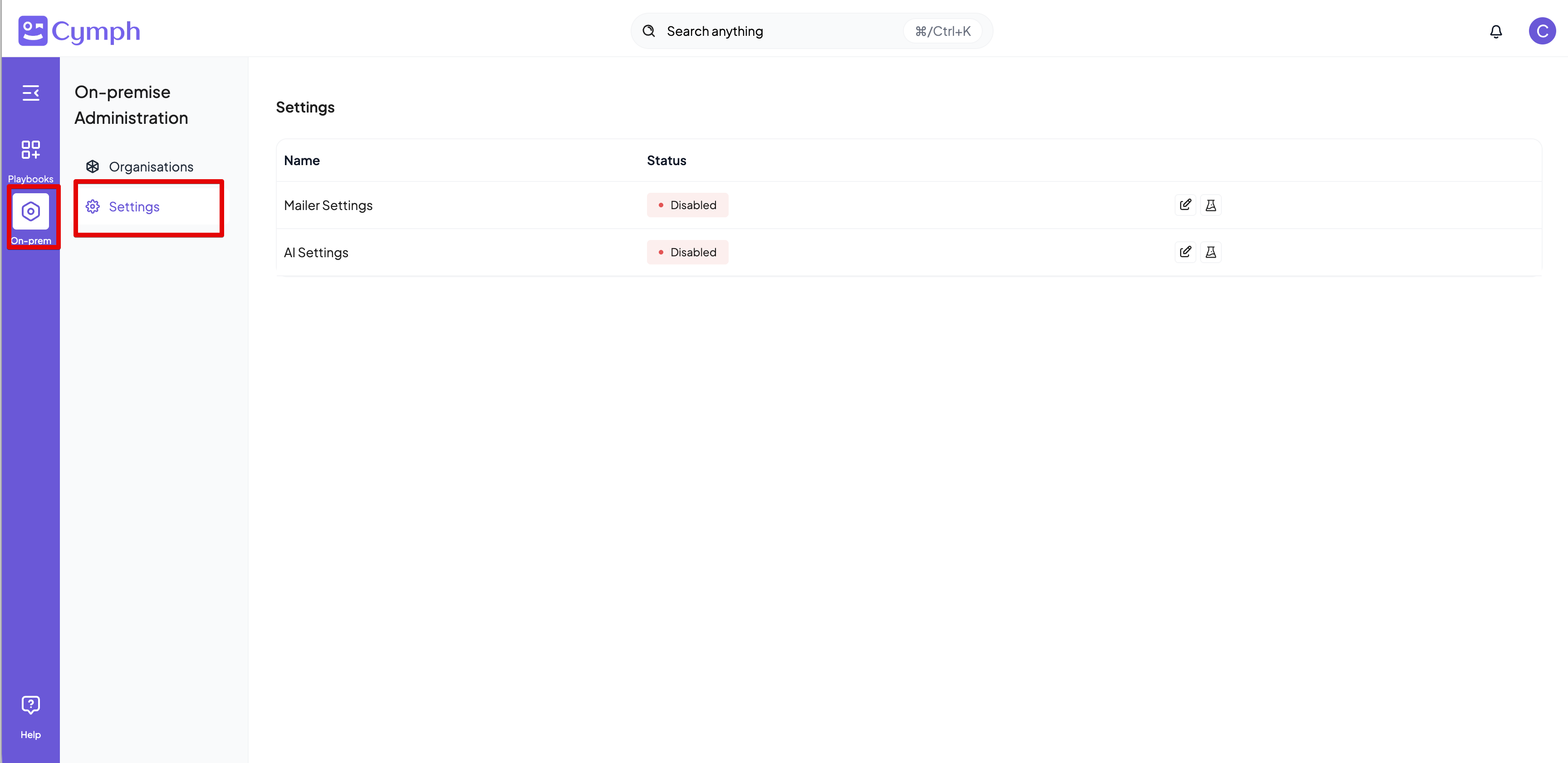
1. Go to **On-prem settings** page
* Click on **On-prem** from the navigation menu, then **Settings**
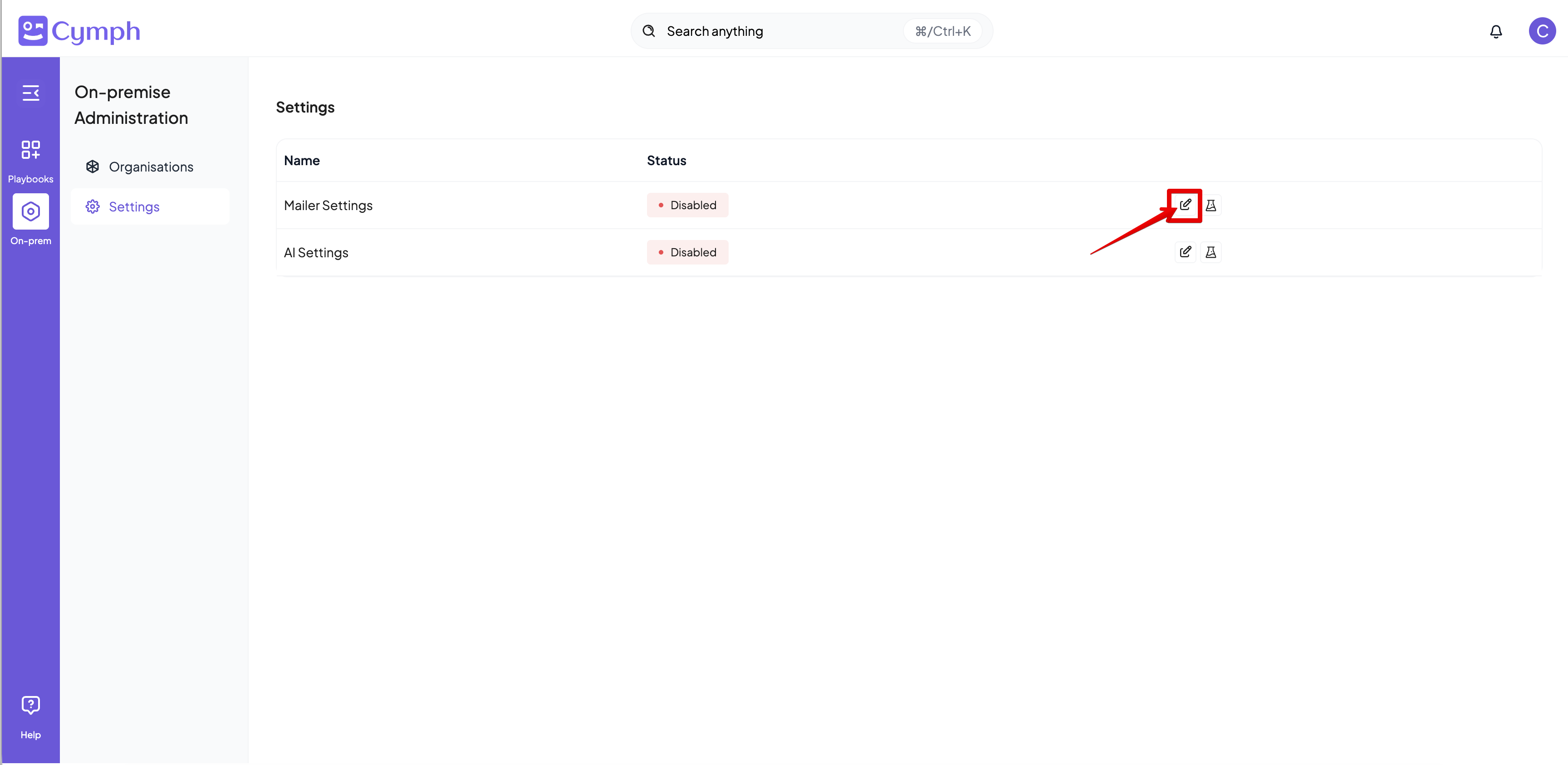
 2. Edit the **Mailer Settings**
* Click on the **Edit icon** next on the mailer settings row
2. Edit the **Mailer Settings**
* Click on the **Edit icon** next on the mailer settings row
 3. Key in the settings for the mailer
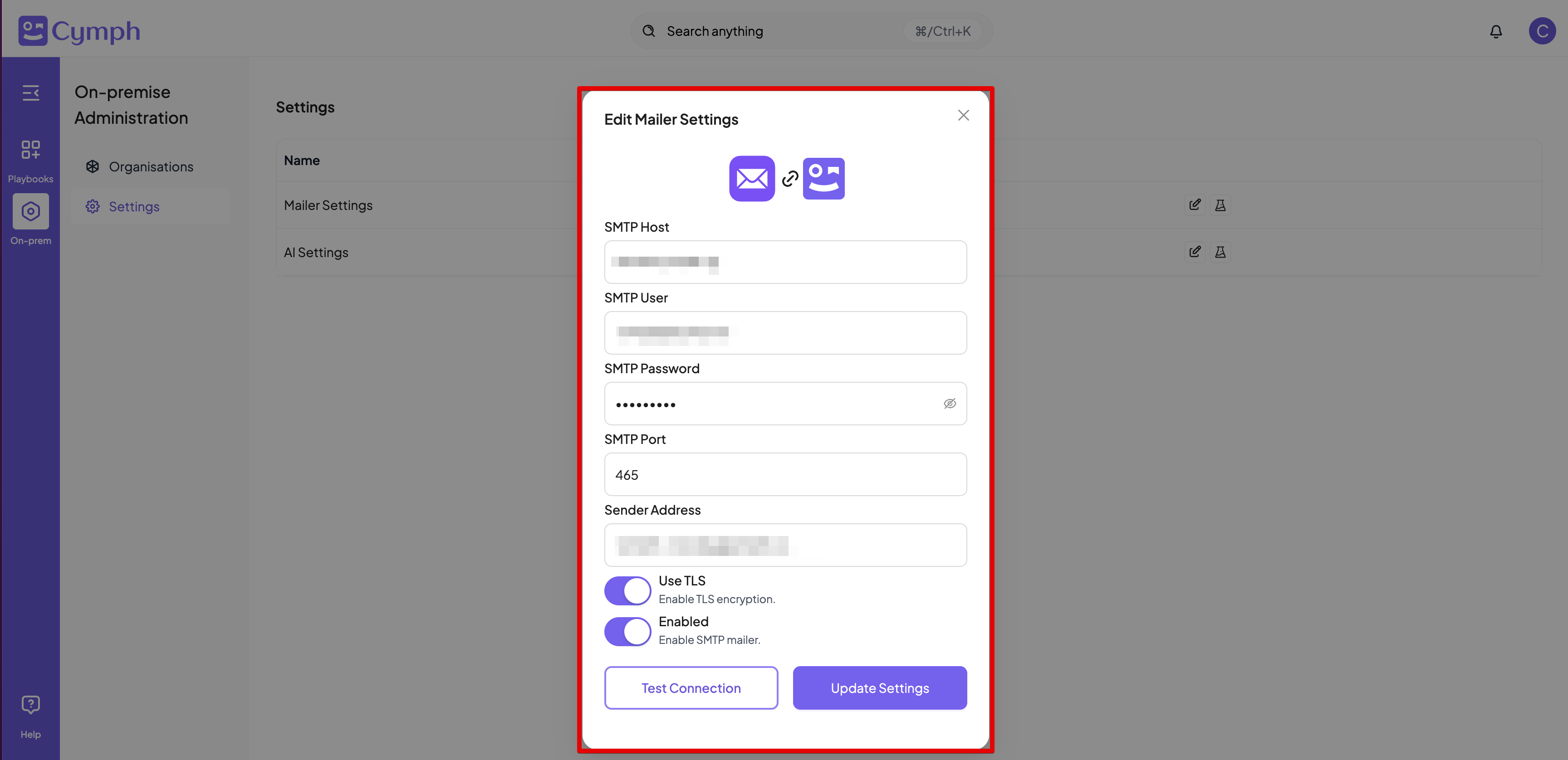 4. **Update Settings** when all the information is there