> ## Documentation Index
> Fetch the complete documentation index at: https://docs.cymph.io/llms.txt
> Use this file to discover all available pages before exploring further.
# Playbook Management System
The **Playbook Management System** is the central place of the platform where your private, shared, and community playbooks reside. From here, you can view, search, share and, in general, perform all actions around playbooks.
# Playbook views
There are different views for playbooks:
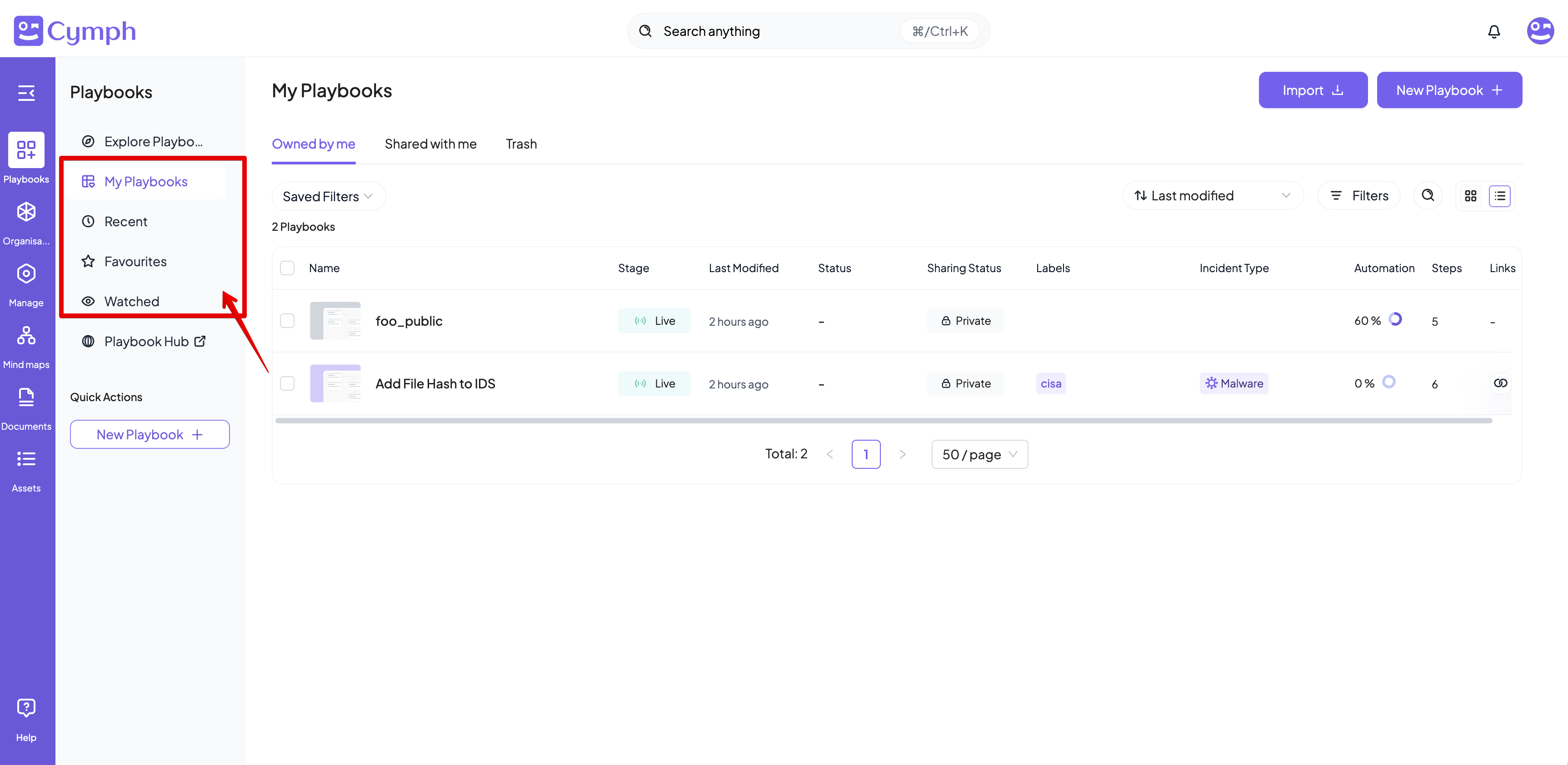
1. **Owned by me**: Displays the playbooks owned by you. This view is under **My Playbooks** section.
2. **Shared with me**: Playbooks shared with you. This view is under **My Playbooks** section.
3. **Recent**: Lists the playbooks recently opened or edited by you. This view is directly accessible from the navigation menu.
4. **Favourites**: Shows only the playbooks marked as favorite. This view is directly accessible from the navigation menu.
5. **Watched**: Lists the playbooks added to your watch list. This view is directly accessible from the navigation menu.
6. Public: Lists all playbooks that are publicly shared. This view is under **Explore Playbooks** sections.
7. **Trash**: Lists the playbooks marked for deletion. This view is under **My Playbooks** section.
To access each view, select it from the Navigation menu:
 # Playbook table
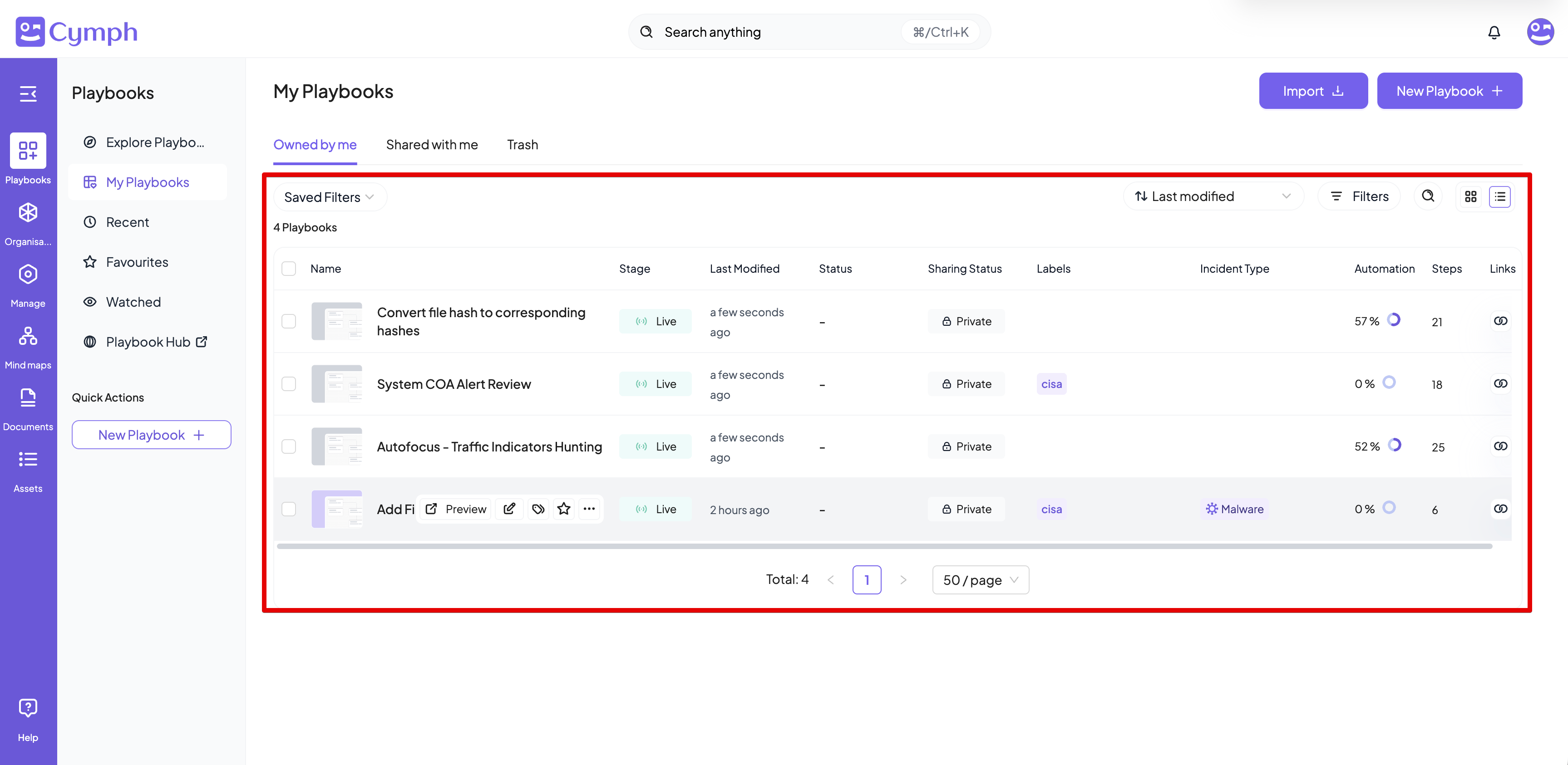
The playbook table lists all playbooks that match the selected view. It consists of eight columns:
1. **Name**: The playbook name.
2. **Stage**: There are 3 different stages for a playbook:
* **Draft**: the playbook is marked as a draft.
* **Live**: the playbook can be used
* **Revoked**: the playbook is obsolete and has been revoked.
3. **Last Modified**: The relative time since the last update of the playbook.
4. **Status**: the current status of the playbook. Valid statuses can be:
* **Planned**
* **In progress**
* **In review**
* **Completed**
5. **Sharing status**: provides an indicator if the private is private, shared with others or shared publicly
6. **Labels**: This column lists the user-defined labels.
7. **Owner**: The avatar of the playbook owner. Hover over the avatar to see the name of the owner.
8. **Automation**: the automation degree of the playbook
9. **Steps**: the number of steps involved in the playbooks
10. **Links**: shows informations on the source of the playbook (e.g. if it is imported from a SOAR system) and how this playbook is linked to configured presets
# Playbook table
The playbook table lists all playbooks that match the selected view. It consists of eight columns:
1. **Name**: The playbook name.
2. **Stage**: There are 3 different stages for a playbook:
* **Draft**: the playbook is marked as a draft.
* **Live**: the playbook can be used
* **Revoked**: the playbook is obsolete and has been revoked.
3. **Last Modified**: The relative time since the last update of the playbook.
4. **Status**: the current status of the playbook. Valid statuses can be:
* **Planned**
* **In progress**
* **In review**
* **Completed**
5. **Sharing status**: provides an indicator if the private is private, shared with others or shared publicly
6. **Labels**: This column lists the user-defined labels.
7. **Owner**: The avatar of the playbook owner. Hover over the avatar to see the name of the owner.
8. **Automation**: the automation degree of the playbook
9. **Steps**: the number of steps involved in the playbooks
10. **Links**: shows informations on the source of the playbook (e.g. if it is imported from a SOAR system) and how this playbook is linked to configured presets
 # Exploring playbooks
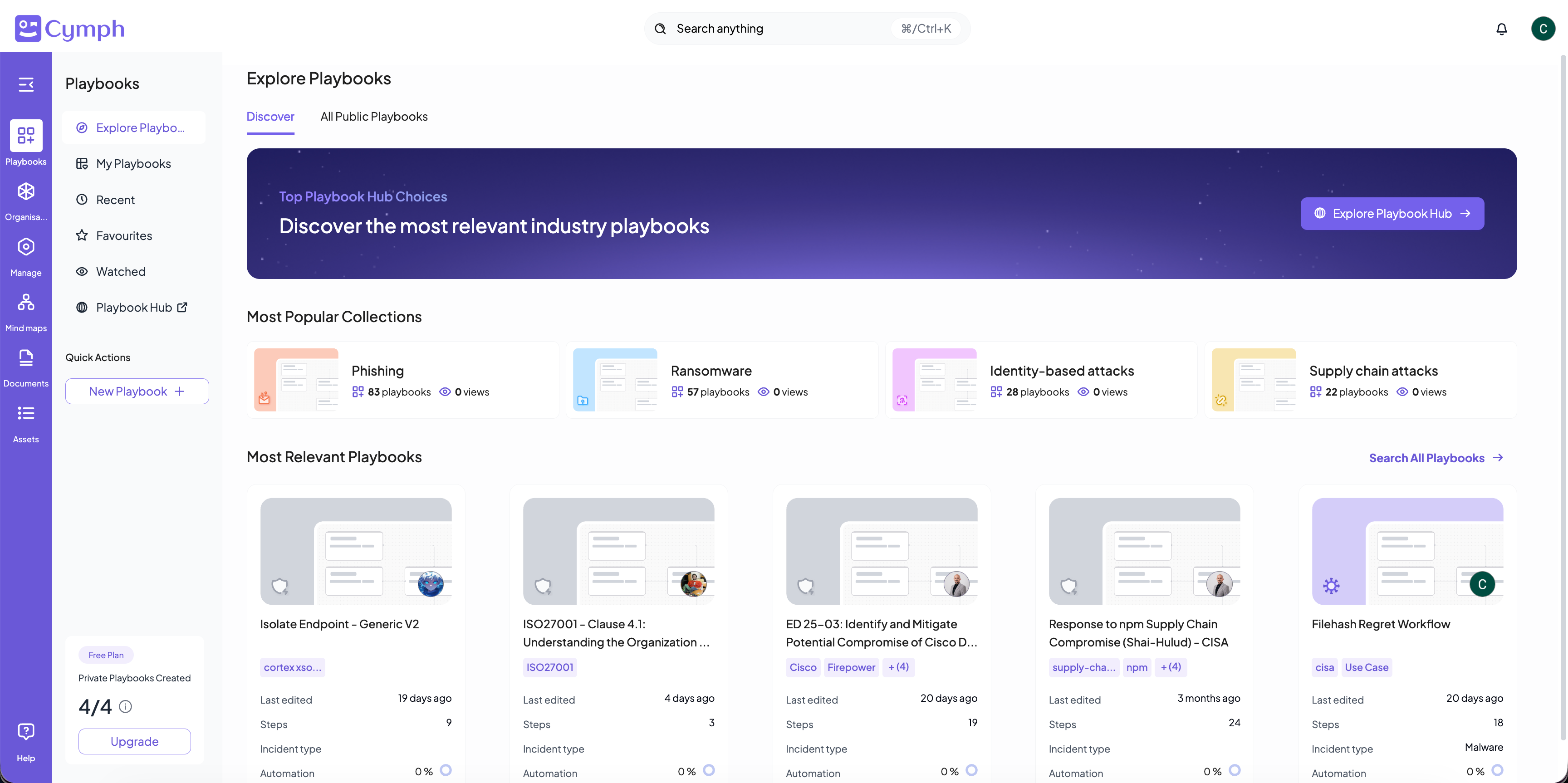
The Explore playbook section contains playbooks that are publicly shared so you can freely browse them.
## Discover area
This area proposes a set of most popular playbook collections organised around various prominent threats and incident types. It also lists the top 5 public playbooks in terms of views that can be relevant to you and your team
# Exploring playbooks
The Explore playbook section contains playbooks that are publicly shared so you can freely browse them.
## Discover area
This area proposes a set of most popular playbook collections organised around various prominent threats and incident types. It also lists the top 5 public playbooks in terms of views that can be relevant to you and your team
 ## All public playbooks
This is a playbook table containing all playbooks shared publicly
## All public playbooks
This is a playbook table containing all playbooks shared publicly