> ## Documentation Index
> Fetch the complete documentation index at: https://docs.cymph.io/llms.txt
> Use this file to discover all available pages before exploring further.
# Modify playbook settings
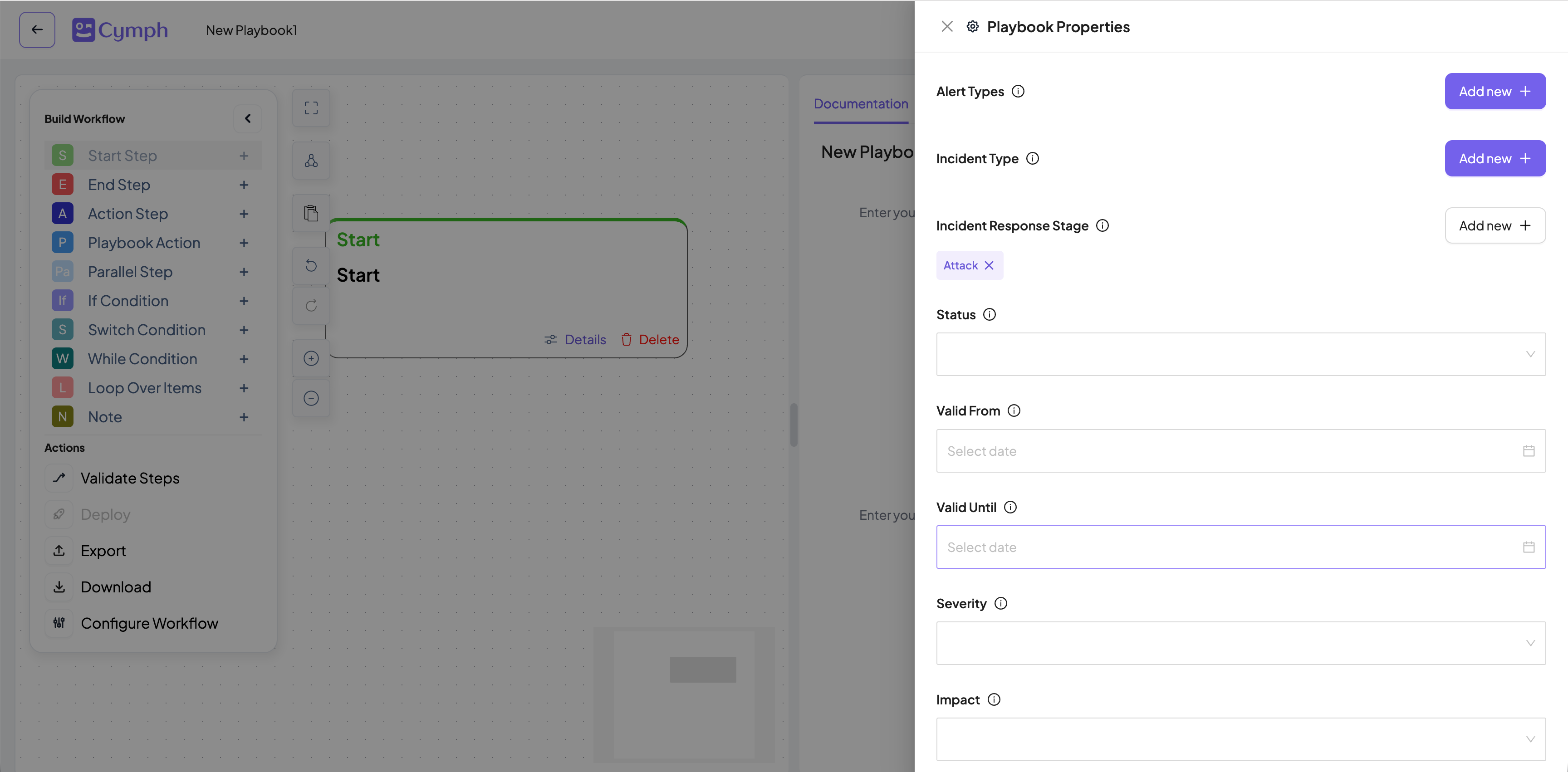
Playbooks come with certain settings that are used within their lifecycle. The settings can be modified either via the playbook editor as well as the playbook management system.
# Available Settings
The table below summarises the available settings for playbooks. Additionally it states from which part of the platform - editor or playbook management system (PMS) - each setting can be modified from
| Setting | Description | Editable
via Editor | Editable via
PMS |
| ----------------------- | --------------------------------------------------------------------------------------------------------------------------------------------------------------------- | ------------------------- | ---------------------- |
| Description | A description of the playbook | Yes | No |
| Alert types | Relevant alert types. It is a free-form field
and can have multiple value | Yes | Yes |
| Incident types | The relevant incident type, e.g phishing,
ransomware etc. Users can also add their
own incident type | Yes | Yes |
| Incident Response Stage | The incident response stage can be attack,
detection, remediation, investigation,
prevention. Uses can also add their own | Yes | Yes |
| Impact and Severity | The impact and severity of the playbooks.
Values can be Not Specified, Low,
Medium, High and Critical | Yes | Yes |
| Asset types | The associated asset types. Users can
specify multiple asset types. For more
information about asset types look at
Asset Managent documentation. | Yes | Yes |
| Assets involved | The assets referenced in the playbook | Yes | No |
| Review Settings | The assigned reviewer and review frequency
for the playbook. | Yes | Yes |
| Valid From / Until | The validity period of the playbook. | Yes | No |
| RACI matrix | The Responsible, Accountable, Consulted
and Informed matrix of the playbook. | Yes | No |
| Attachments | Files attached to the playbook. | Yes | No |
| External References | Any external references to this playbook. | Yes | No |
# Modifying via the Playbook Management System
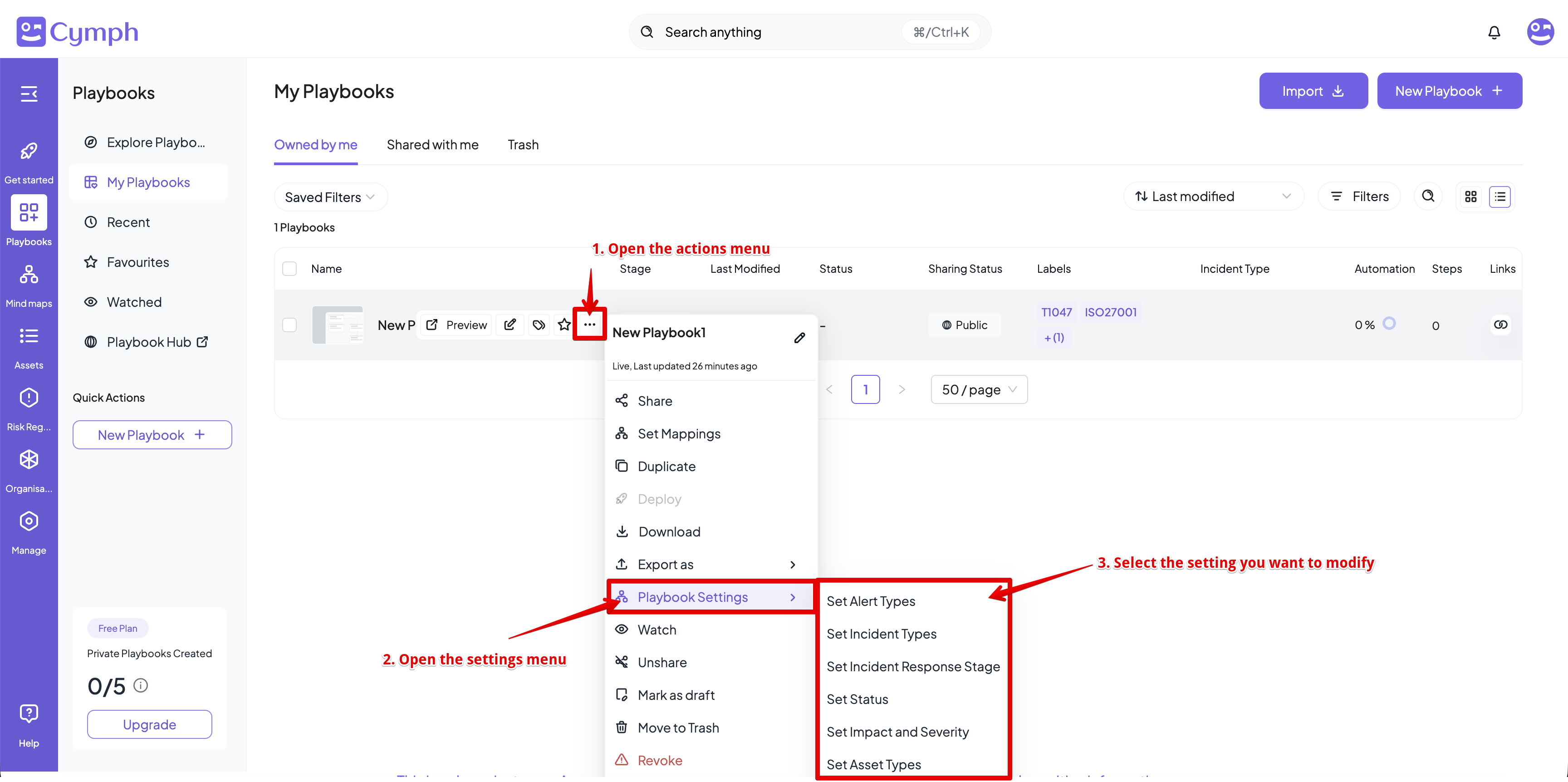
1. For the playbook you want to modify the settings for, hover over and open the action menu
* Click on the triple dot icon on the hover panel that appears
2. Go the Playbook Settings menu and select the setting you want to modify
 # Modifying via the Playbook Editor
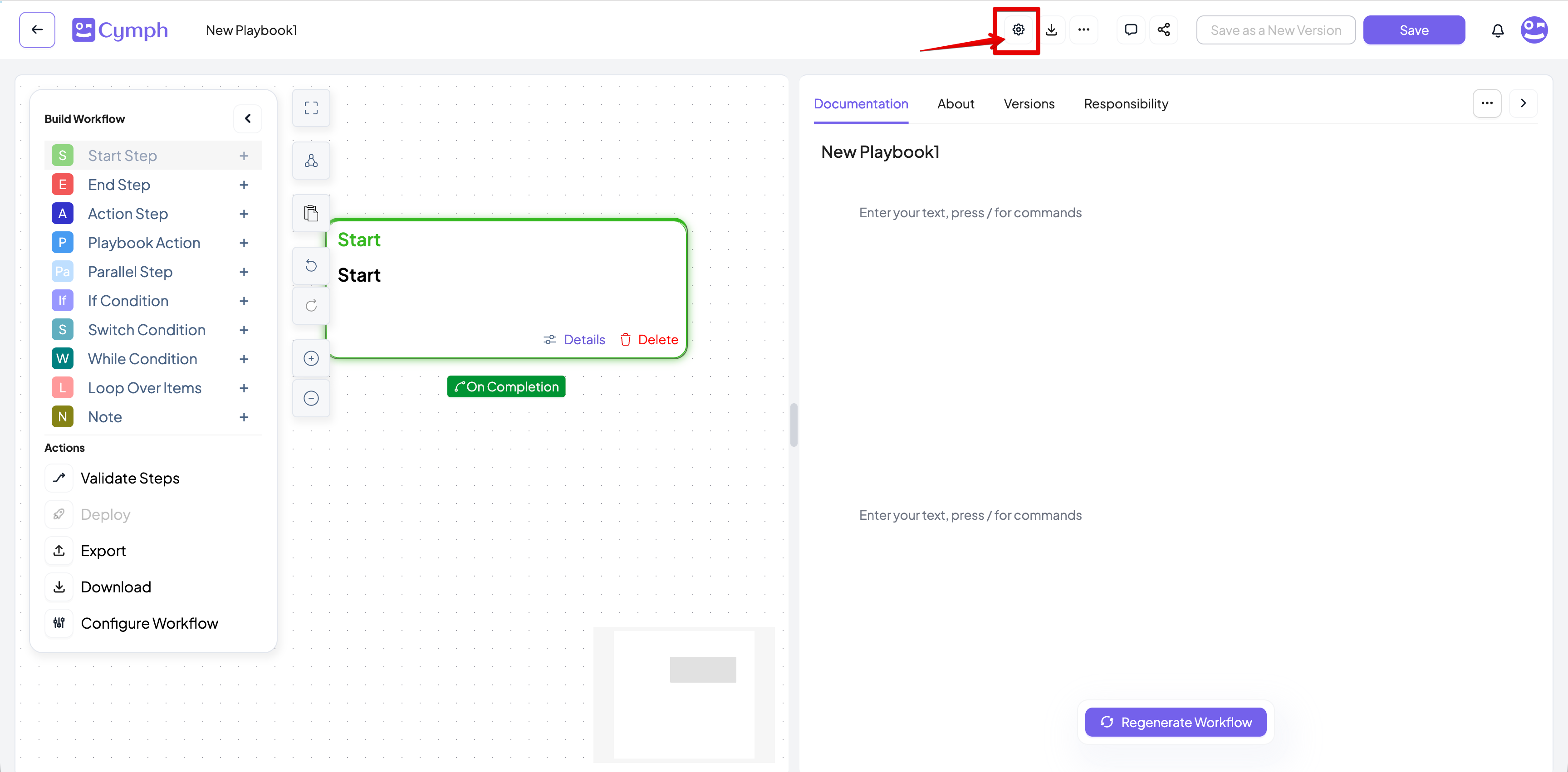
1. From the top bar, open the Playbook Settings drawer
* Click on the **Playbook Settings** icon
# Modifying via the Playbook Editor
1. From the top bar, open the Playbook Settings drawer
* Click on the **Playbook Settings** icon
 2. From the settings drawer that appears, modify the setting you want