> ## Documentation Index
> Fetch the complete documentation index at: https://docs.cymph.io/llms.txt
> Use this file to discover all available pages before exploring further.
# Creating your first playbook
# How to create your first playbook
1. Login to the Cymph platform.
2. Go to the **Playbooks** section
* Click on either **My Playbooks, Recent, Favorites, or Watched** from the sidebar menu.
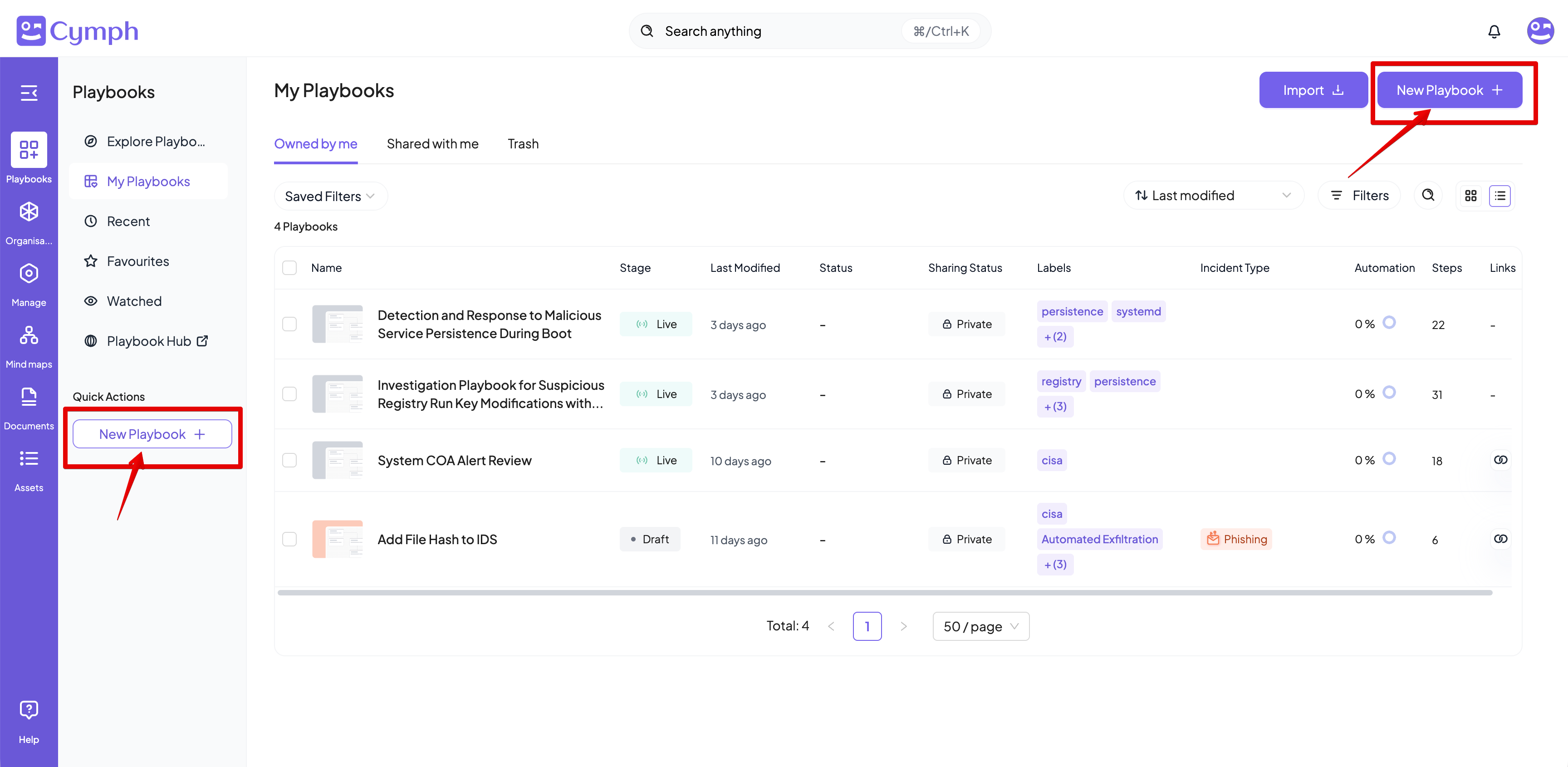
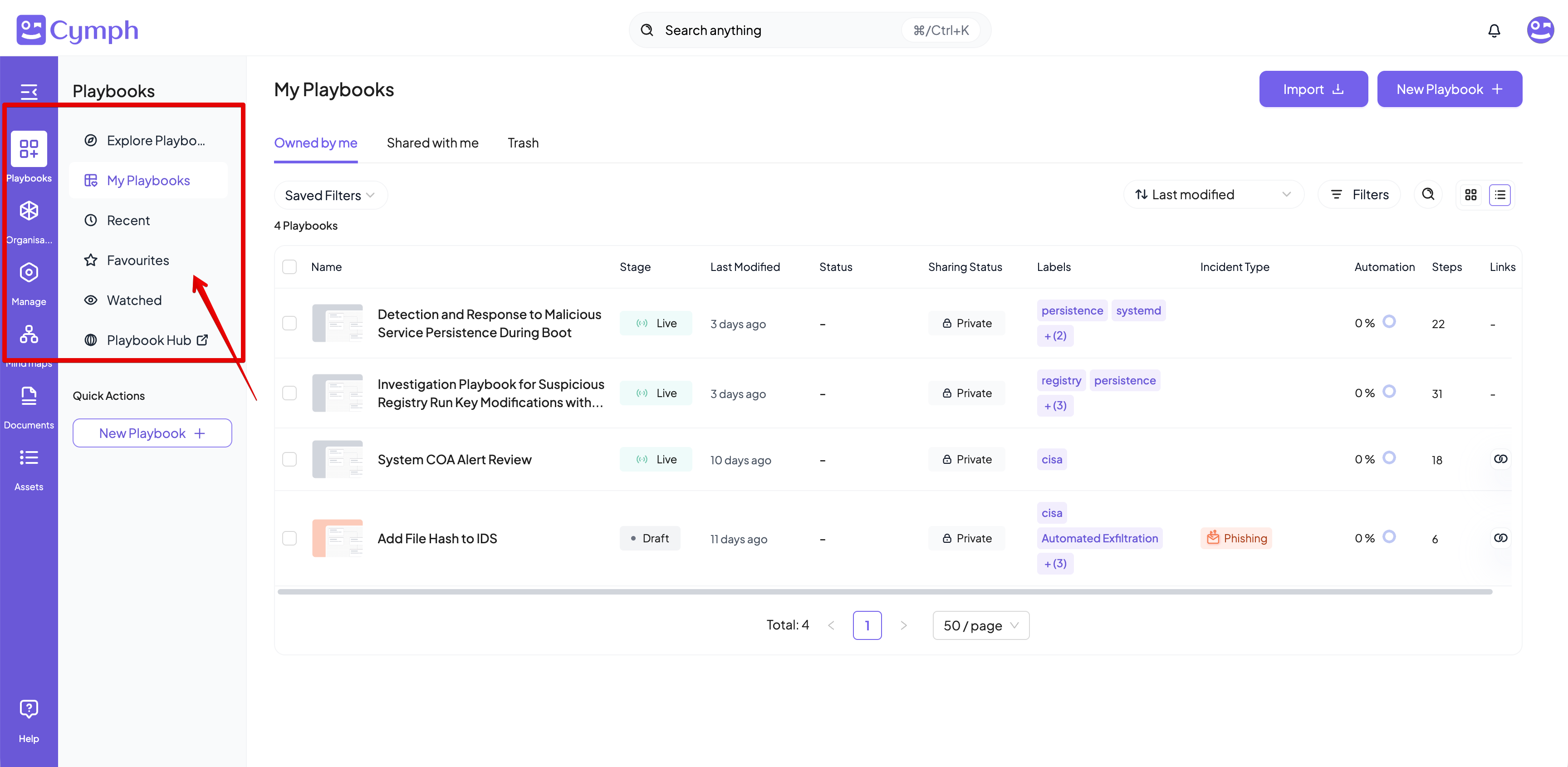 3. Click the **New Playbook** button and then the **From template** option from the menu that appears.
* Alternatively, you can click on the **New Playbook** quick action from the sidebar menu
* The playbook template selection window will appear.
3. Click the **New Playbook** button and then the **From template** option from the menu that appears.
* Alternatively, you can click on the **New Playbook** quick action from the sidebar menu
* The playbook template selection window will appear.
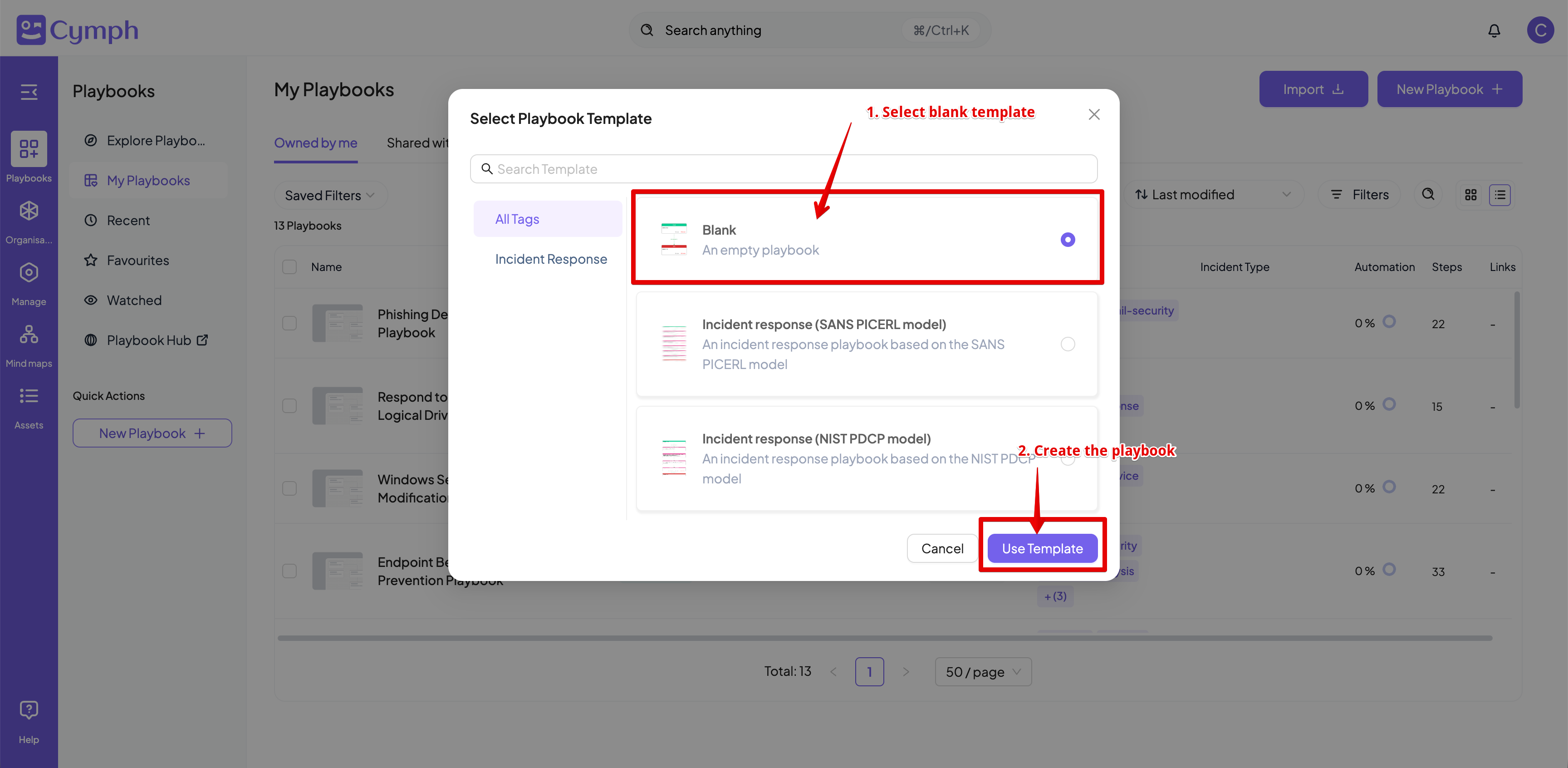
 4. Select the **Blank** template.
5. Click **Use Template**.
4. Select the **Blank** template.
5. Click **Use Template**.
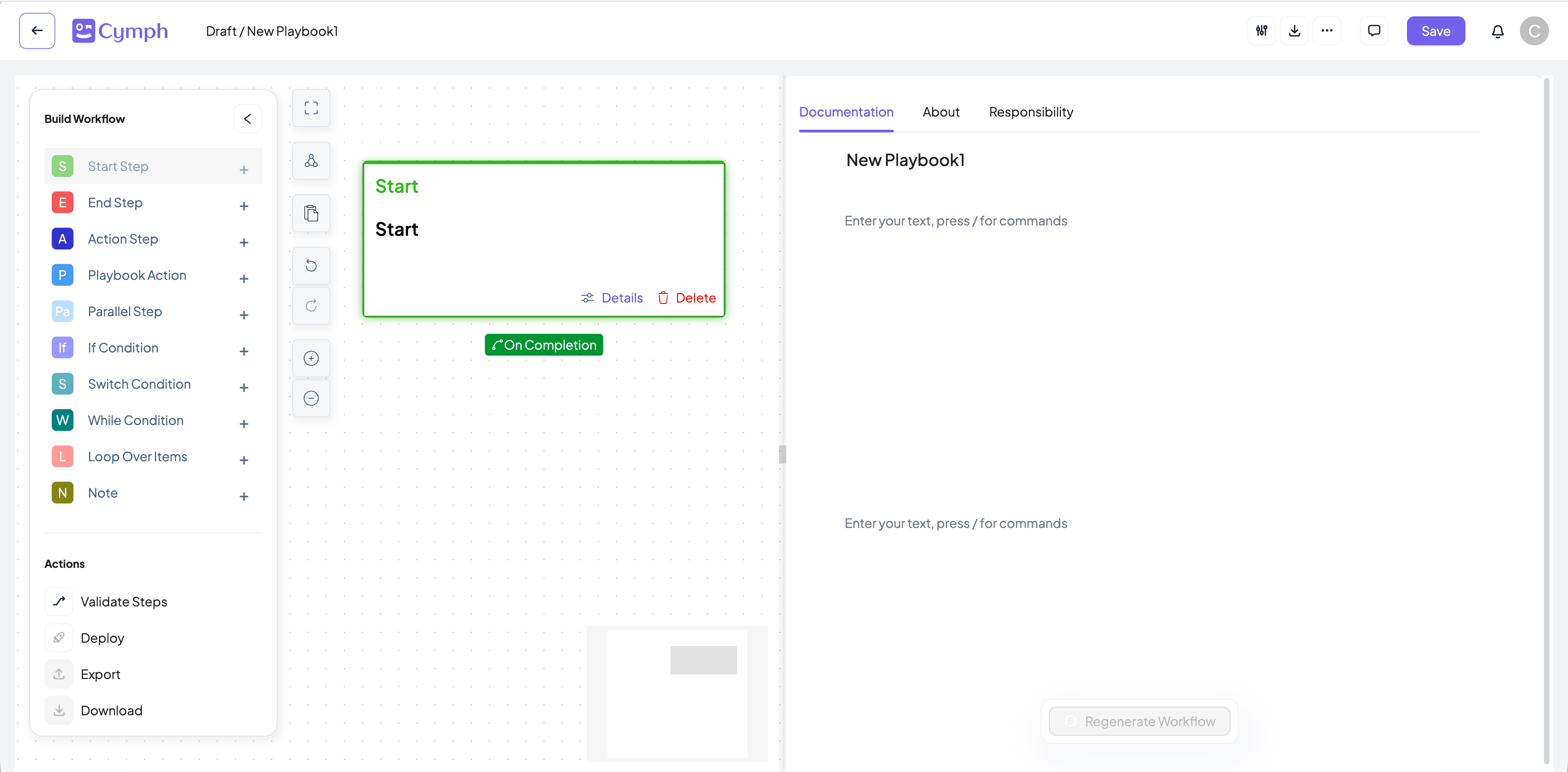
 6. You will be redirected to the **Playbook Editor**.
* Your newly created playbook will have a Start Step.
7. Edit your playbook.
**Learn more:** Read the [Playbook Editor](/key-features/editor) page for more details on how to design a playbook in the **Playbook Editor**
6. You will be redirected to the **Playbook Editor**.
* Your newly created playbook will have a Start Step.
7. Edit your playbook.
**Learn more:** Read the [Playbook Editor](/key-features/editor) page for more details on how to design a playbook in the **Playbook Editor**
 8. Save your changes.
* After making all your changes, click the **Save Changes** button.
**Did you know?** You can also view and [import existing playbooks](/howto/import_playbook).
8. Save your changes.
* After making all your changes, click the **Save Changes** button.
**Did you know?** You can also view and [import existing playbooks](/howto/import_playbook).