> ## Documentation Index
> Fetch the complete documentation index at: https://docs.cymph.io/llms.txt
> Use this file to discover all available pages before exploring further.
# Playbook Hub & Explore
> Enable or disable the public Playbook Hub and in-app Explore section.
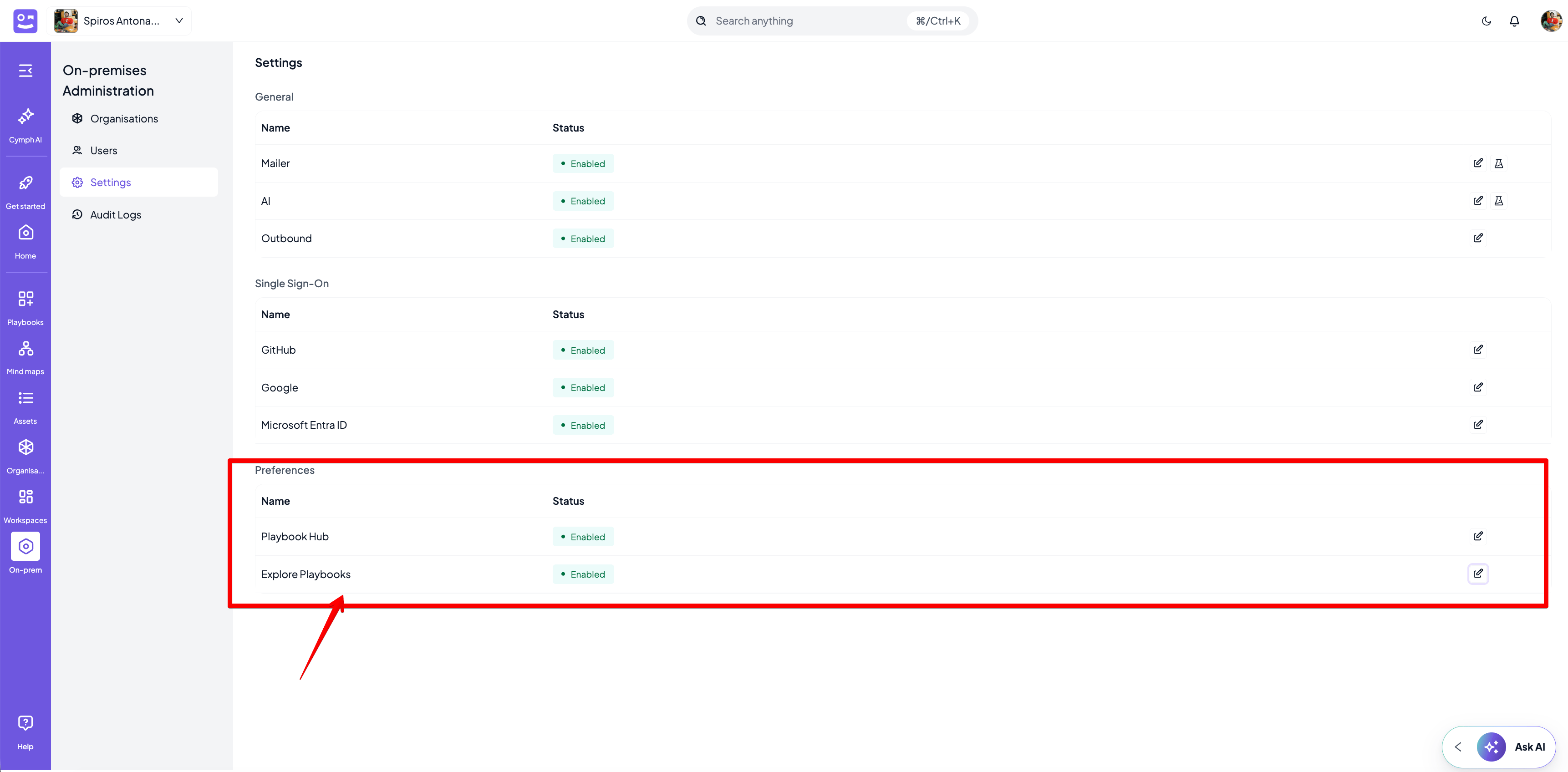
Users with the On-prem Administrator role can modify the settings for Hub and Explore sections. By enabling hub, users will be able to publish playbooks to a space in their deployment `https://demo-instance.cymph.io/hub` where published playbooks will be available without authentication to the platform. Explore playbooks setting allows users to navigate through the public playbooks from within the web application.
1. Go to **On-prem settings** page
* Click on **On-prem** from the navigation menu, then **Settings**
2. Enable or disable Playbook Hub
3. Enable or disable Explore Playbooks