> ## Documentation Index
> Fetch the complete documentation index at: https://docs.cymph.io/llms.txt
> Use this file to discover all available pages before exploring further.
# Edit your organisation details
1. Go to your **Organisation** page.
* From the navigation menu, go to the **Organisation** page and then click on the name of your organisation.
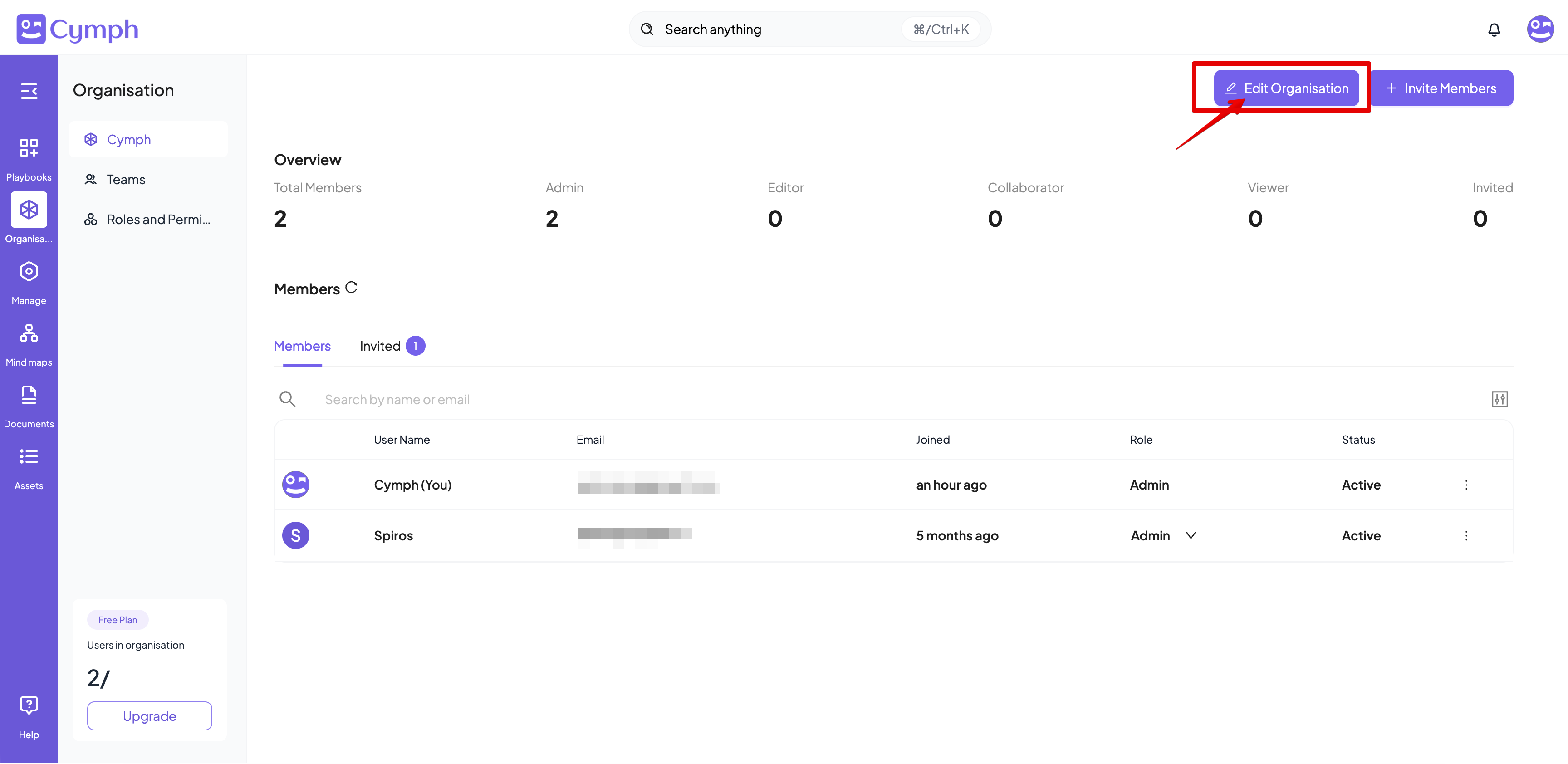
2. Click **Edit Organisation**.
* In the top-right corner, click the **Edit Organisation** button.
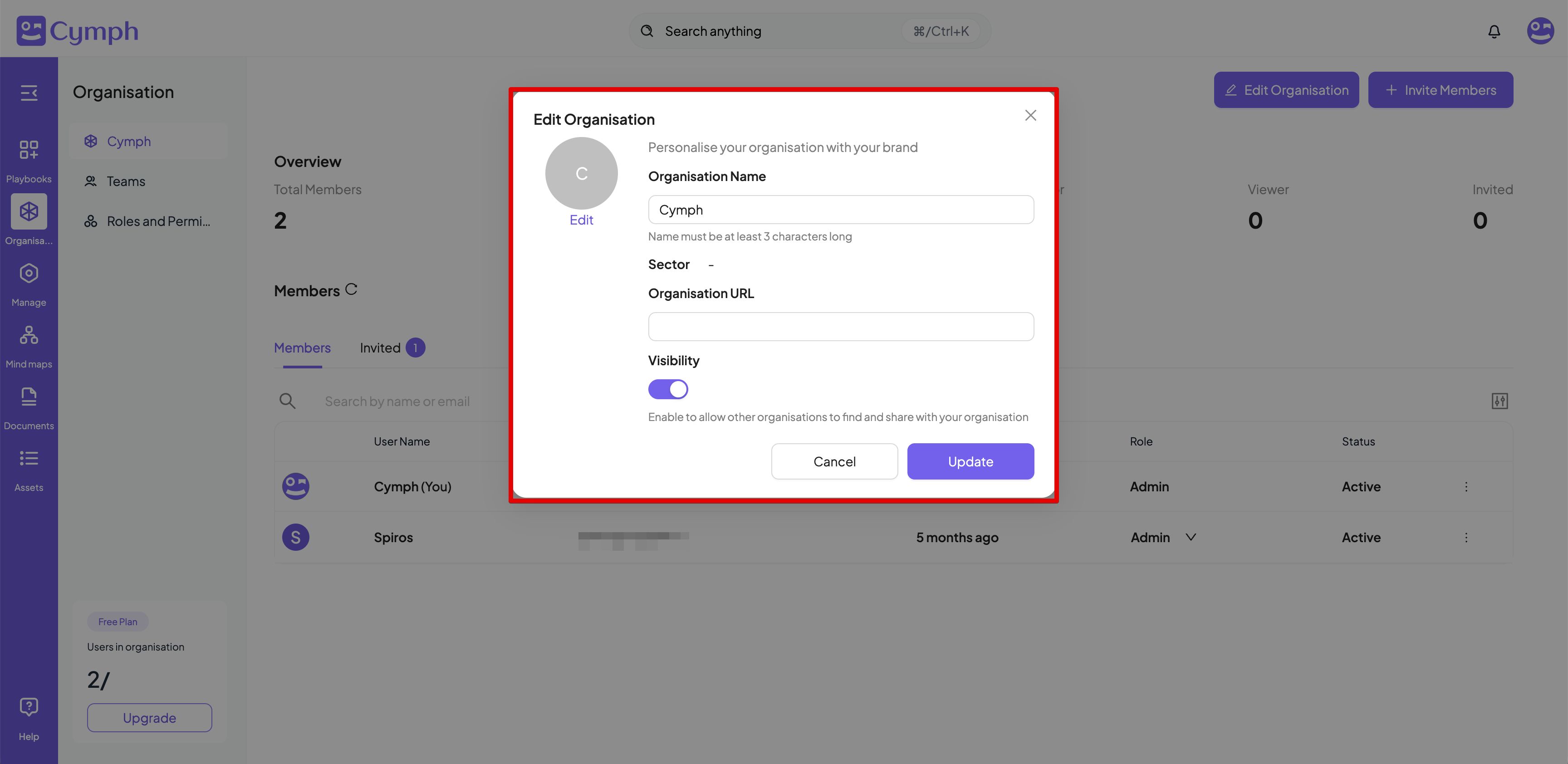
 3. Edit your organisation details.
* **Rename your organisation (optional):** Provide a name in the **Organisation Name** field. Organisation names are unique across the Cymph platform. If you try to provide a name that already belongs to an organisation, an error will be displayed.
* **Change the visibility status (optional):** Click on the **Visibility** toggle to change the visibility status of your organisation. By default an organisation is visible to users outside the organisation.
* **Update your organisation URL (optional)**: Provide a URL for your organisation
* **Update your organisation logo (optional)**: Click on the **Edit** link below your current organisation logo. The user can upload a new logo for their organisation. This needs to be an image file not exceeding 5MB and supported formats are PNG, GIF and JPEG.
3. Edit your organisation details.
* **Rename your organisation (optional):** Provide a name in the **Organisation Name** field. Organisation names are unique across the Cymph platform. If you try to provide a name that already belongs to an organisation, an error will be displayed.
* **Change the visibility status (optional):** Click on the **Visibility** toggle to change the visibility status of your organisation. By default an organisation is visible to users outside the organisation.
* **Update your organisation URL (optional)**: Provide a URL for your organisation
* **Update your organisation logo (optional)**: Click on the **Edit** link below your current organisation logo. The user can upload a new logo for their organisation. This needs to be an image file not exceeding 5MB and supported formats are PNG, GIF and JPEG.
 4. Confirm your changes.
* Click on the **Update** button for your changes to take effect.
Only users with the **Admin** role can change the details of their organisation. For all other roles, the option to edit their organisation details will not appear.
4. Confirm your changes.
* Click on the **Update** button for your changes to take effect.
Only users with the **Admin** role can change the details of their organisation. For all other roles, the option to edit their organisation details will not appear.